



⬡

KeepUp™

Lead the team
All sports

Athletics management for a whole district, with the oversight an AD needs and the freedom a coach wants. Rosters, schedules, documents, practice plans, attendance, results, and announcements run per school and roll up per district: an athletic director sees every program at their school, a district administrator sees every school, and each coach still runs their own team their own way. What a coach builds belongs to the school: when they move on, the documents, the plans and the records stay with the sport. Communication is one piece of it: channels by sport and season, direct and group messages, and supervised family groups. Under all of it sits the safety layer. Every message is screened before it is delivered, a student’s words never leave Hajos servers, adults get an AI review where a district turns it on, parents get transparent, gated visibility, and every look through safety access is logged. COPPA and FERPA compliance built in, not bolted on.

KeepUp app

You don’t need to be a swim team to benefit from KeepUp. It’s built for all sports: every team at the school runs on it, and the swimming tie-ins are a bonus for the ones that swim. Right now that extra depth is swimming-first, and similar features for other sports are on the way.
01
The whole team, in one app
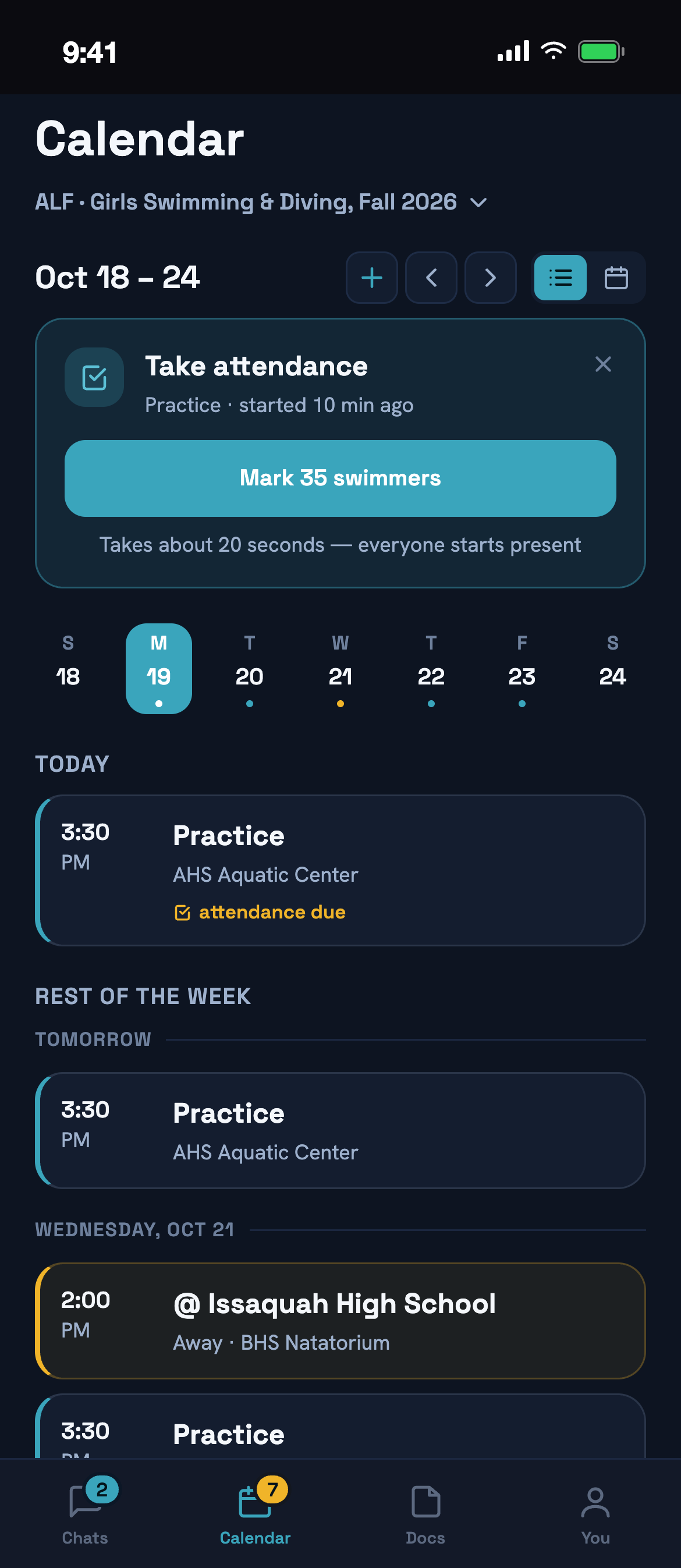
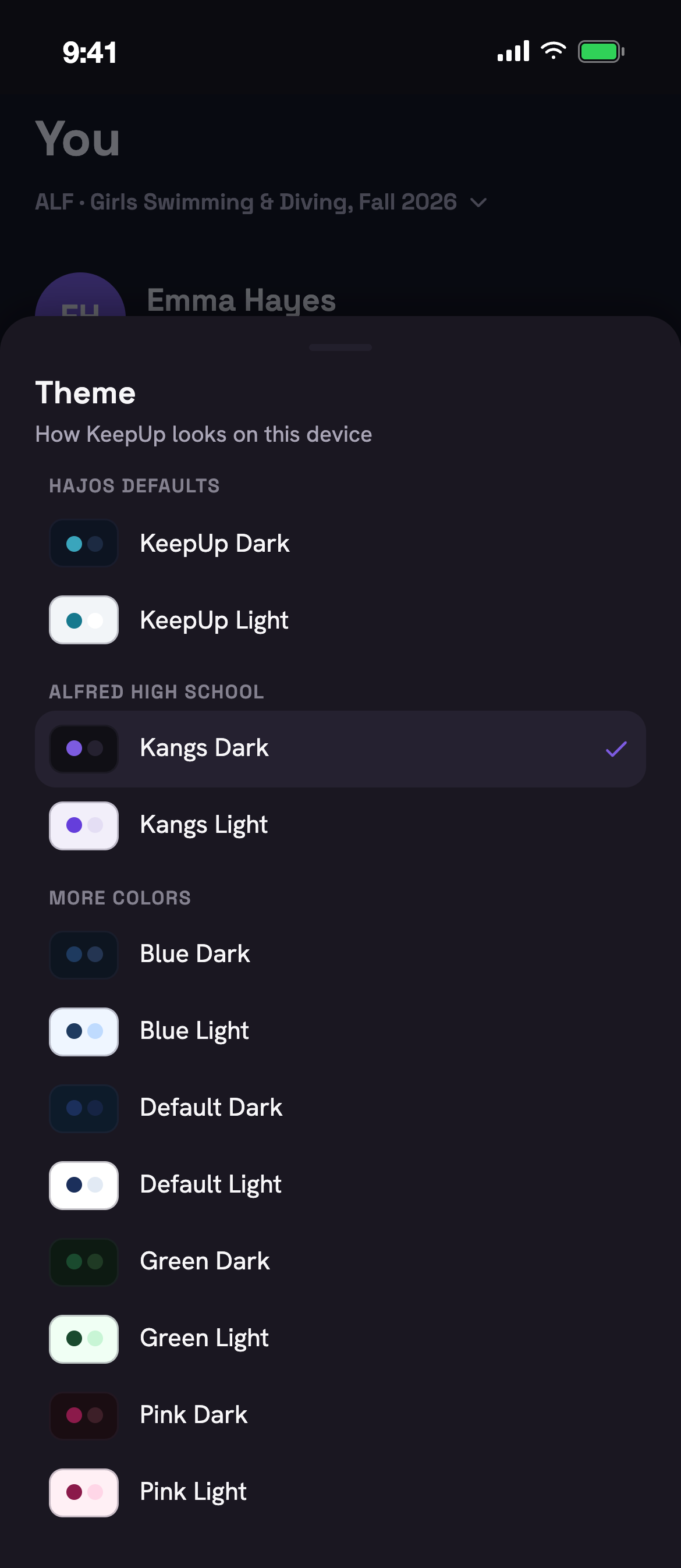
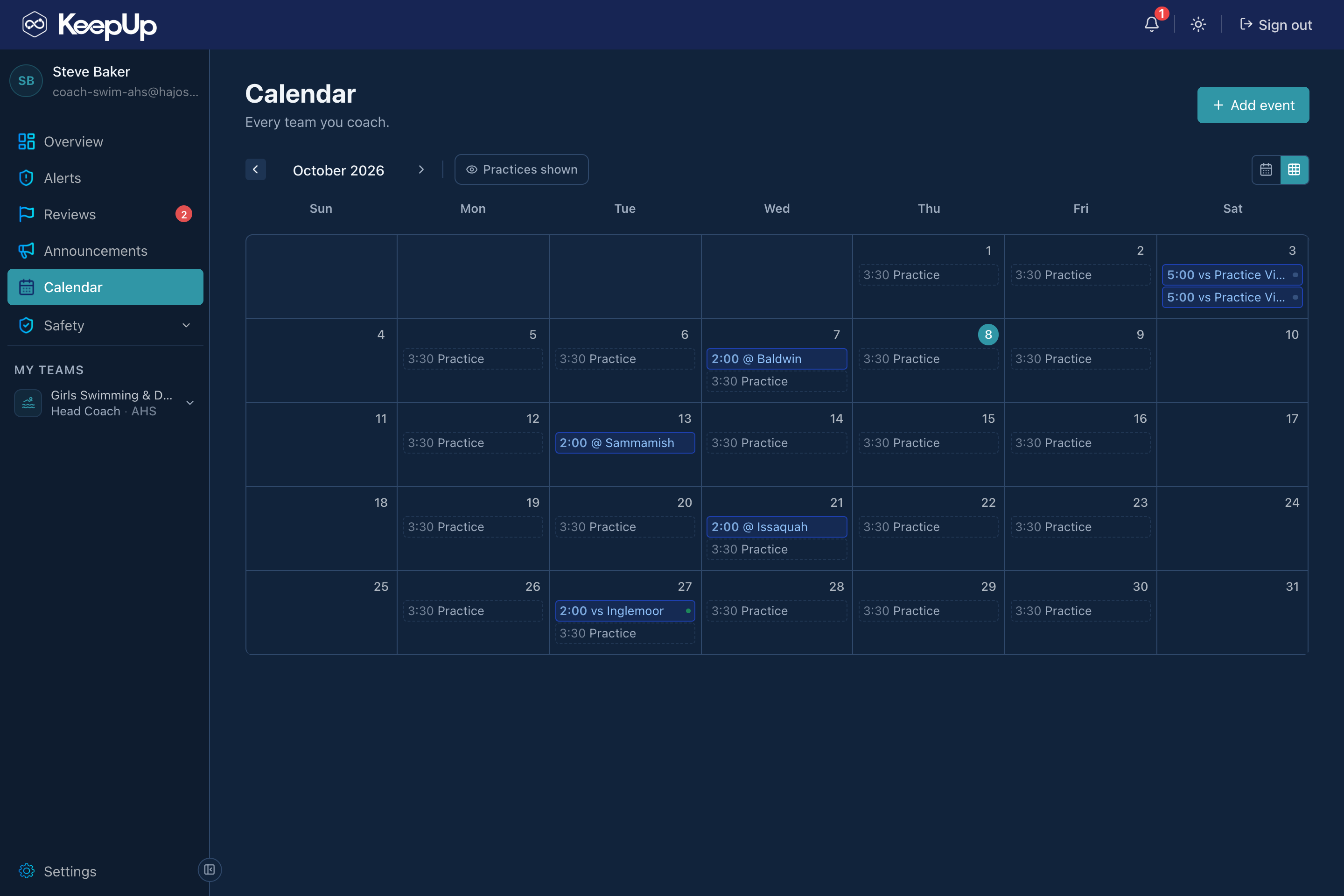
Channels by sport and season, direct messages, group threads, announcements and real-time notifications, in the app in every athlete’s pocket and on the web console the coach runs the season from. The calendar carries every practice and meet, and Alfréd’s reminders go out on their own. One home base for the whole program instead of a scramble of group texts, email chains and a shared drive nobody can find. Each school sets its own color scheme, so the app shows up in your school’s colors.
The whole team, in one app
02
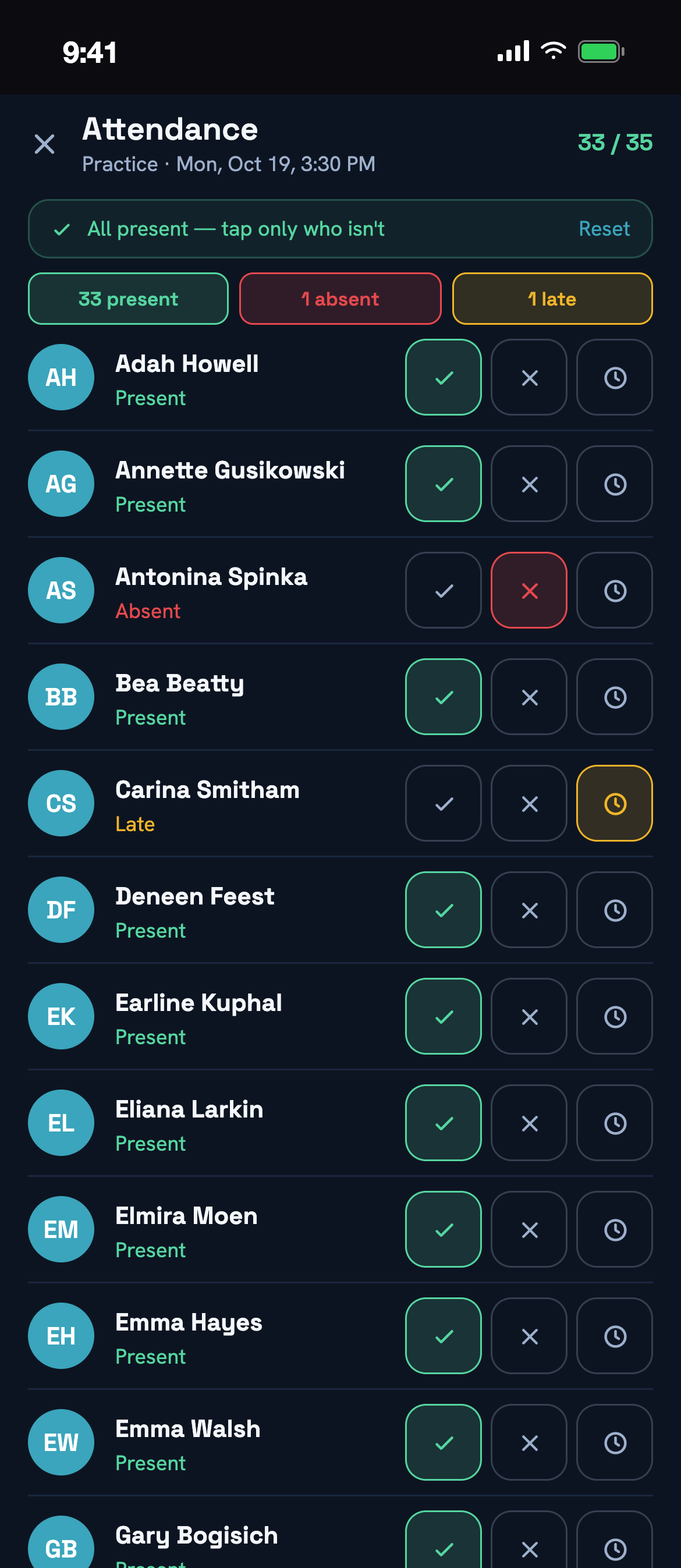
One place for docs, attendance, and plans
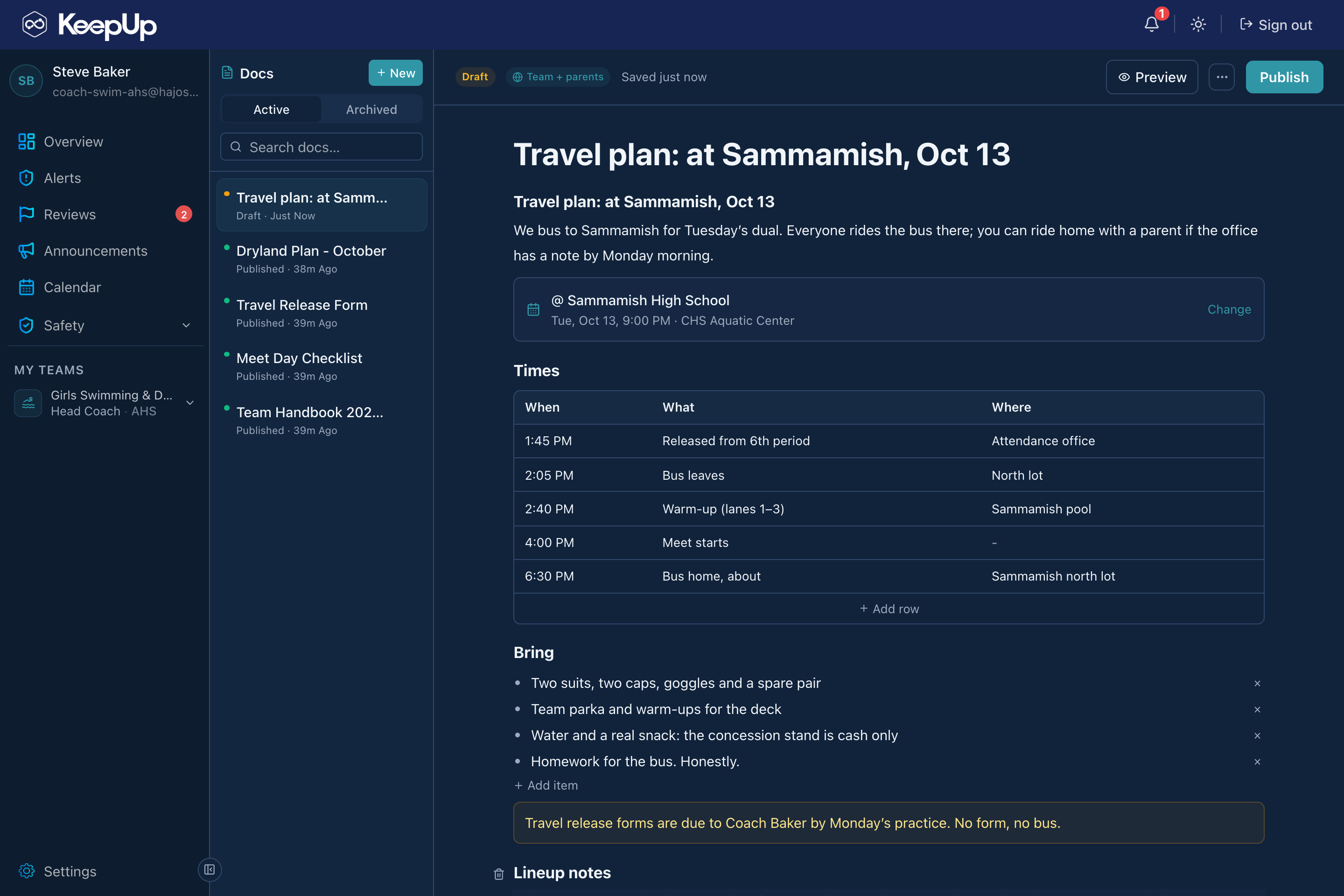
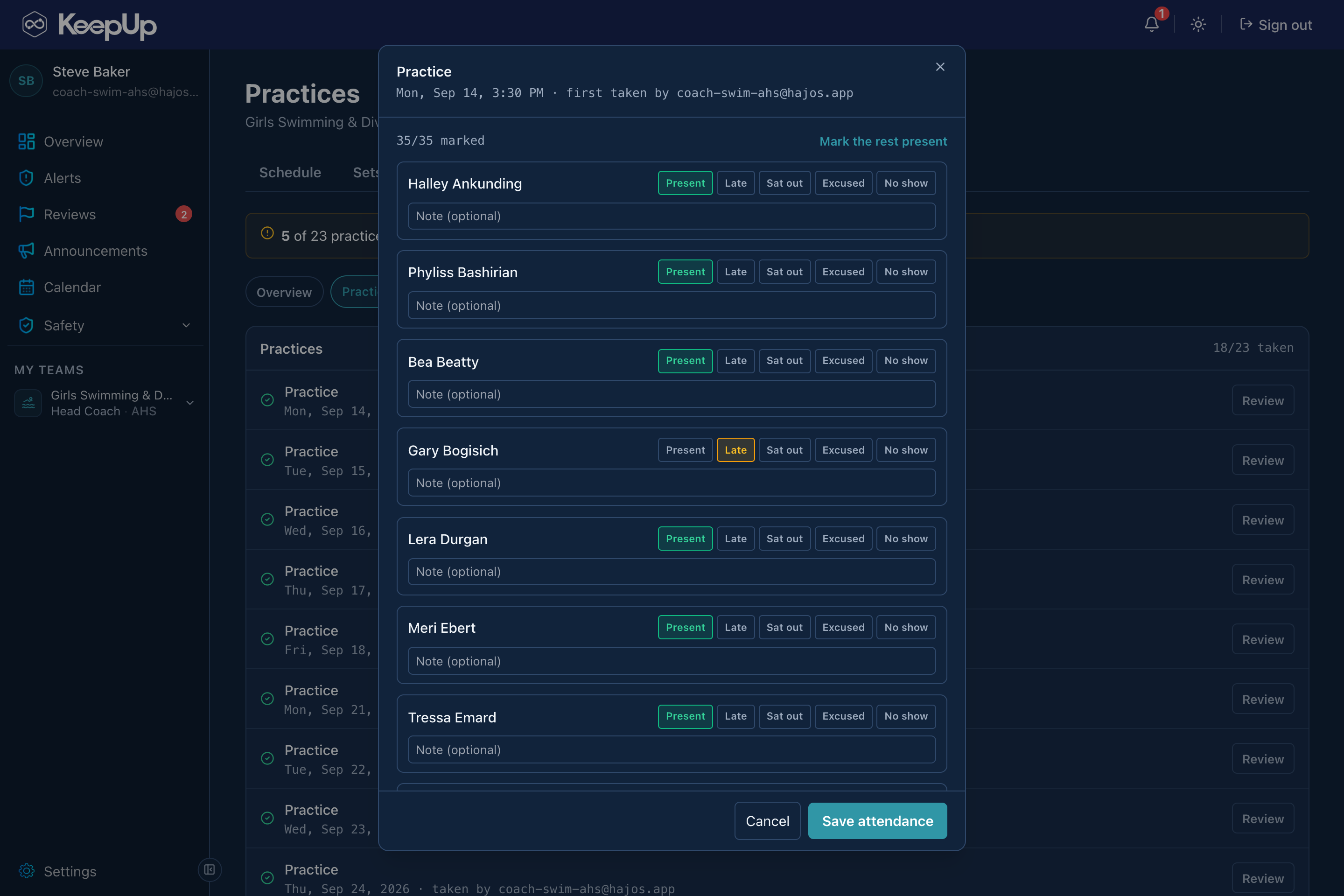
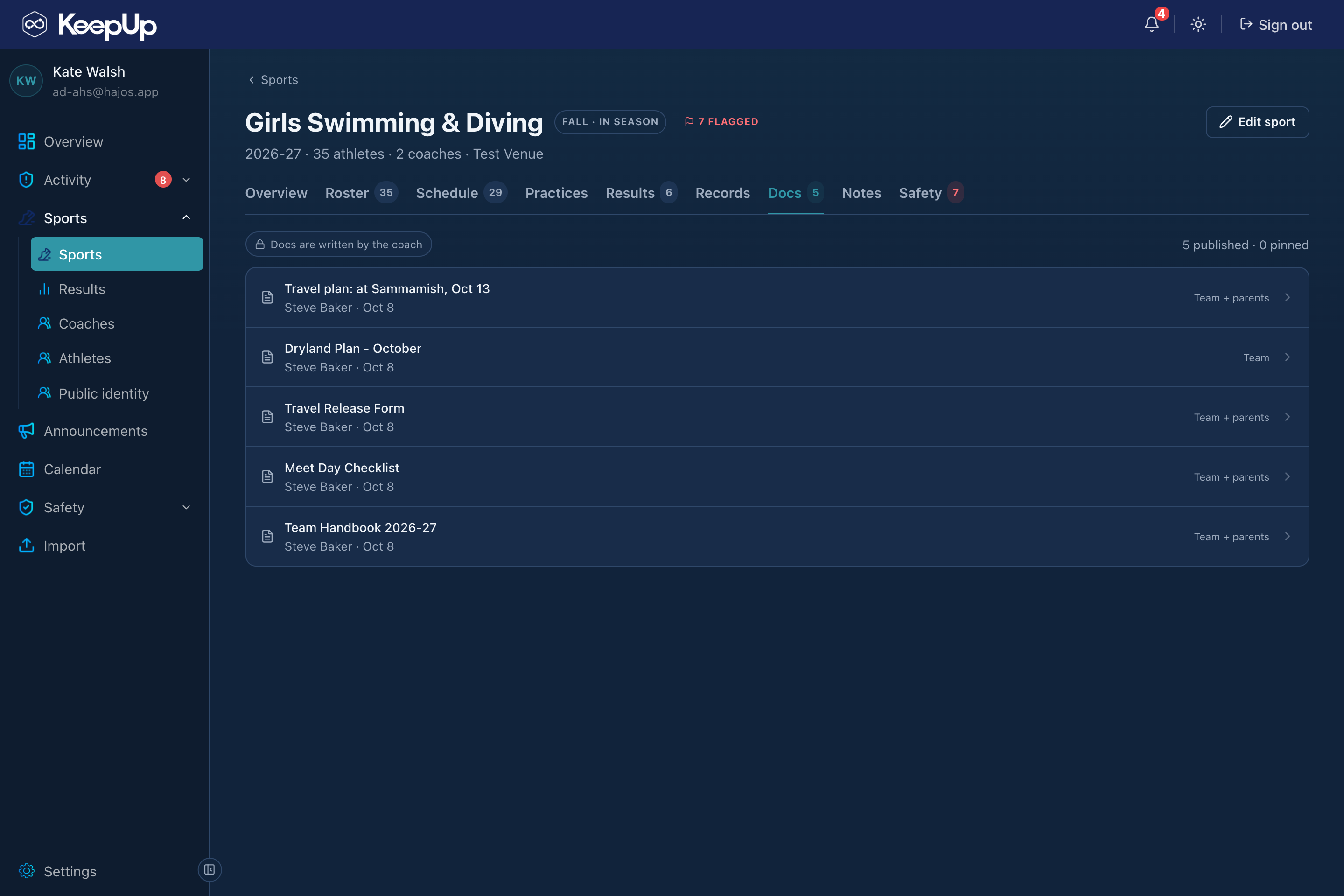
An athletic director sees everything a coach does, sport by sport: the documents, the attendance, the practice plans, the roster, the results. Nothing gets uploaded to three different places and nothing lives in a Google Doc the AD has to ask for a link to. It’s created and managed in one place, and that place is the one the AD is already looking at.
One place for docs, attendance, and plans
03
Team knowledge stays with the school
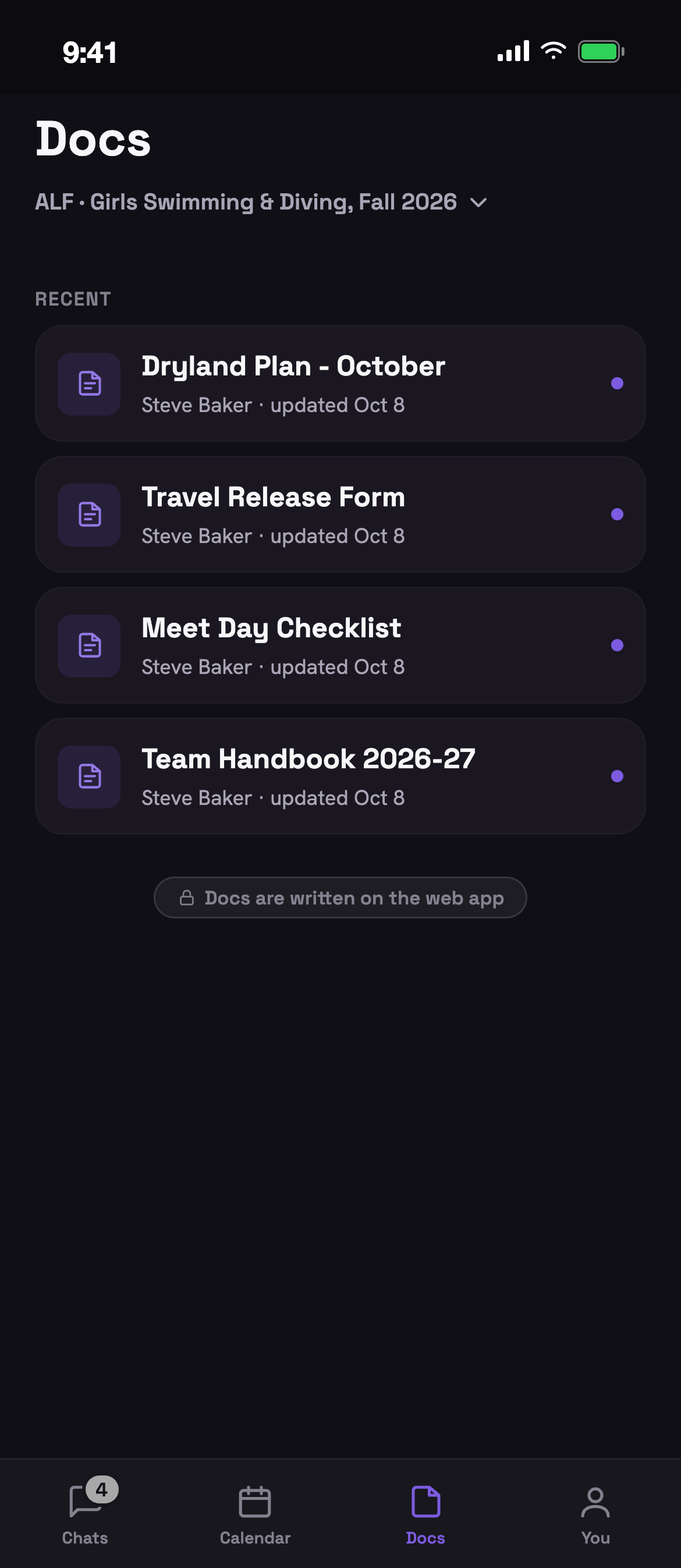
Everything a coach builds in KeepUp belongs to the sport, and the sport belongs to the school and the district, not to whoever is coaching it this year. The handbook, the travel plans, the practice plans and sets, the roster, the attendance, the results and the records are all still there the day a coach moves on, and the next coach starts from them instead of from an empty folder. Nothing lives in a personal drive or on a phone that leaves with its owner, and the athletic director can read any of it without having to ask.
Team knowledge stays with the school
04
Sets you can share
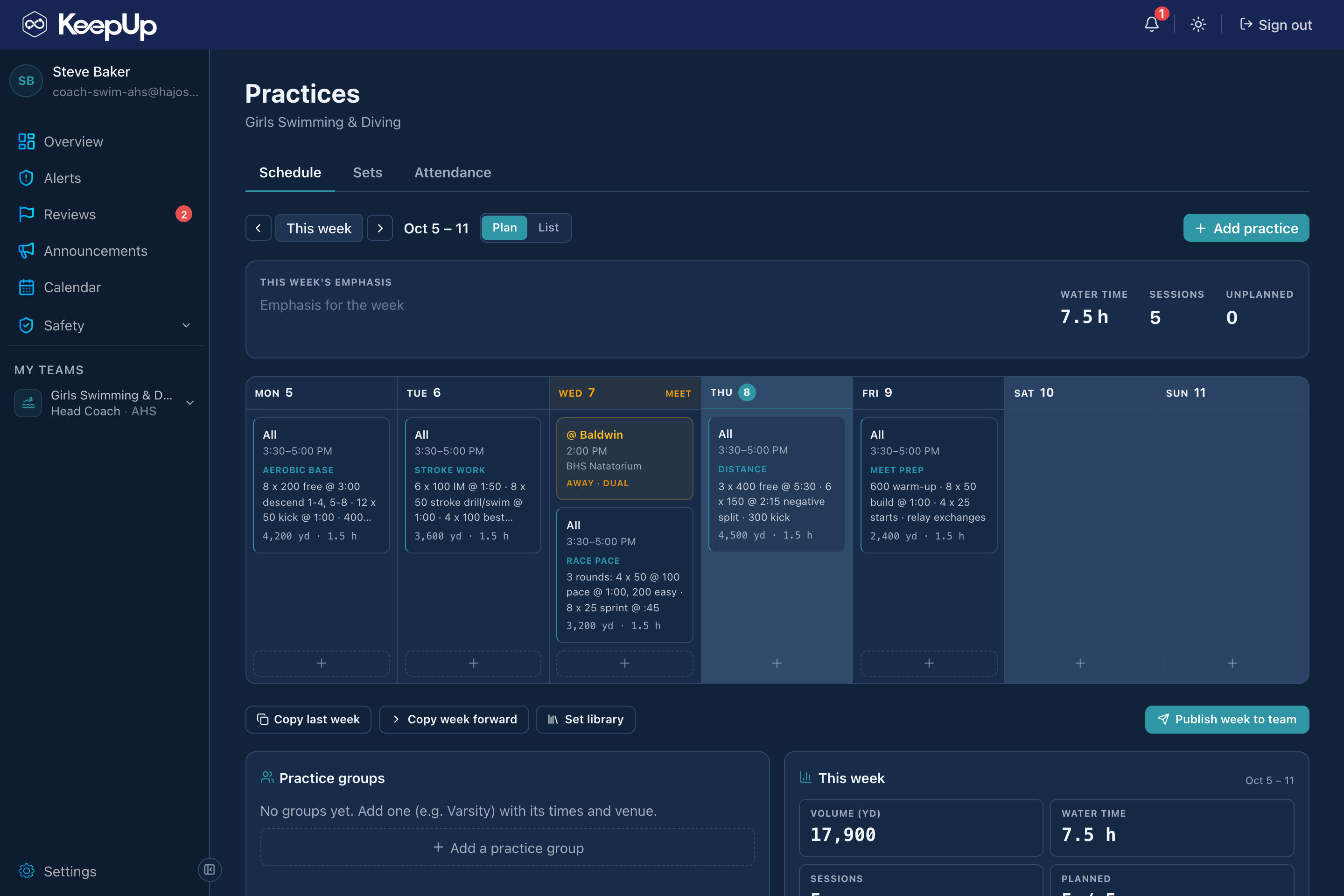
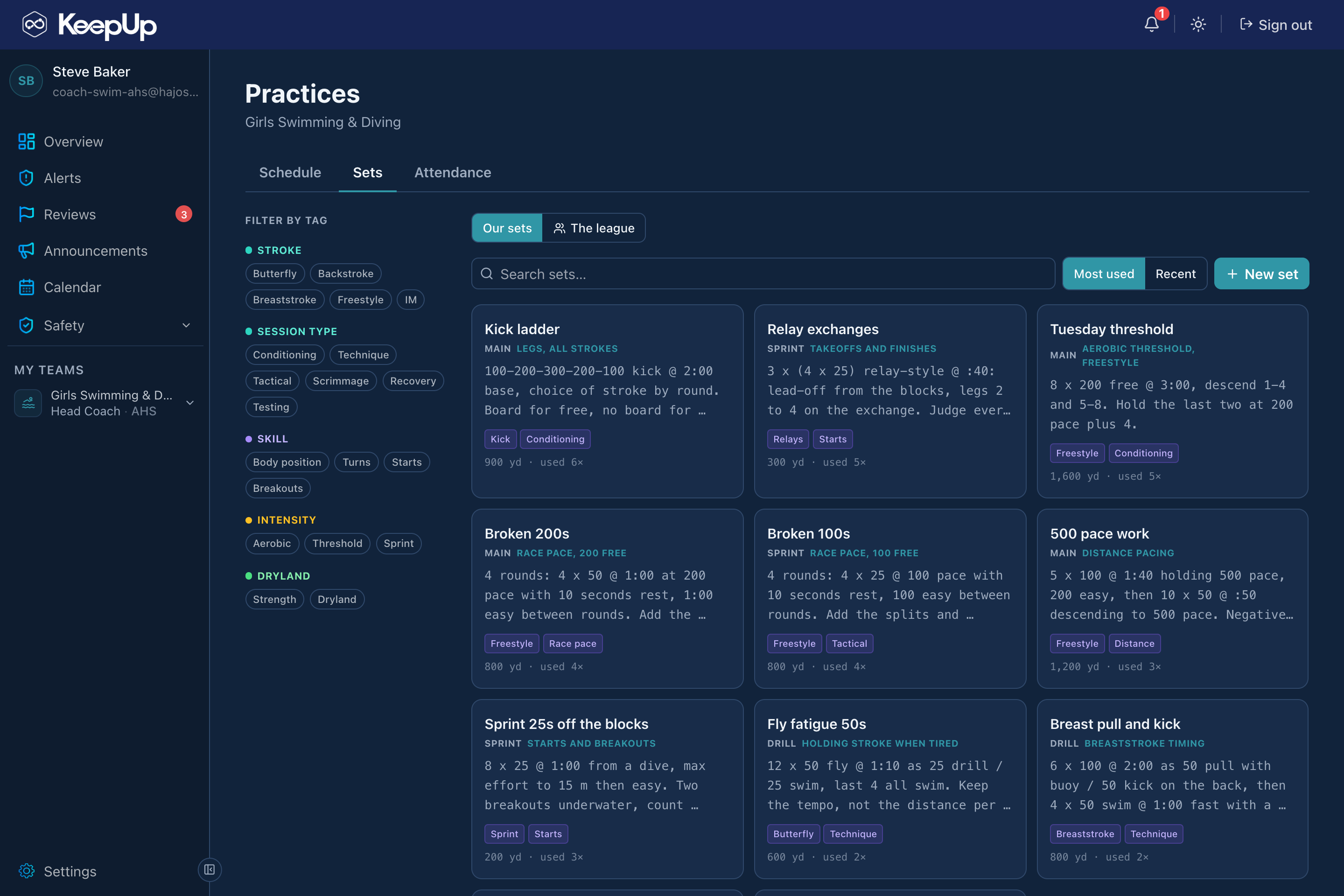
Coaches keep their practice sets in KeepUp: the set, its focus, its distance, tagged the way the program talks about them. Browse what other coaches in the league are running, copy a set straight into your own library, and drop it into your practice schedule. The Tuesday you’re stuck on has a dozen answers from the coaches down the road.
Sets you can share
05
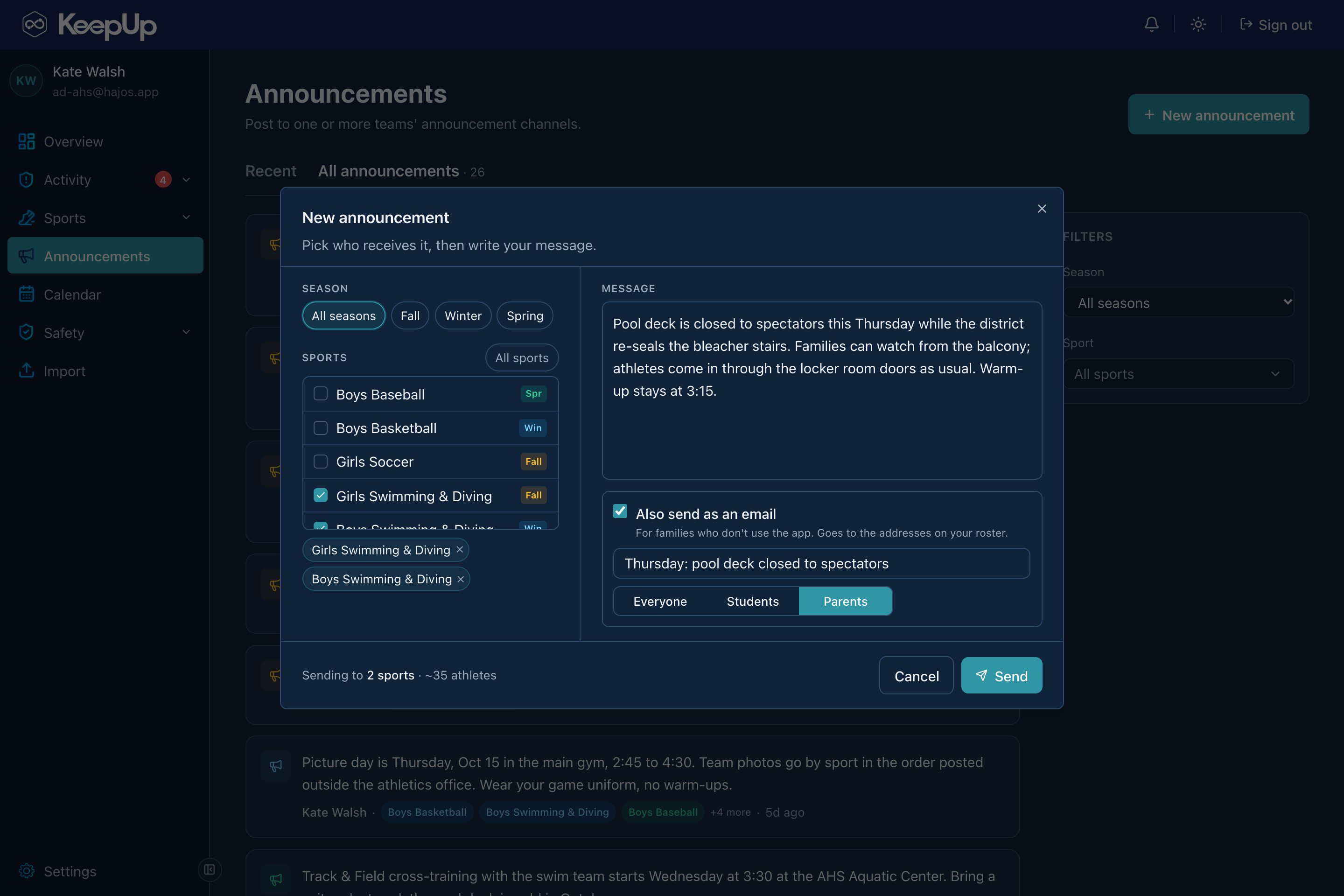
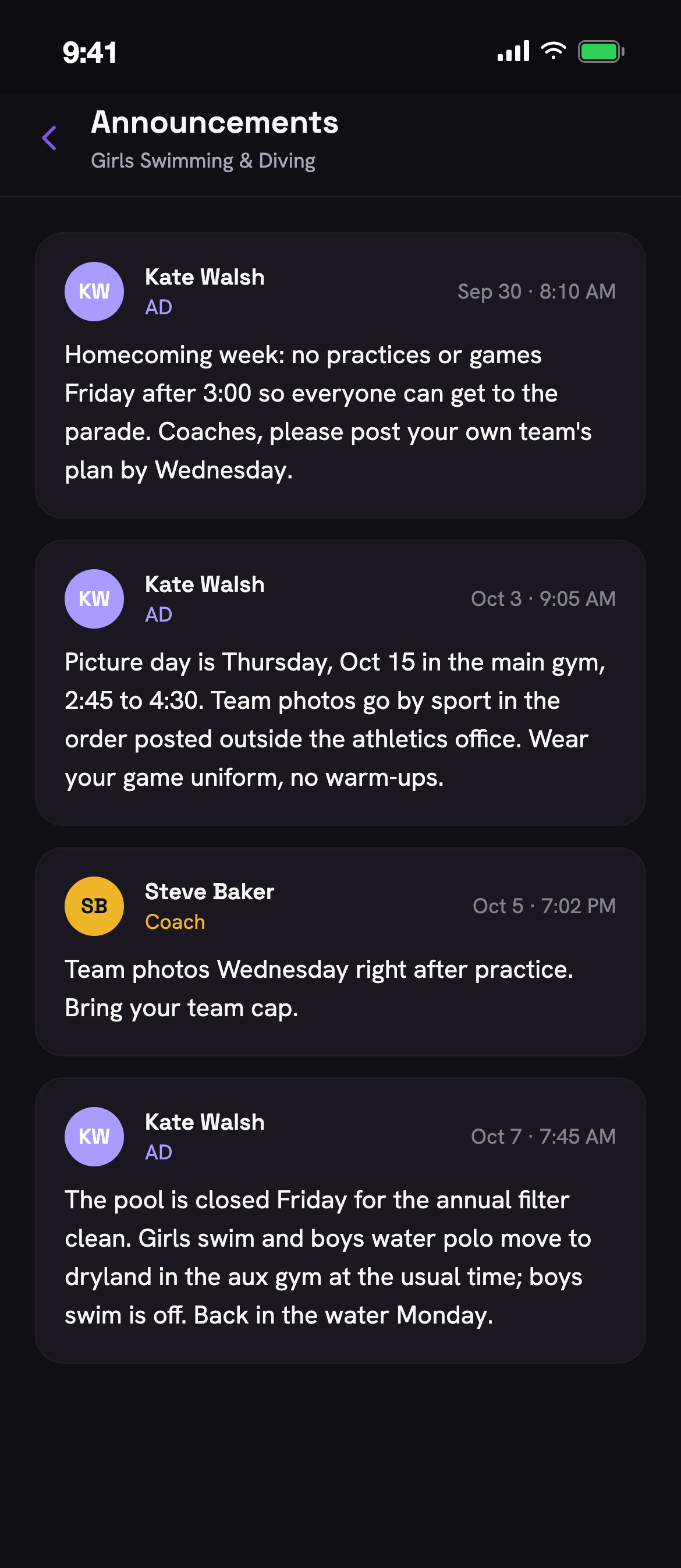
Announcements that actually land
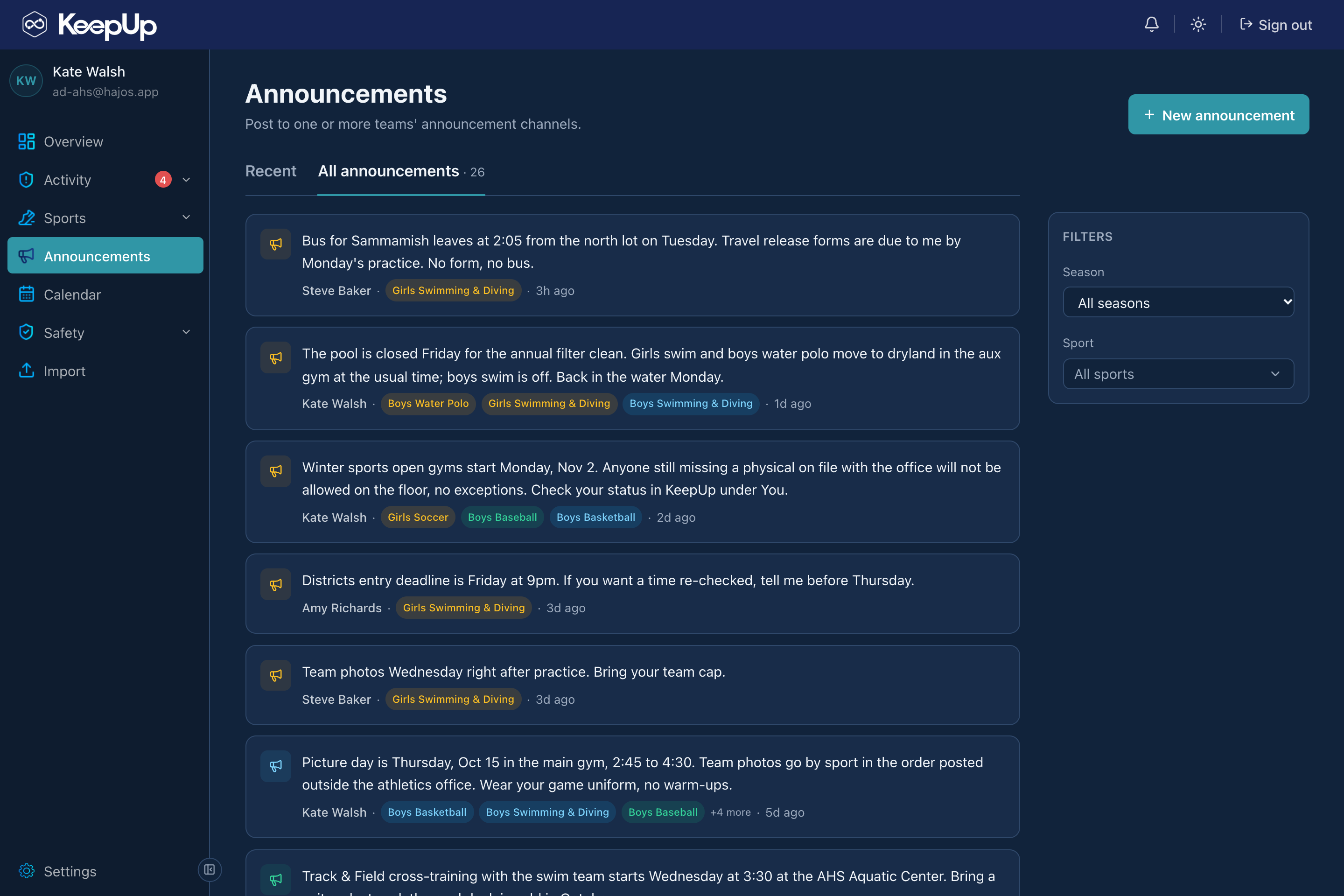
Coaches post once and reach the right athletes and families, in the app and by email for anyone who isn’t on it. Pick the teams, write it once, and choose who the email reaches: everyone, just the athletes, or just the parents. One post can go to several teams at once, and every one stays on the record with who sent it and when.
Announcements that actually land
06
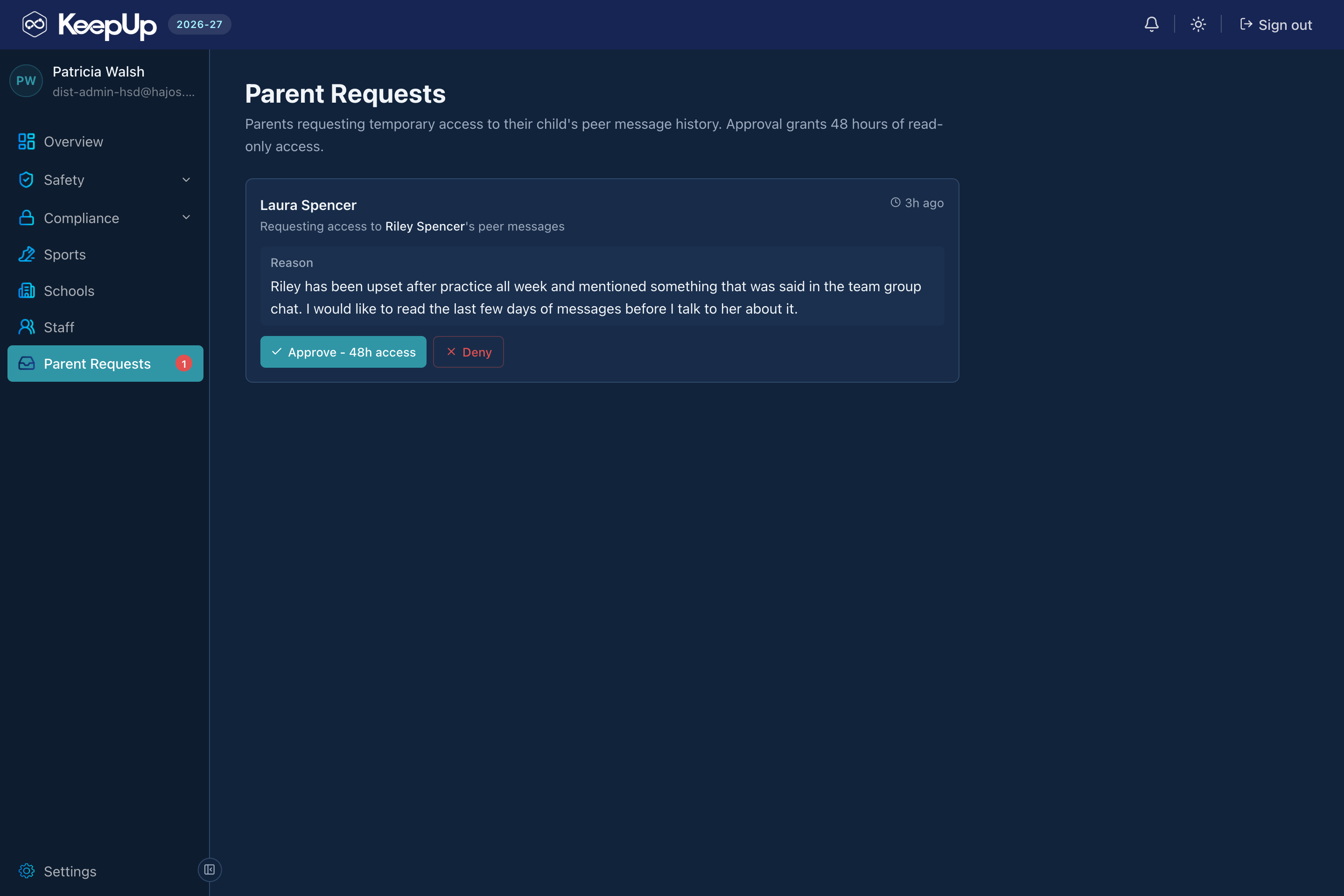
Families in the loop
Supervised family groups and transparent, gated parent visibility keep parents connected without opening a side door. A parent asks for access to their child’s peer message history, an administrator approves it, and what they get is read-only and expires in 48 hours.
Families in the loop
07
Screened before it lands
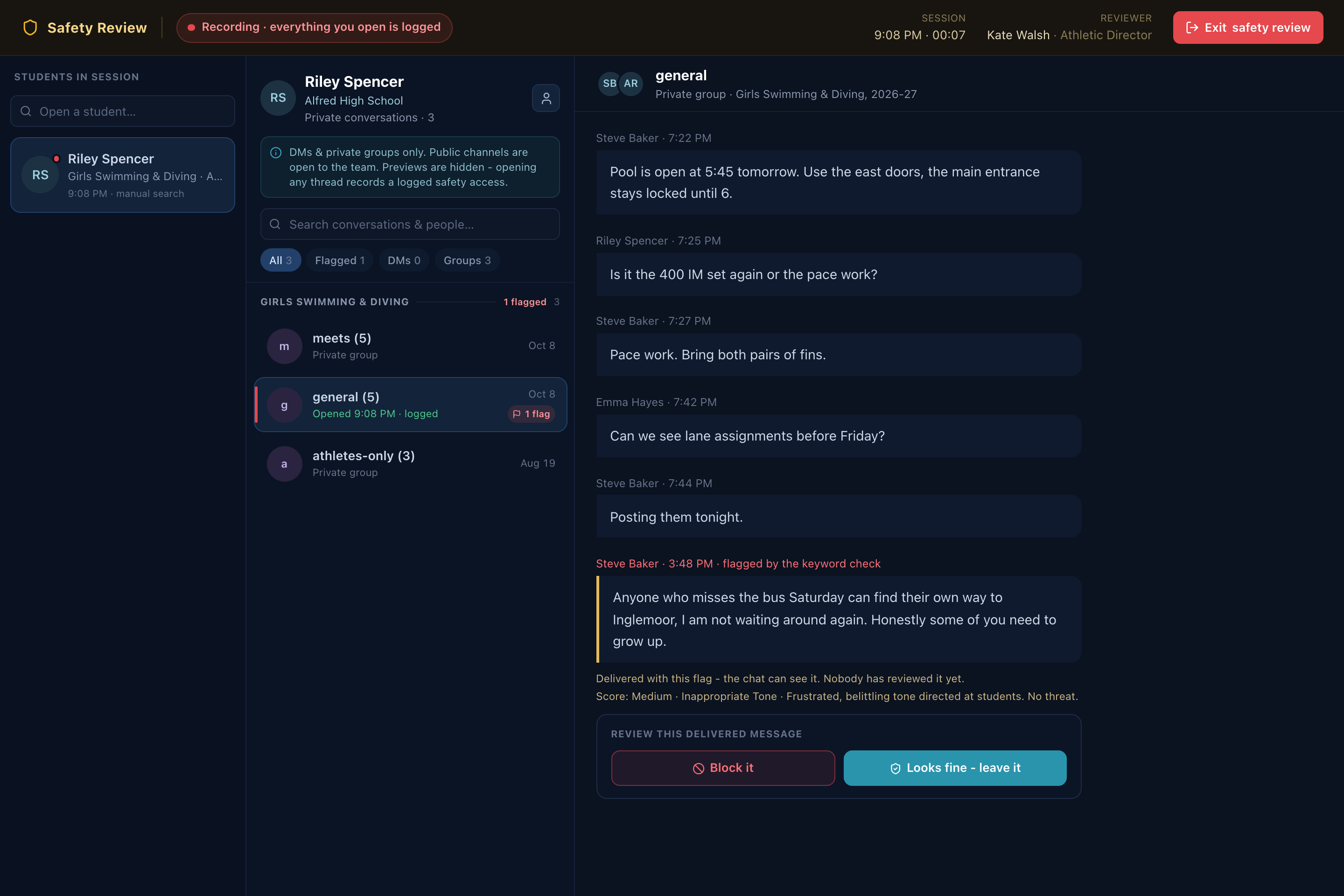
Every message runs through a keyword check on our own servers as it’s sent, before anyone is notified. Anything it catches is blocked outright or held out of the room until a person decides. Either way, the decision is on the record. A student’s words stop there: they’re never sent to any outside company, including any AI provider, and that boundary is enforced in three separate places in the code. AI review is off unless your district asks for it.
Screened before it lands
08
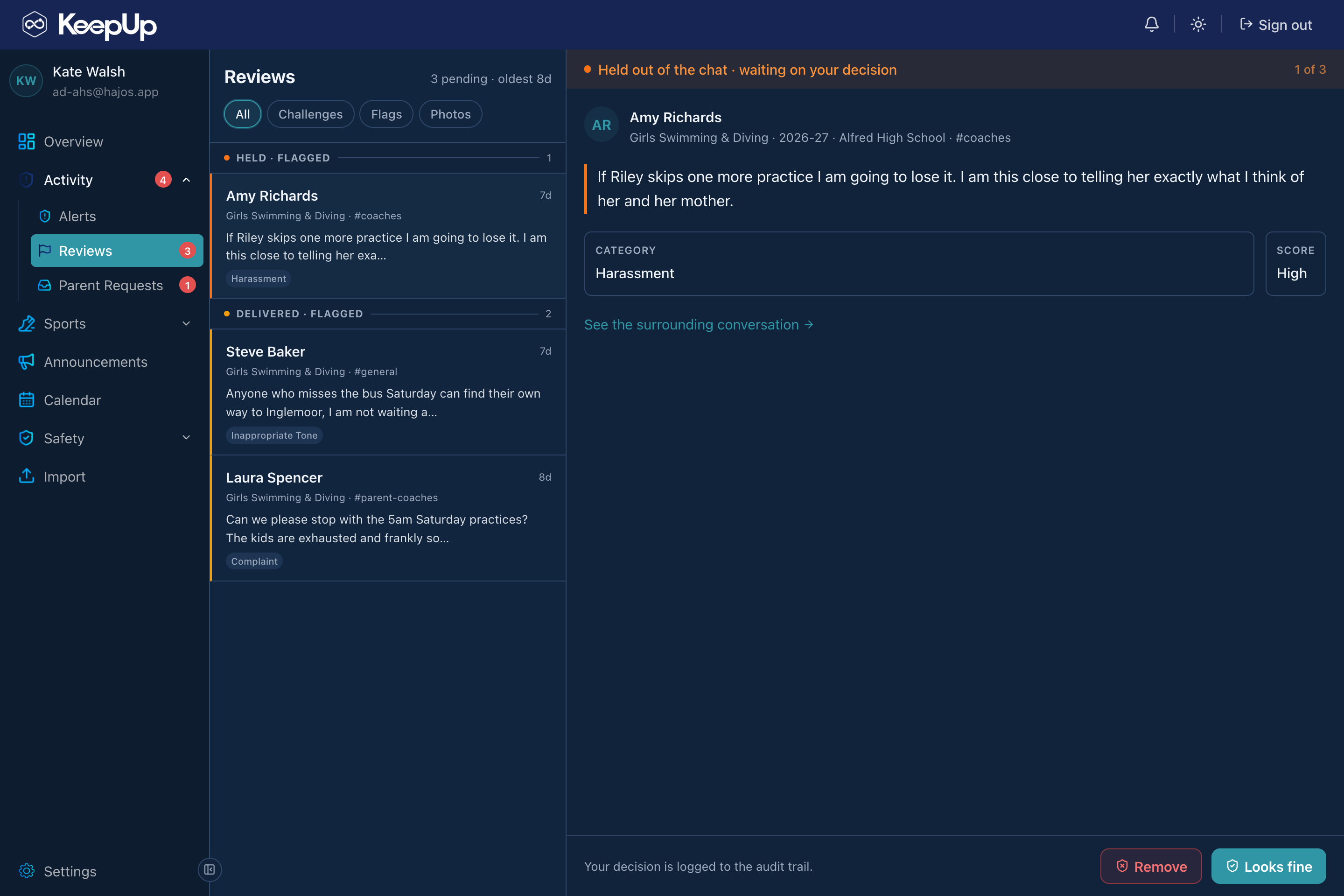
AI moderation for the adults
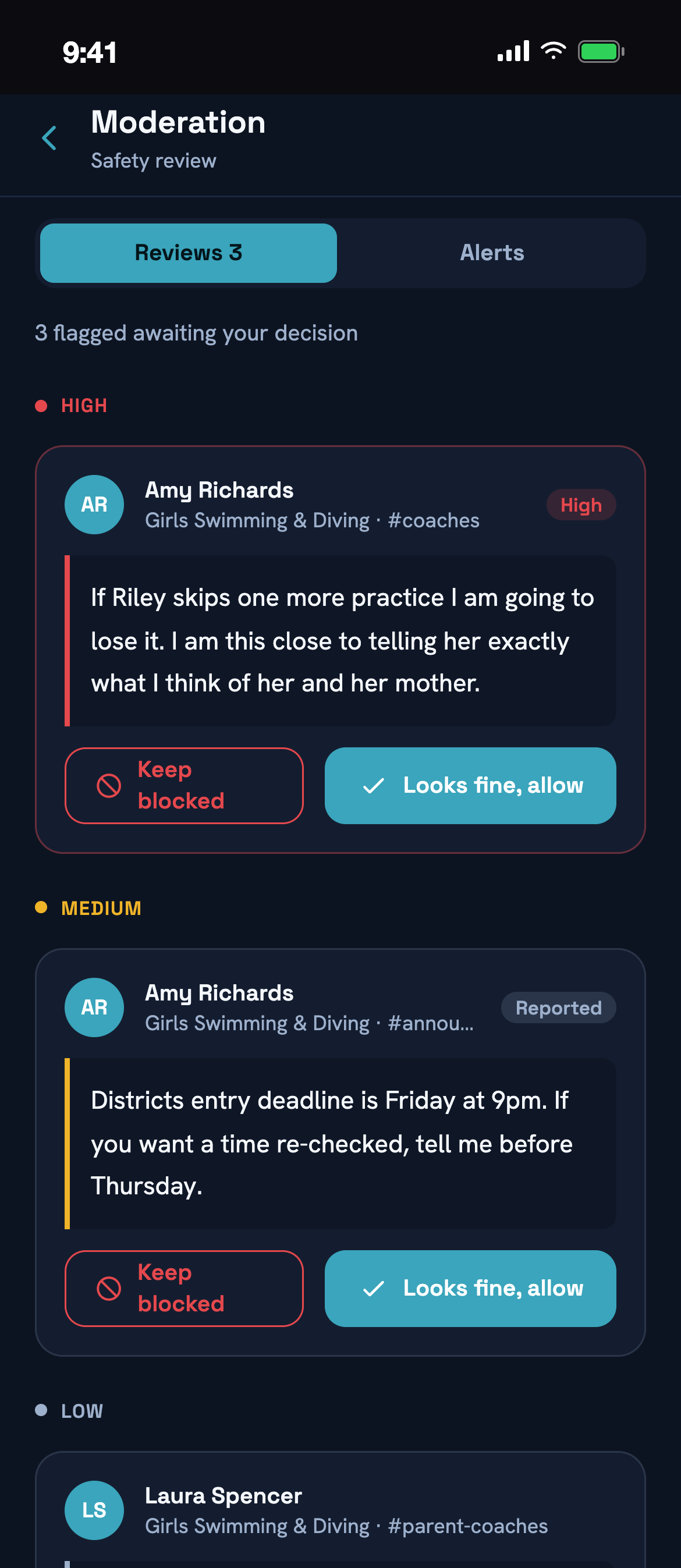
Where a district turns it on, AI gives messages from coaches and parents a second look, and each one is scored Low, Medium or High. Anything flagged lands in a review queue for coaches and athletic directors. The AI never blocks a message on its own: one it scores High is pulled from view until a person decides.
AI moderation for the adults
09
Eyes for coaches, ADs & school admins
The adults responsible for students can monitor their program and get alerted to potential dangers. Opening someone else’s private conversation means passing safety access first: password, a written reason, a second factor, an automatic logout on inactivity. Inside, the session records itself. Every student opened and every thread read is stamped with the time, and the banner says so the whole way through. DMs and private groups only, because public channels are open to the team already.
Eyes for coaches, ADs & school admins
10
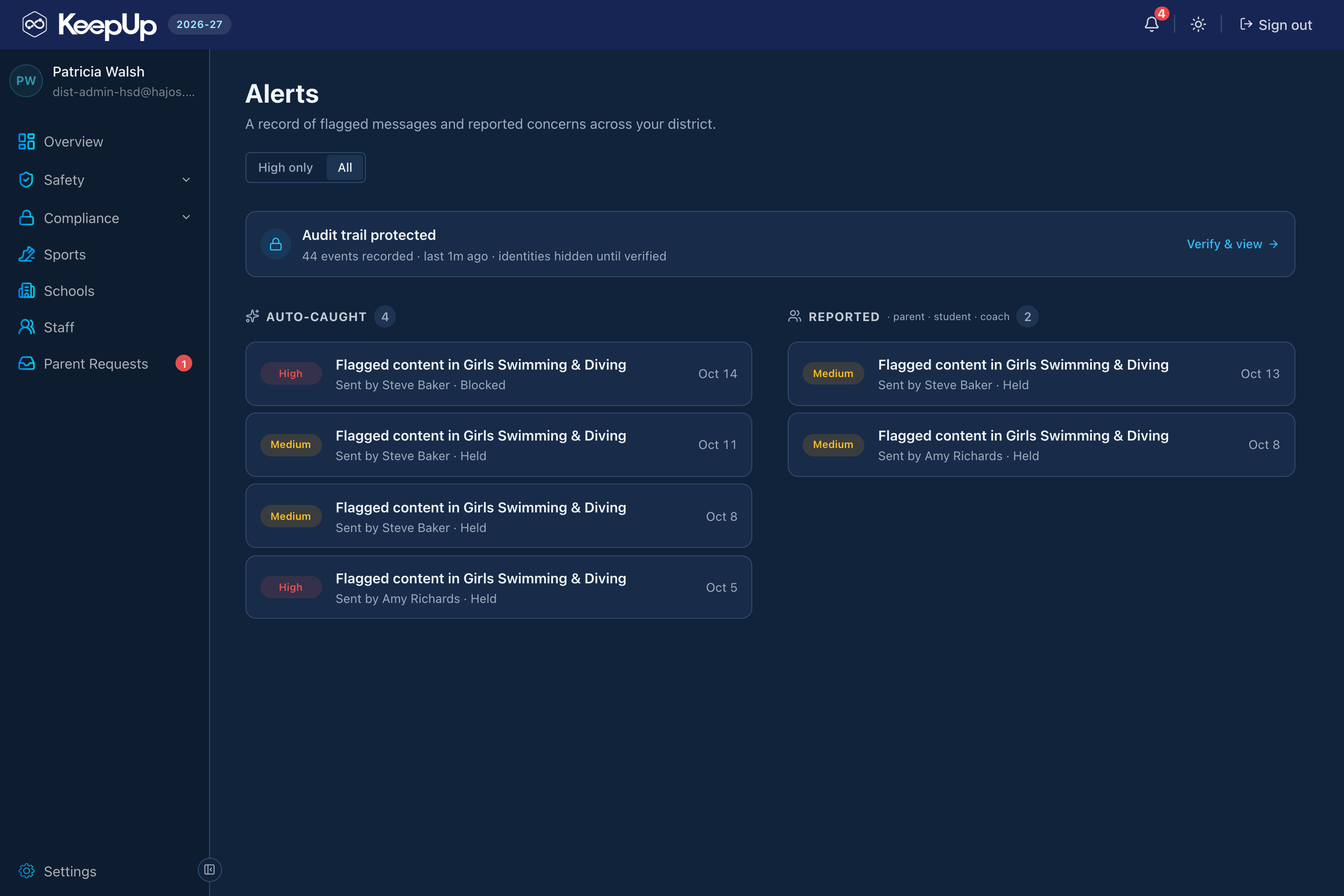
Every school, from the district office
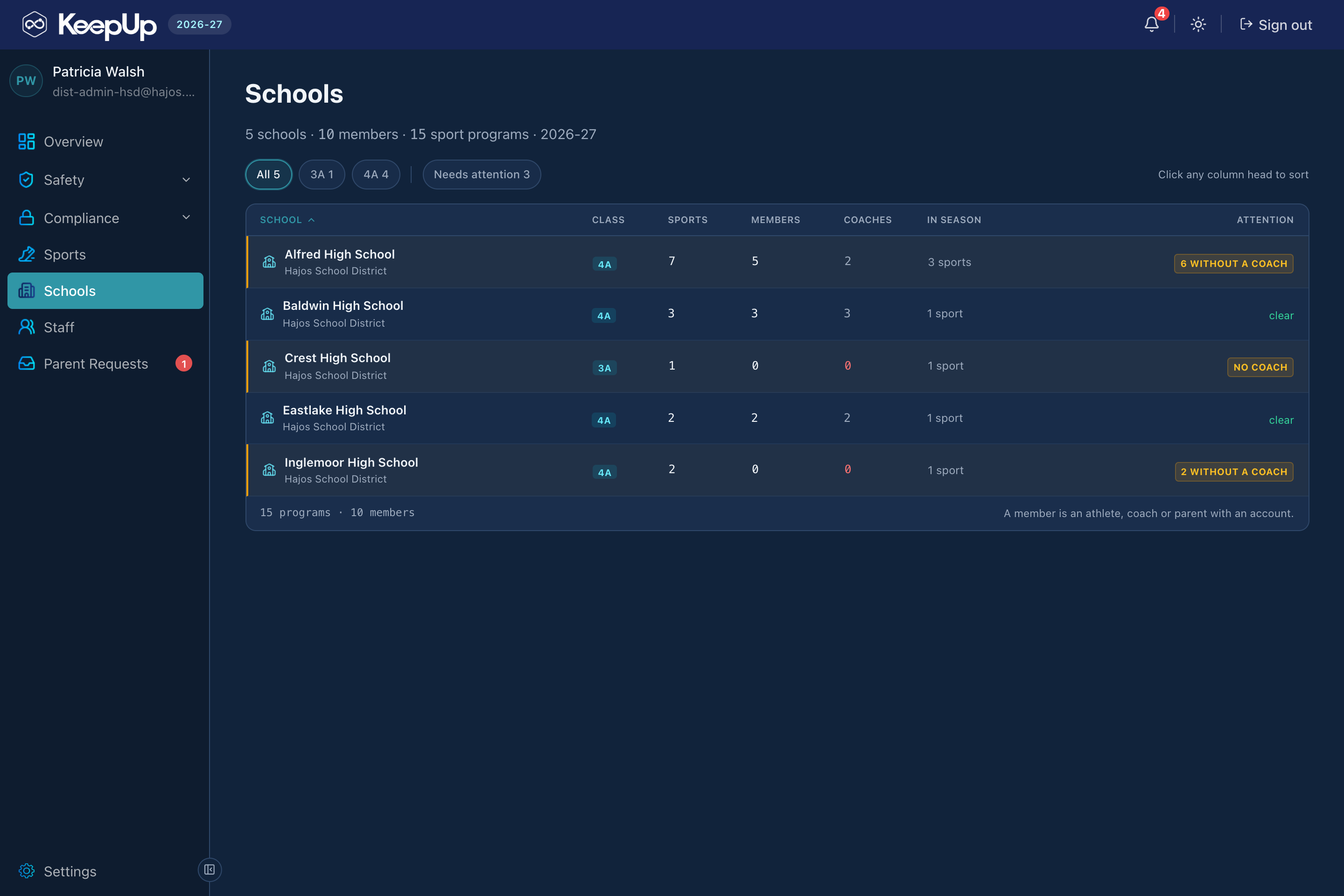
A district administrator opens one console and sees every school at once: how many sports each one runs, who has members and coaches, what’s in season, and which programs still have nobody leading them. An athletic director sees the same picture for their own school, and a coach sees their own team. Same system, three different jobs.
Every school, from the district office
11
Records kept exactly as long as policy says
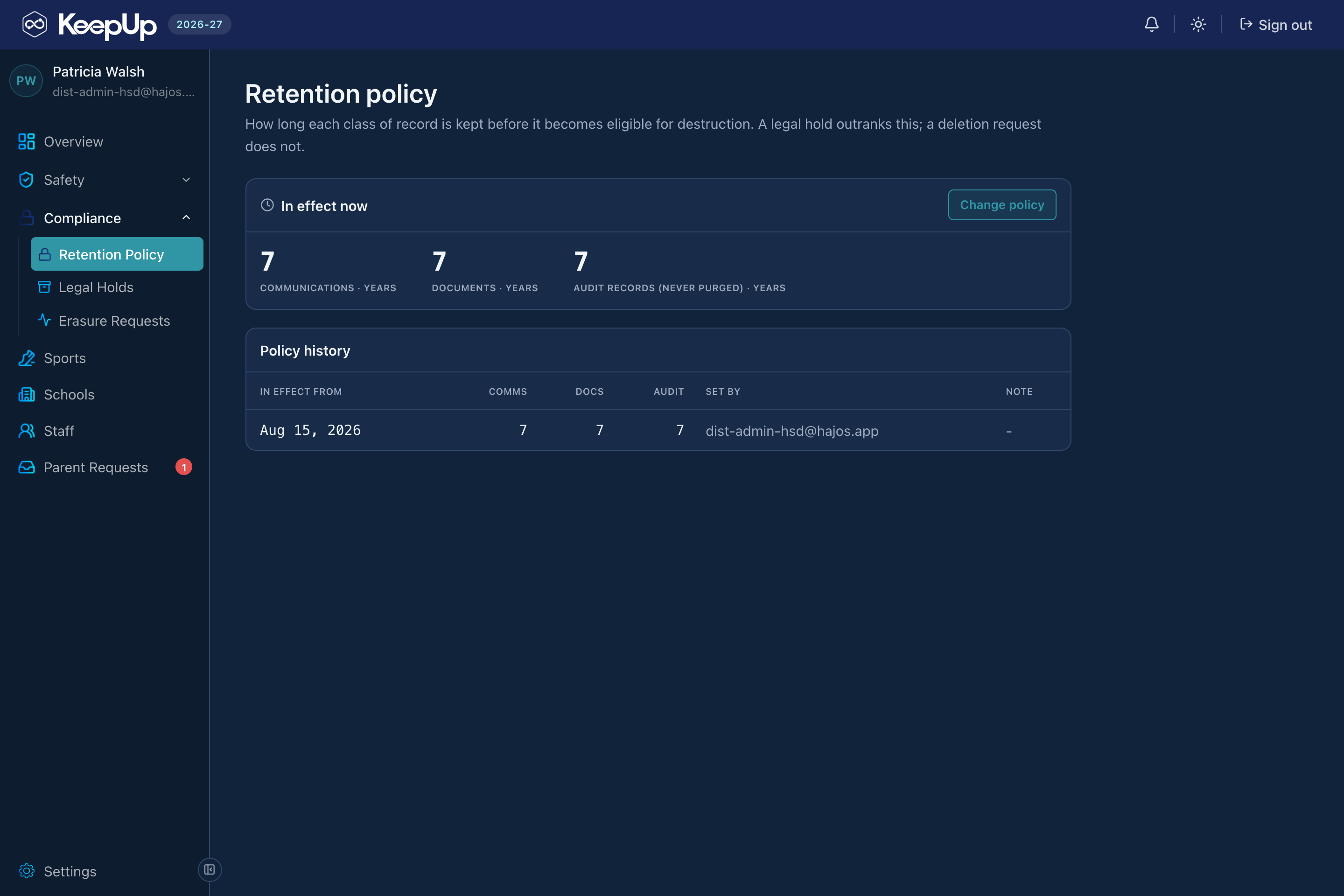
The district sets how long each class of record is kept before it becomes eligible for destruction: communications, documents, and audit records, which are never purged. A legal hold outranks the policy. A deletion request doesn’t. Every change is dated and attributed in the policy history, so you can always show which rule was in force on a given day.
Records kept exactly as long as policy says
12
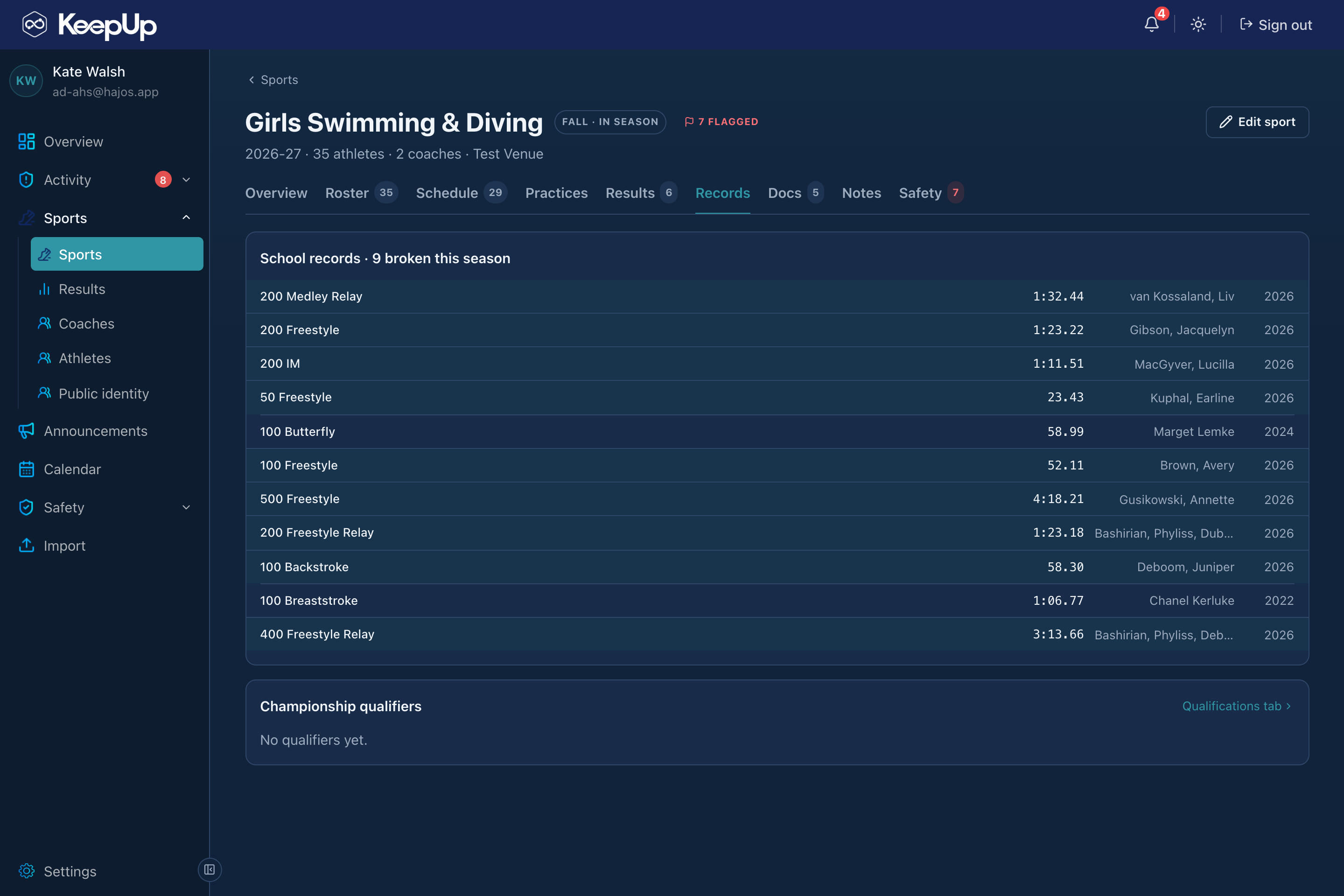
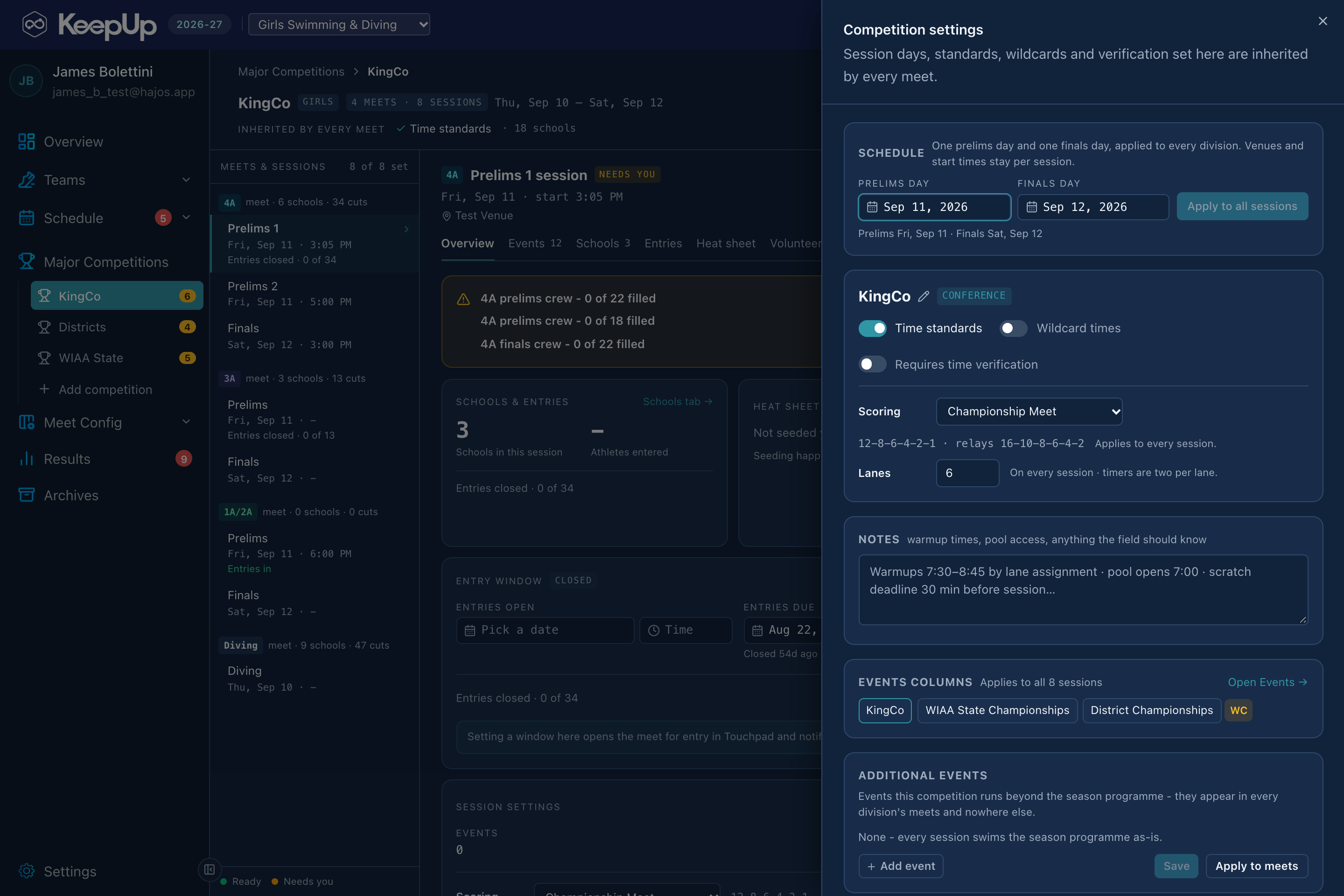
Meets, scores and results, for any sport
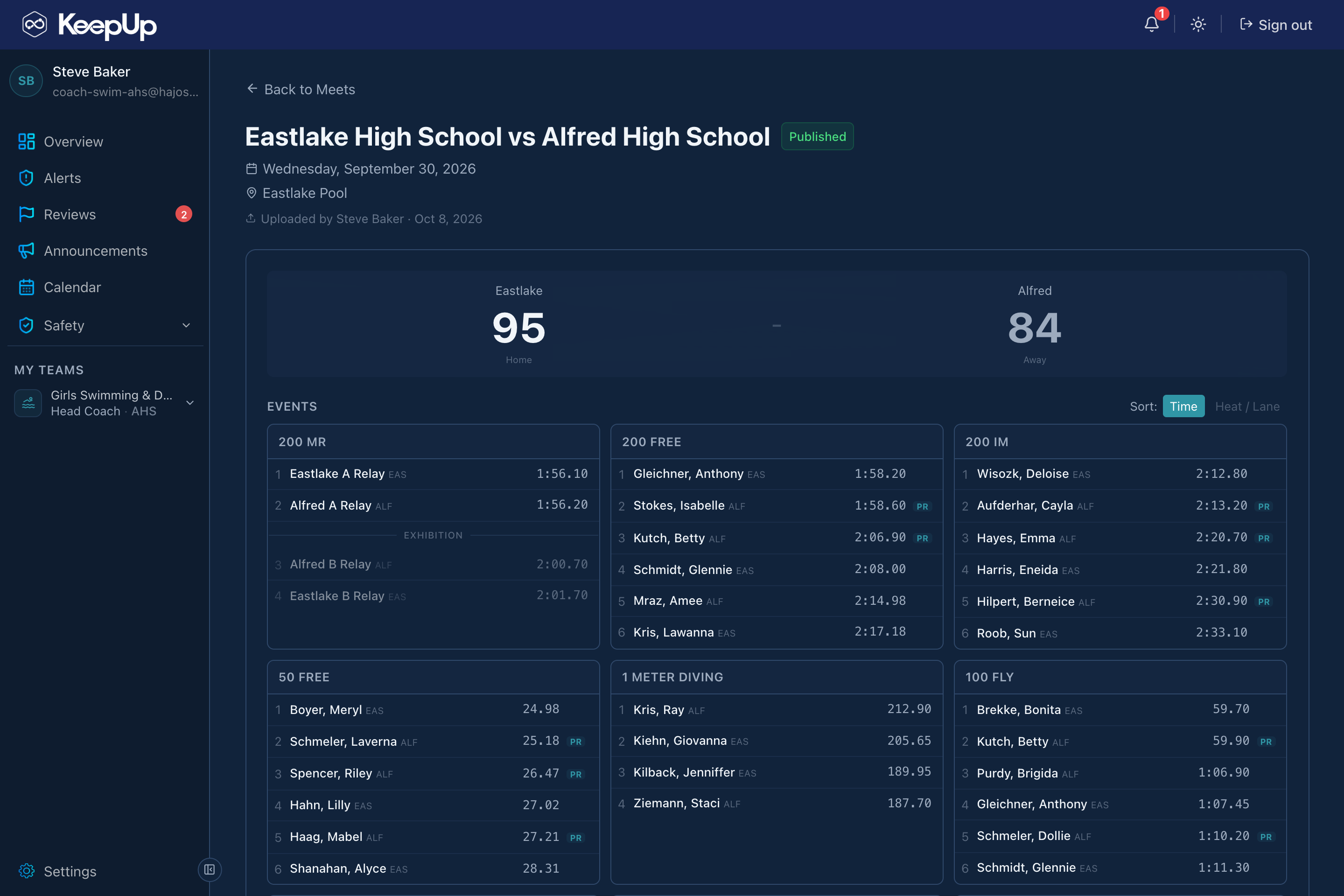
Every team’s schedule lives in KeepUp and every result does too. A coach uploads the scoresheet, the other coach signs off, the commissioner makes it official, and the team room gets the final score while the season record keeps itself. A sports commissioner runs the league from the same console: a championship’s sessions, events, entry window and scoring are set once and every school sees them. Swim teams get more on top: a meet run in Touchpad or on Meet Manager lands here on its own, every swimmer’s swims and best times fill in, and Streamline shows it all live to families. None of that is required. A school with no pool runs its whole athletics program here without ever opening Touchpad or Streamline. That meet-day depth is built for swimming today; the same kind of features for other sports are planned.
Meets, scores and results, for any sport
13
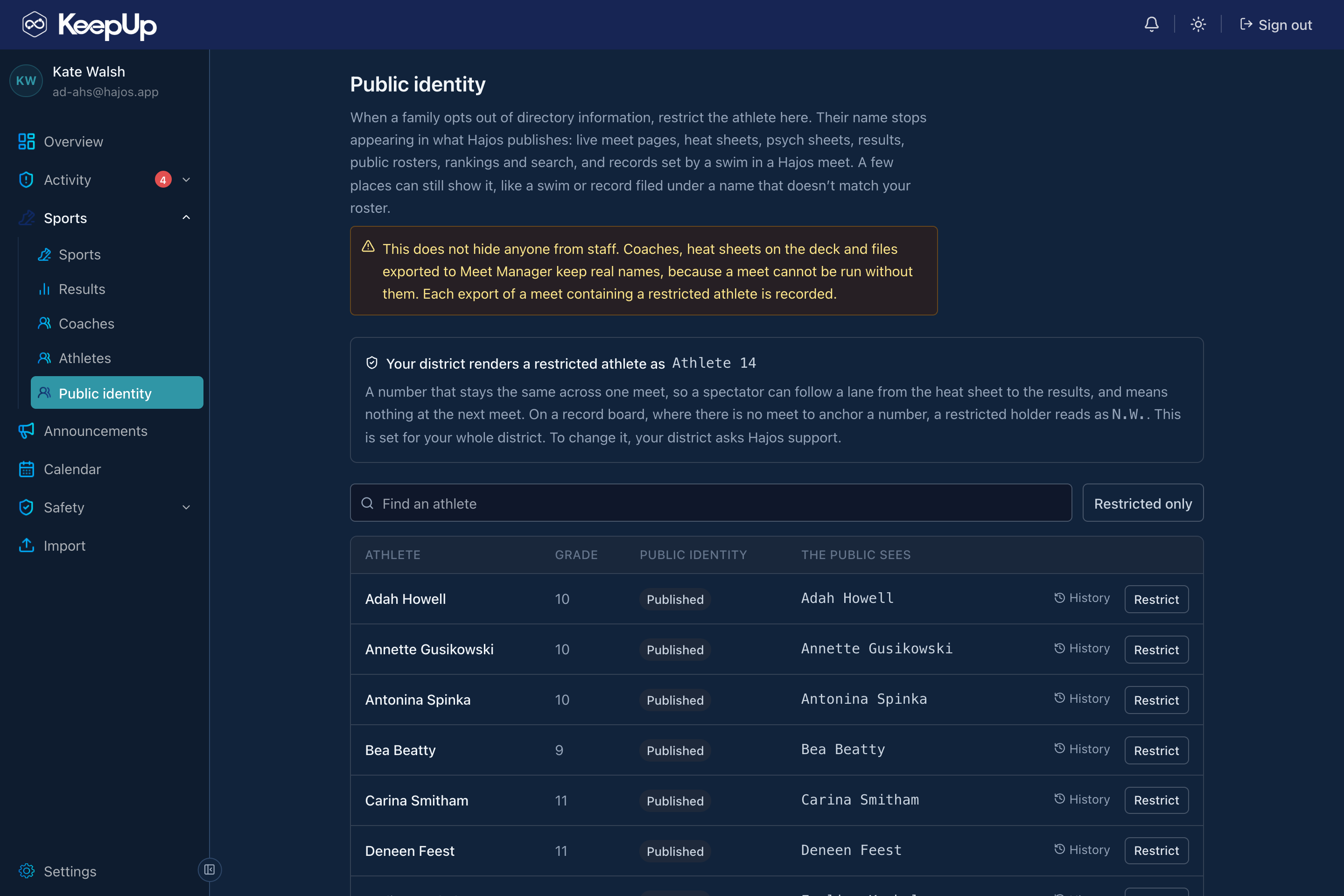
A family can opt out of being published
When a family opts out of directory information, an administrator restricts the athlete and their name stops appearing in anything Hajos publishes: live meet pages, heat sheets, psych sheets, results, public rosters, rankings, and search. The public sees a per-meet placeholder instead, so a spectator can still follow a lane from the heat sheet to the results. Staff and the deck keep real names, because a meet can’t be run without them. Every export carrying a restricted athlete is recorded.
A family can opt out of being published
Where it lives

A mobile app and a web console

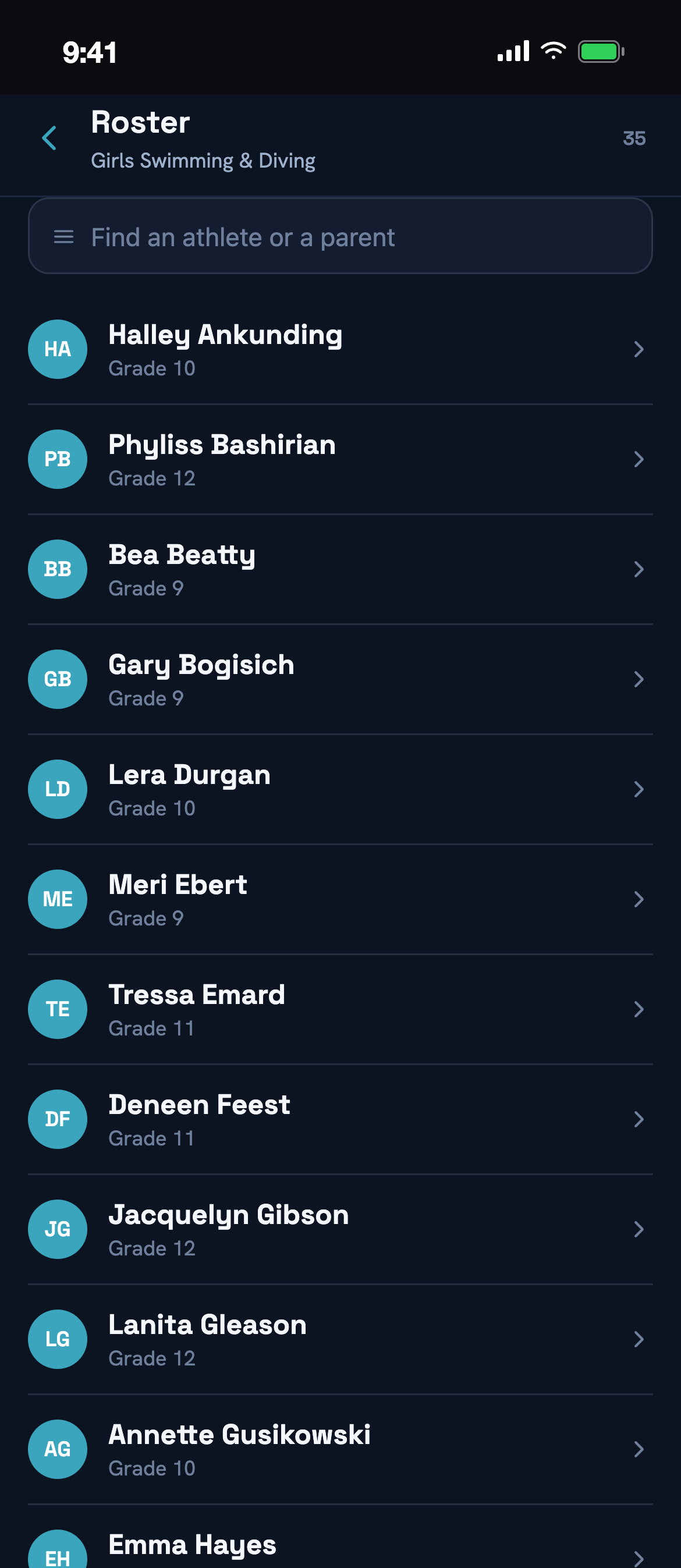
Students, parents, and coaches live in the app on their phones. Coaches, ADs, and district staff run the season, the admin and the safety layer from the web.
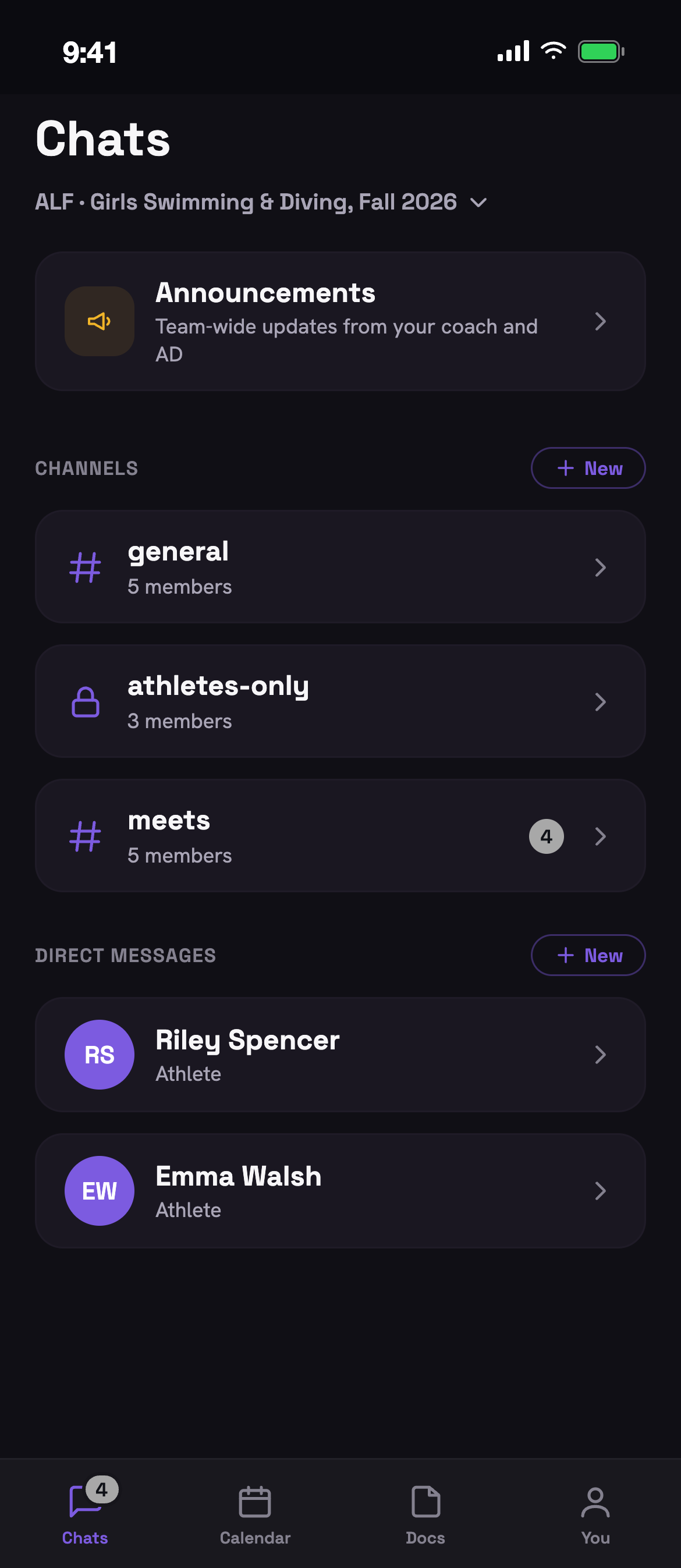
KeepUp Mobile
iOS · Students, parents & coaches
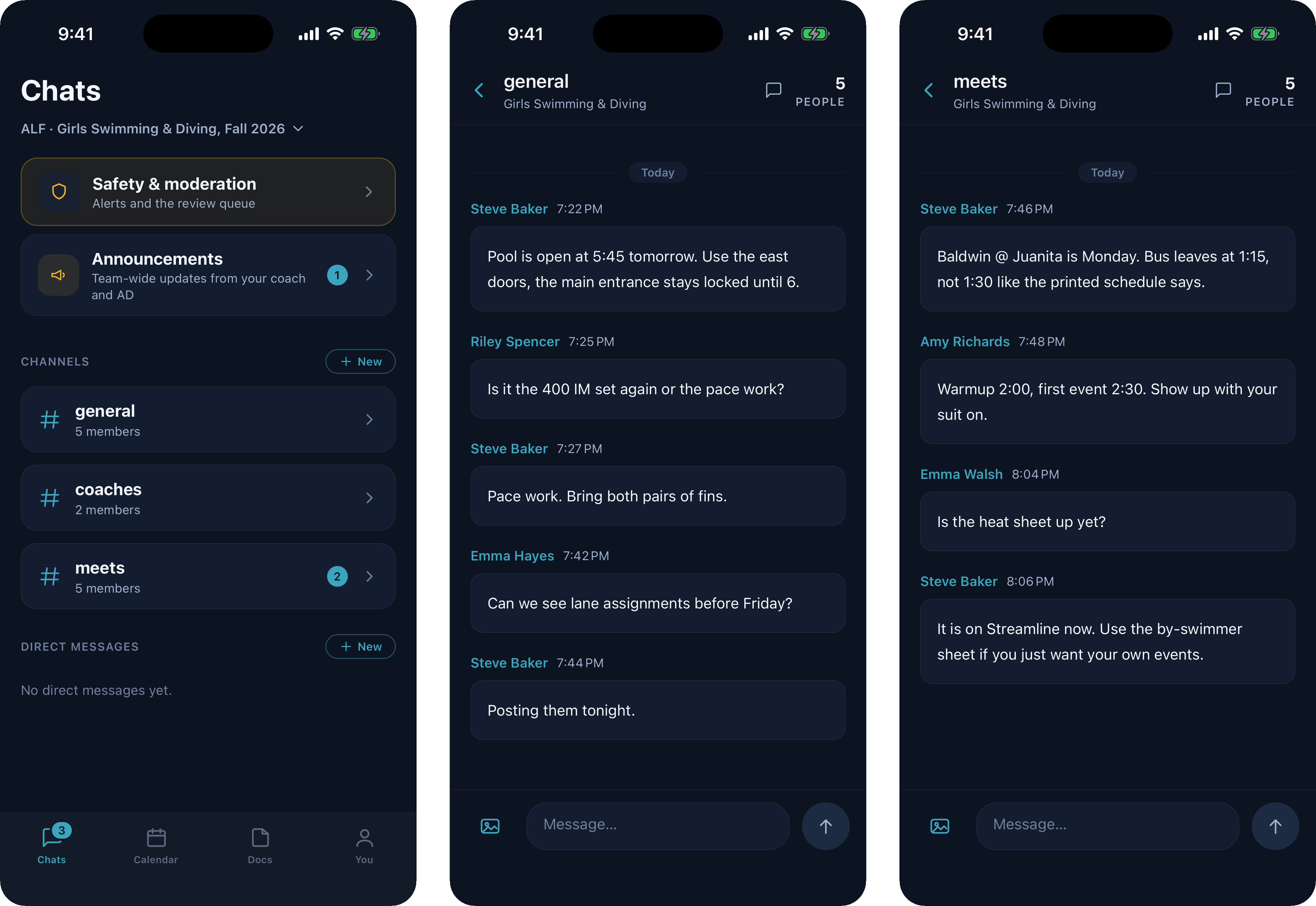
Your team’s channels and direct messages
1 / 10

The day-to-day app: team channels by sport and season, direct messages, supervised family groups, announcements, and real-time notifications.

  • A keyword check on our servers screens every message before it is delivered; student text is never sent to any third party, including any AI provider
  • Where a district turns it on, AI moderation handles coach and parent messages; time-limited, read-only parent visibility is gated by admin approval
  • Every school sets its own color scheme, so the app opens in your school’s colors, light or dark
KeepUp Mobile
iOS · Students, parents & coaches
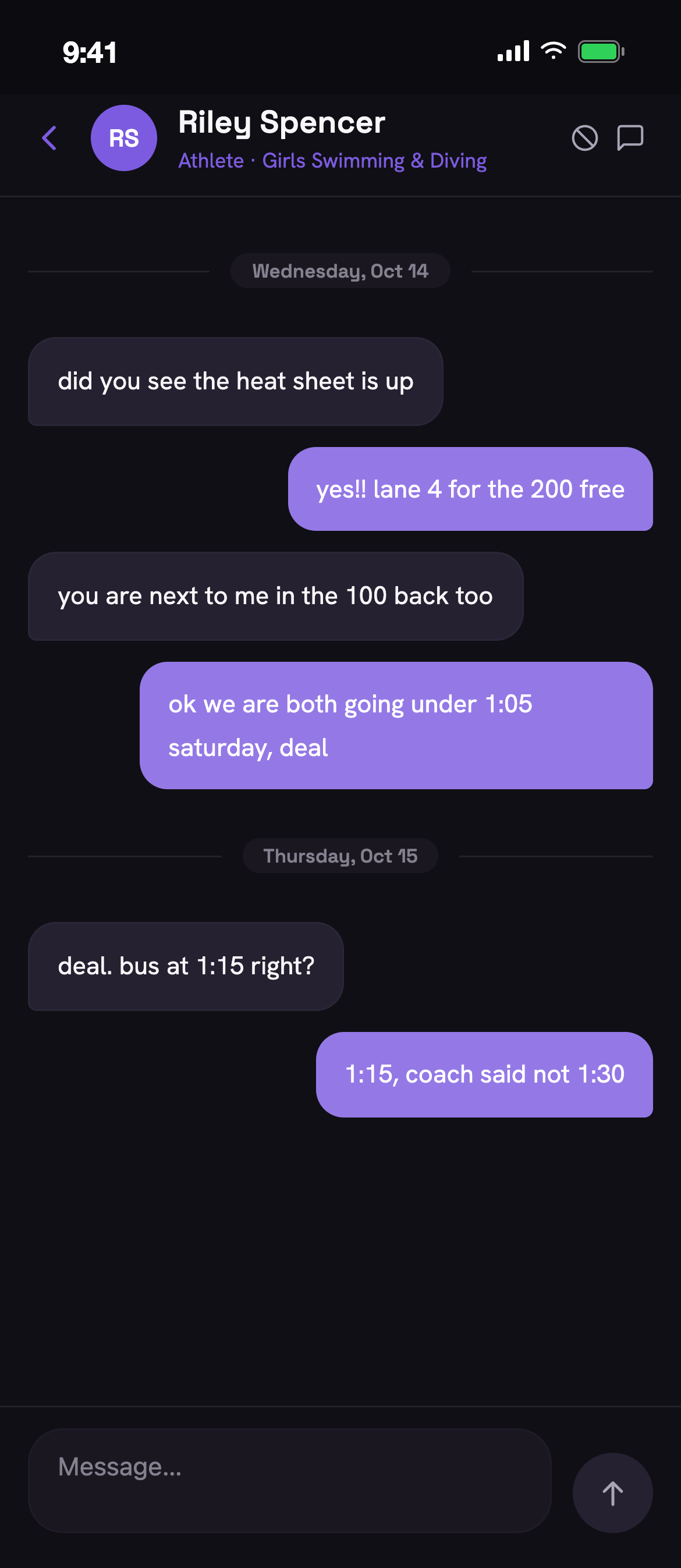
KeepUp Mobile: Your team’s channels and direct messages
Your team’s channels and direct messages
1 / 10

The day-to-day app: team channels by sport and season, direct messages, supervised family groups, announcements, and real-time notifications.

A keyword check on our servers screens every message before it is delivered; student text is never sent to any third party, including any AI provider
Where a district turns it on, AI moderation handles coach and parent messages; time-limited, read-only parent visibility is gated by admin approval
Every school sets its own color scheme, so the app opens in your school’s colors, light or dark
KeepUp Web
Web admin console · Coaches, ADs & district staff
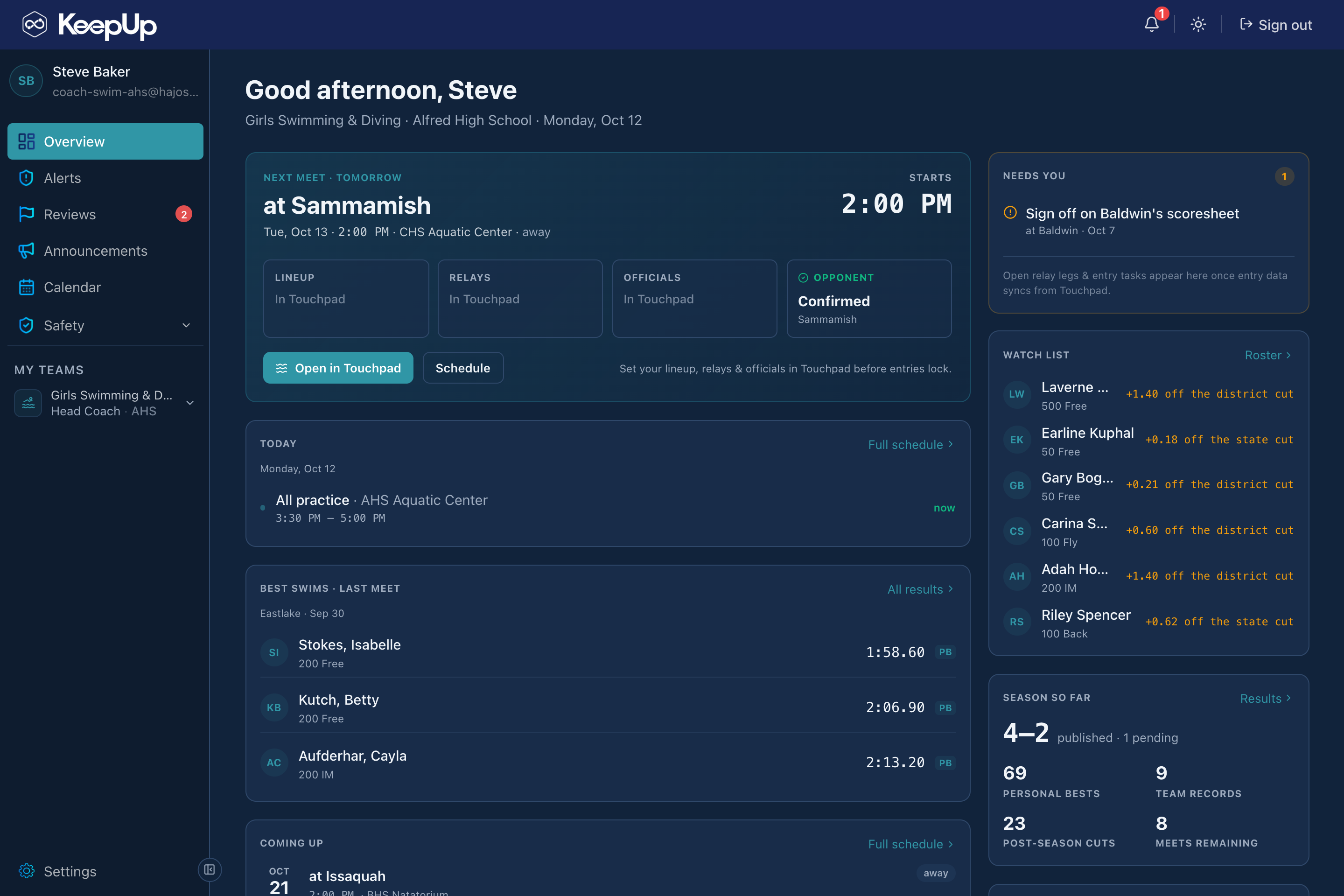
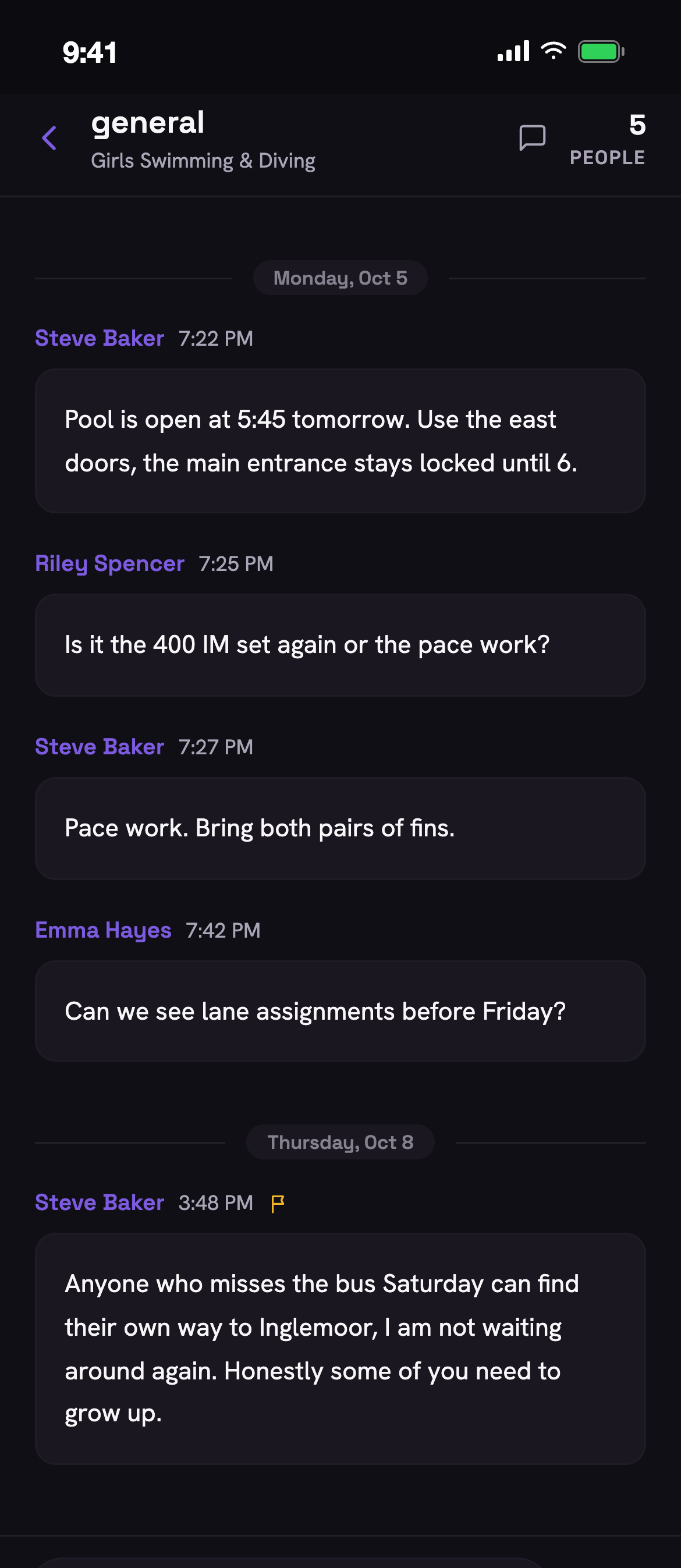
KeepUp Web: A coach’s overview
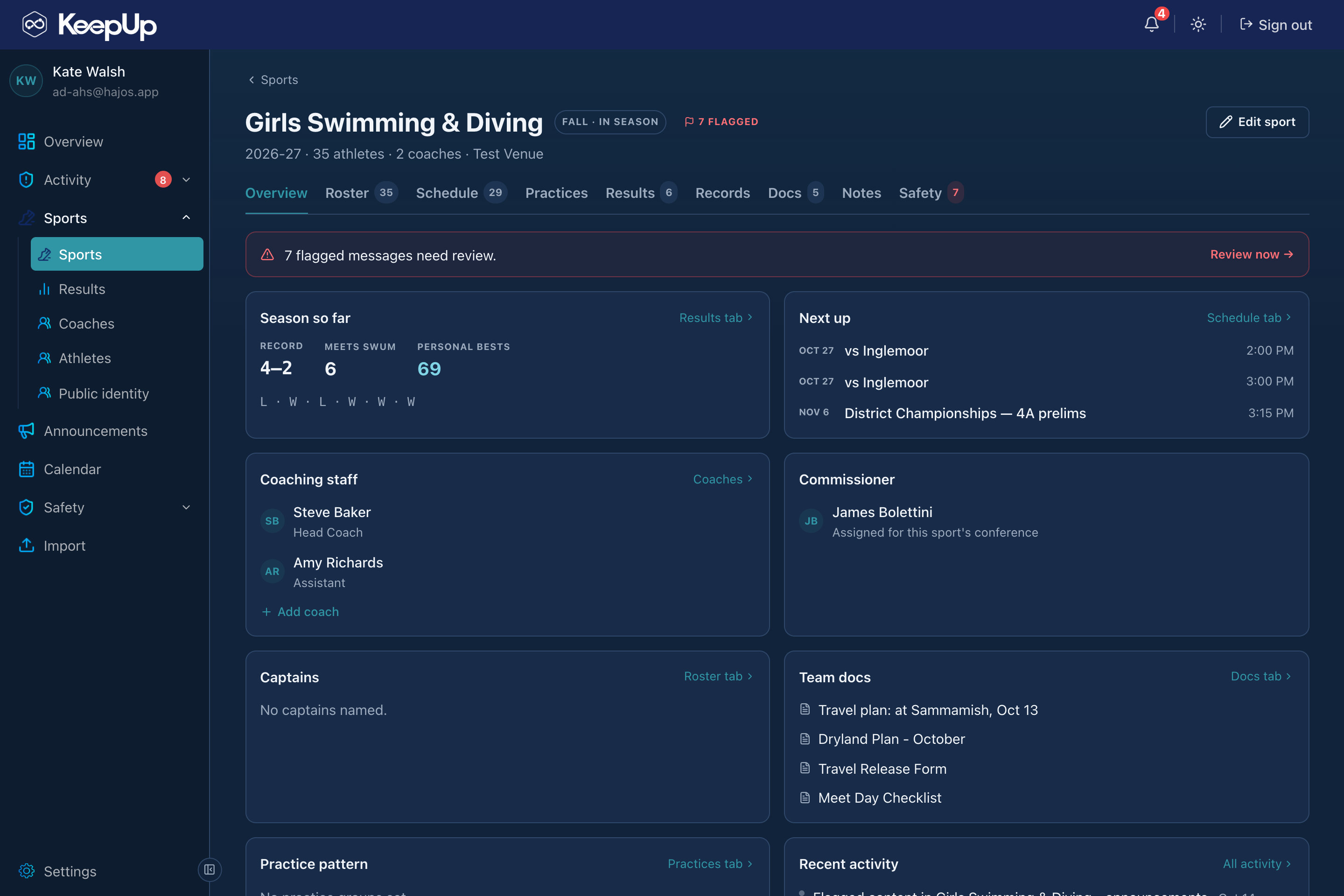
A coach’s overview
1 / 5

The console for coaches and administrators: the season at a glance, then rosters, calendar, documents, practice plans, attendance, results and announcements, with the safety layer and its review queue alongside.

A coach’s overview with the next meet, what needs them, the watch list and the season so far
Docs, practice plans, attendance and results created and managed in one place
Flagged-message review queue, audit logs and locked-down safety access
Explore KeepUp

How KeepUp helps you

One system, six very different jobs. Pick yours to see your own screens and what they do for you.

Every program at your school, and the record to stand behind it.

  • Open any sport and see exactly what the coach has: the roster, the documents, the practice plans, the attendance, the results.
  • Everything a coach builds stays with the sport. When they leave, the documents, the plans, the sets, the roster and the records are still there for the next one.
  • Post an announcement to any set of teams at once, in the app and by email to the families who don’t use it.
  • Review what the screening held or flagged, from one queue, with the decision logged.
  • Open a student’s private conversation only through a safety review: re-entered password, emailed code, written reason, and a session that ends on its own.
  • Restrict an athlete whose family opted out of directory information, and their name leaves every public page at once.
  • Sign off on the other school’s scoresheet, or flag it, and see which teams still have nobody coaching them.
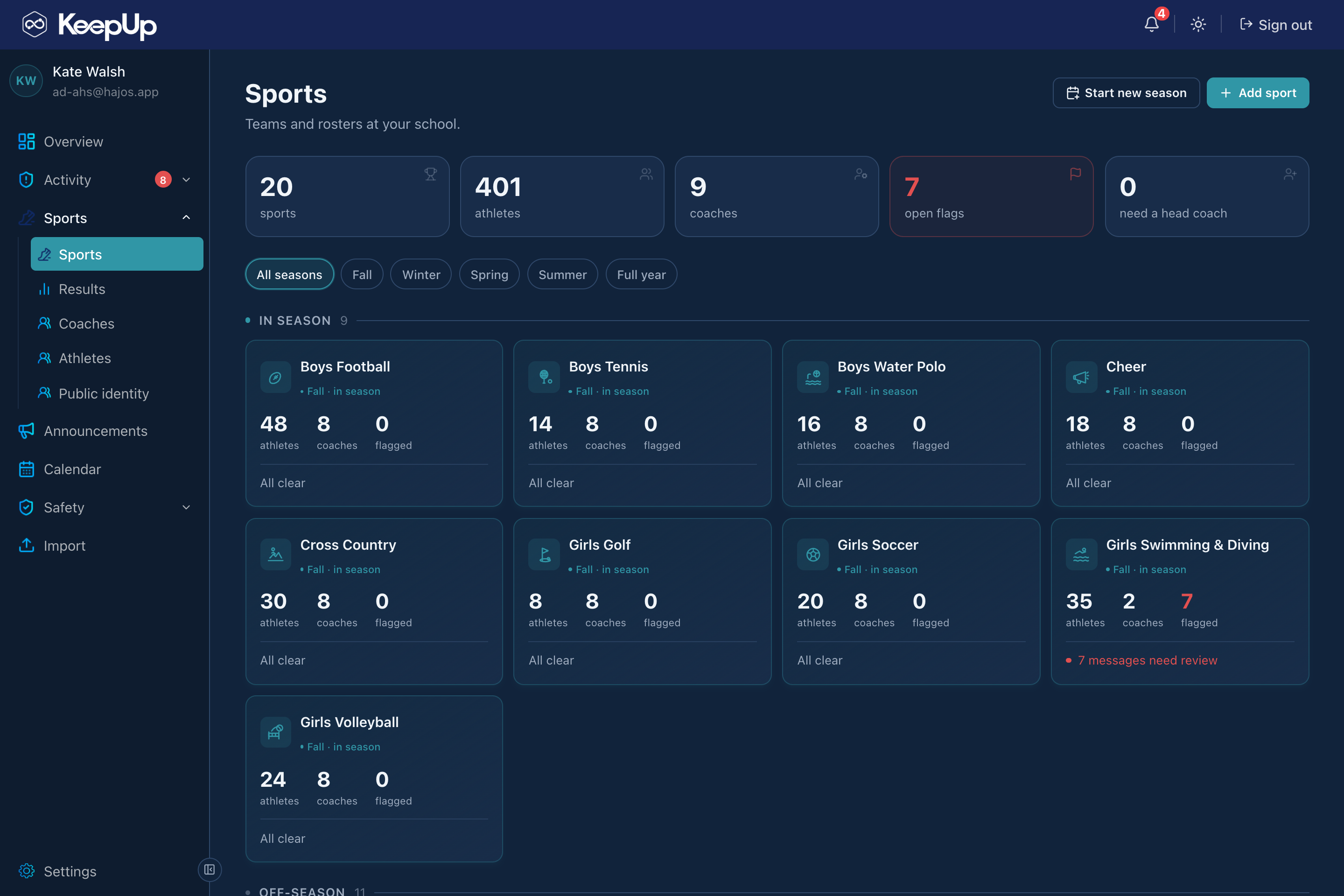
Athletic directors: Every sport at your school
Every sport at your school
1 / 6

Every program at your school, and the record to stand behind it.

Every sport at your school
1 / 6
  • Open any sport and see exactly what the coach has: the roster, the documents, the practice plans, the attendance, the results.
  • Everything a coach builds stays with the sport. When they leave, the documents, the plans, the sets, the roster and the records are still there for the next one.
  • Post an announcement to any set of teams at once, in the app and by email to the families who don’t use it.
  • Review what the screening held or flagged, from one queue, with the decision logged.

Questions about KeepUp?

Tell us what your program runs today and we’ll tell you straight whether Hajos fits. Demos, pricing, and getting a school or a whole district set up.

Email to learn more
The Hajos suite

One backbone.
Four products.

KeepUp pulls each swimmer’s meets and results from the same backbone as Touchpad and Streamline.