



▦

Touchpad™

Run the meet
Swimming

Touchpad runs a swim meet end to end. Set it up on the web: collect entries, seed the heats, assign the volunteers, print the heat sheet. Then run race day in a desktop app that records live times and DQs and keeps going when the pool Wi-Fi doesn’t. Finalize, and results publish straight to Streamline and into every swimmer’s best-time history. Faster and calmer than the tools coaches have put up with for decades.

Touchpad app

Touchpad stands on its own. A swim program can run its whole season here with no other Hajos product. If your school is on KeepUp, the swim roster is shared with it automatically; if it isn’t, bring yours in from Team Manager or Final Forms and go.
01
Your roster lives here
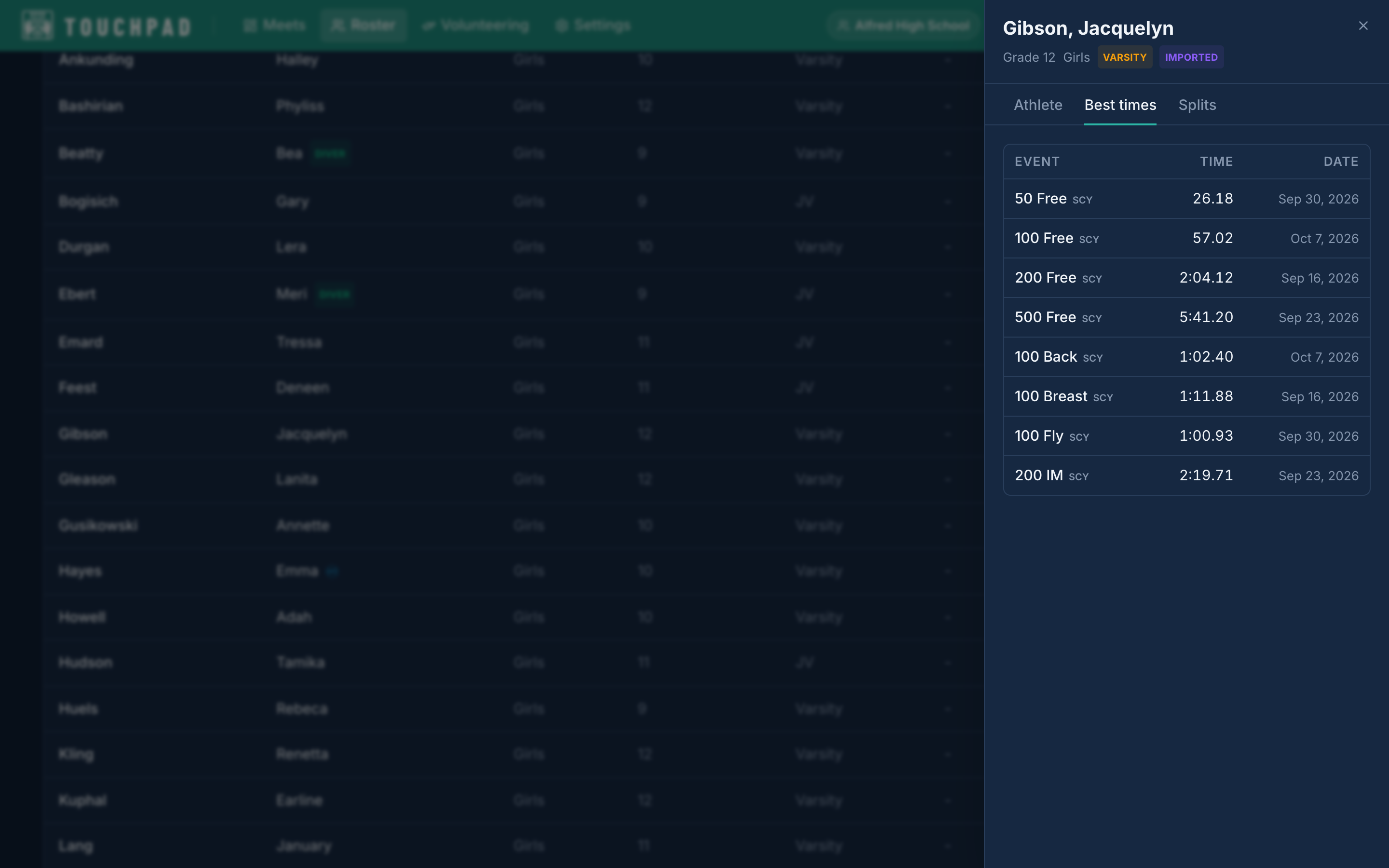
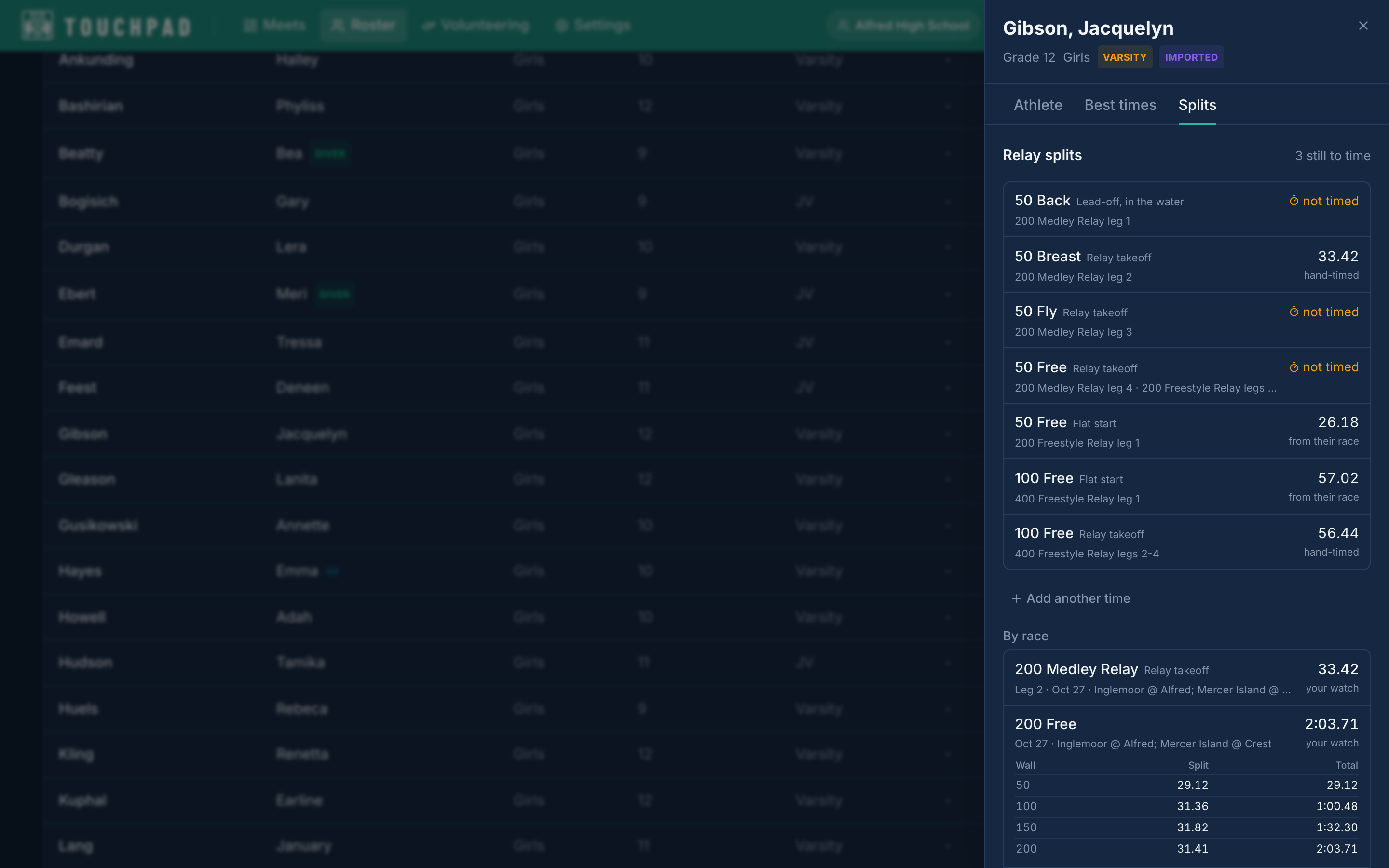
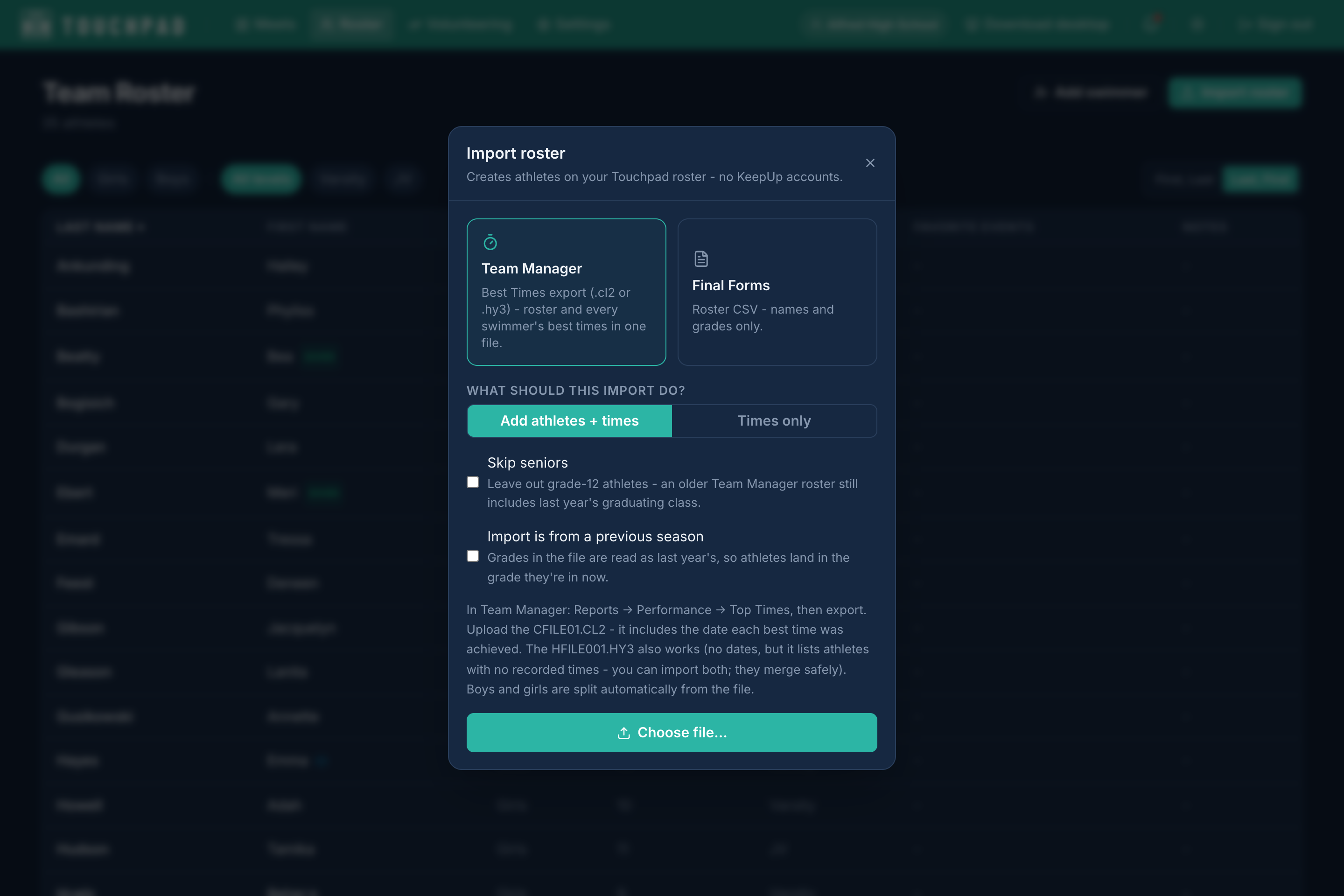
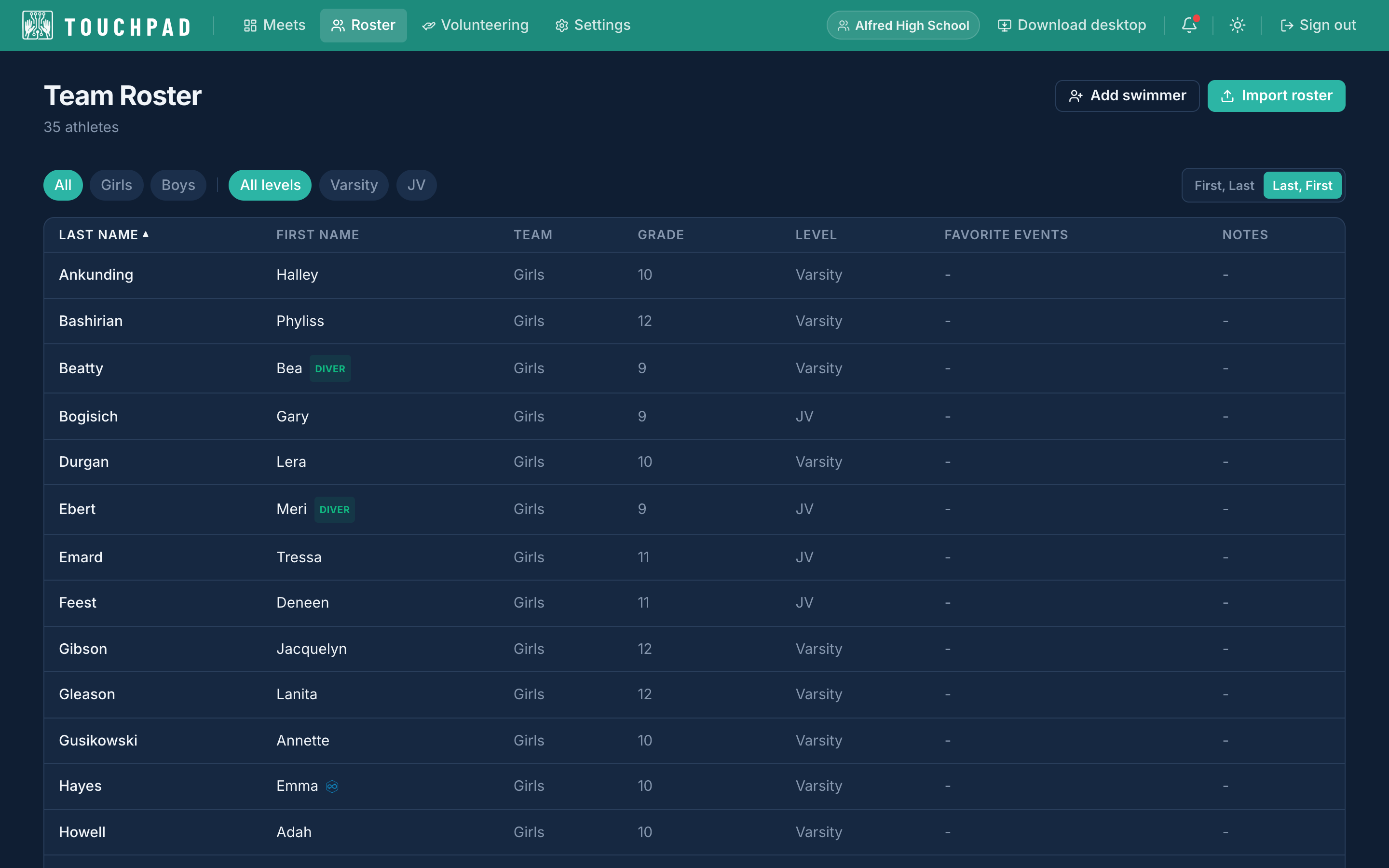
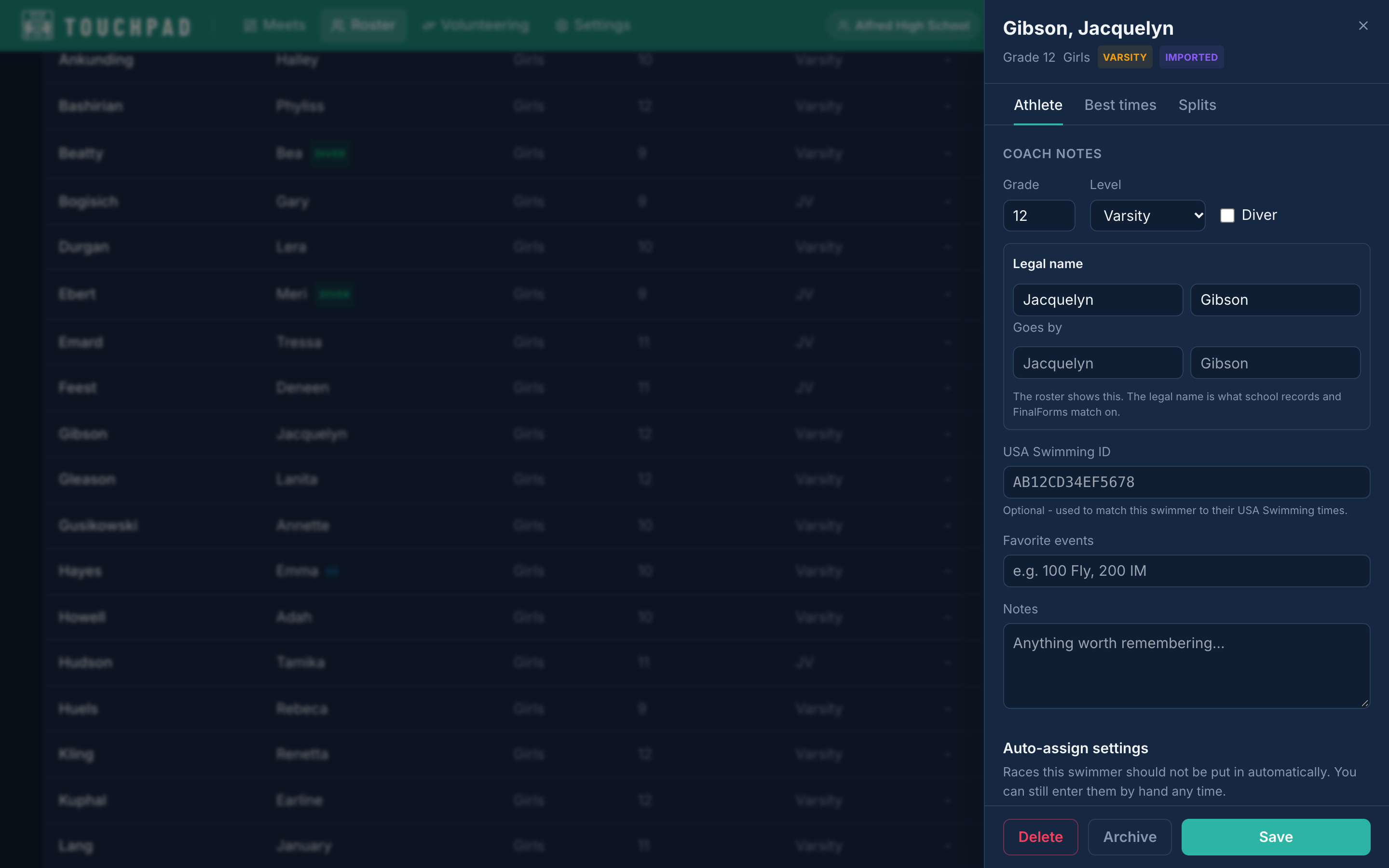
Every swimmer and diver on your team, with their best times, grades and levels, on the roster you run the season from. Click a name and their whole record opens beside the list: grade and level, the name they go by, the events auto-assign should leave them out of, every best time, and every split you’ve taken, race by race and wall by wall. The relay legs they could swim are listed with their time for each, and the ones nobody has timed yet are flagged. Bring the roster in from a Team Manager best-times export, which carries every swimmer’s times in one file, or a Final Forms roster, and add anyone else by hand. If your school is on KeepUp, the swim roster is shared with it automatically: a level or a grade set in one place is set in both. If it isn’t, nothing changes. Touchpad runs a swim program on its own.
Your roster lives here
02
The other teams don’t need Touchpad
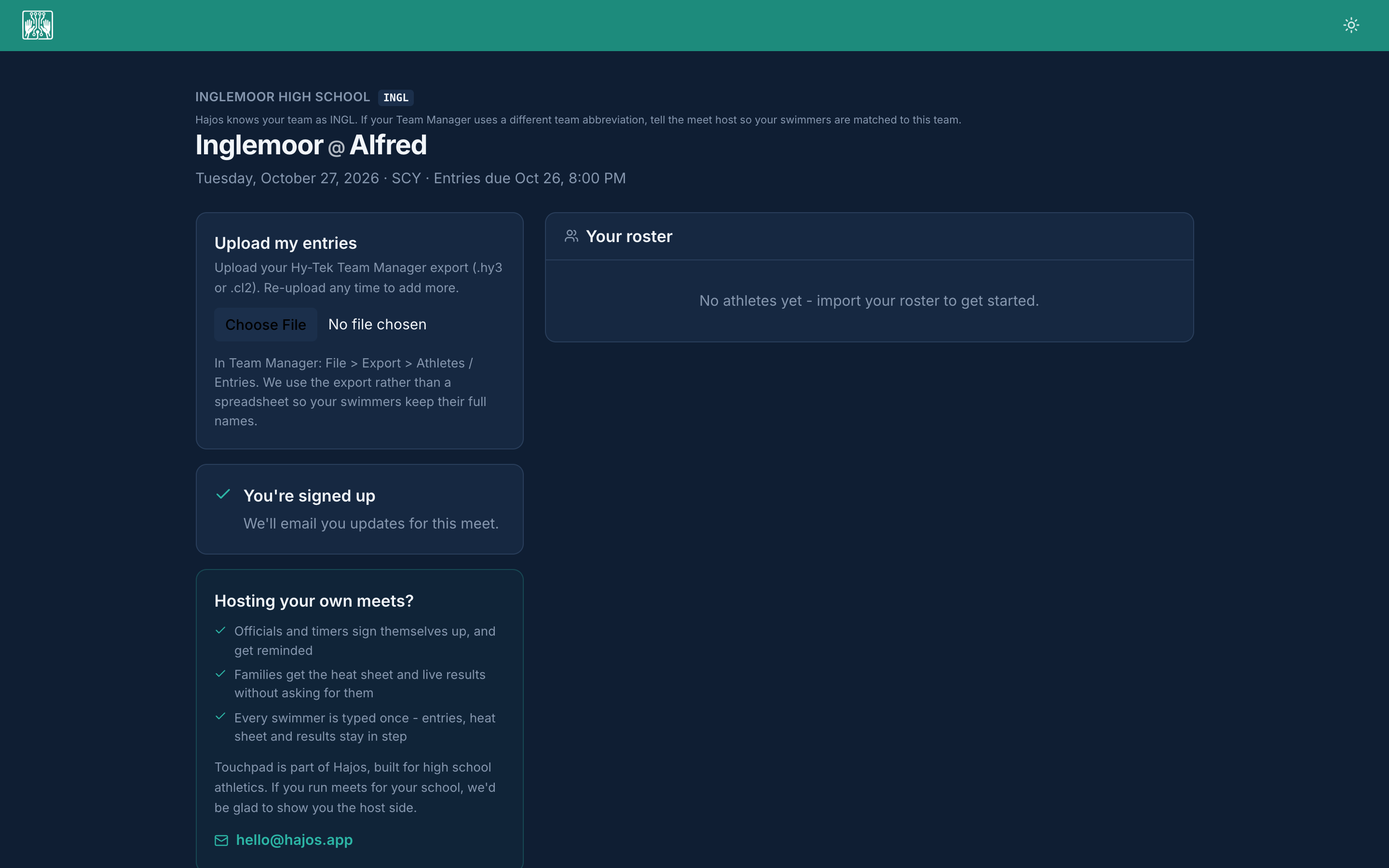
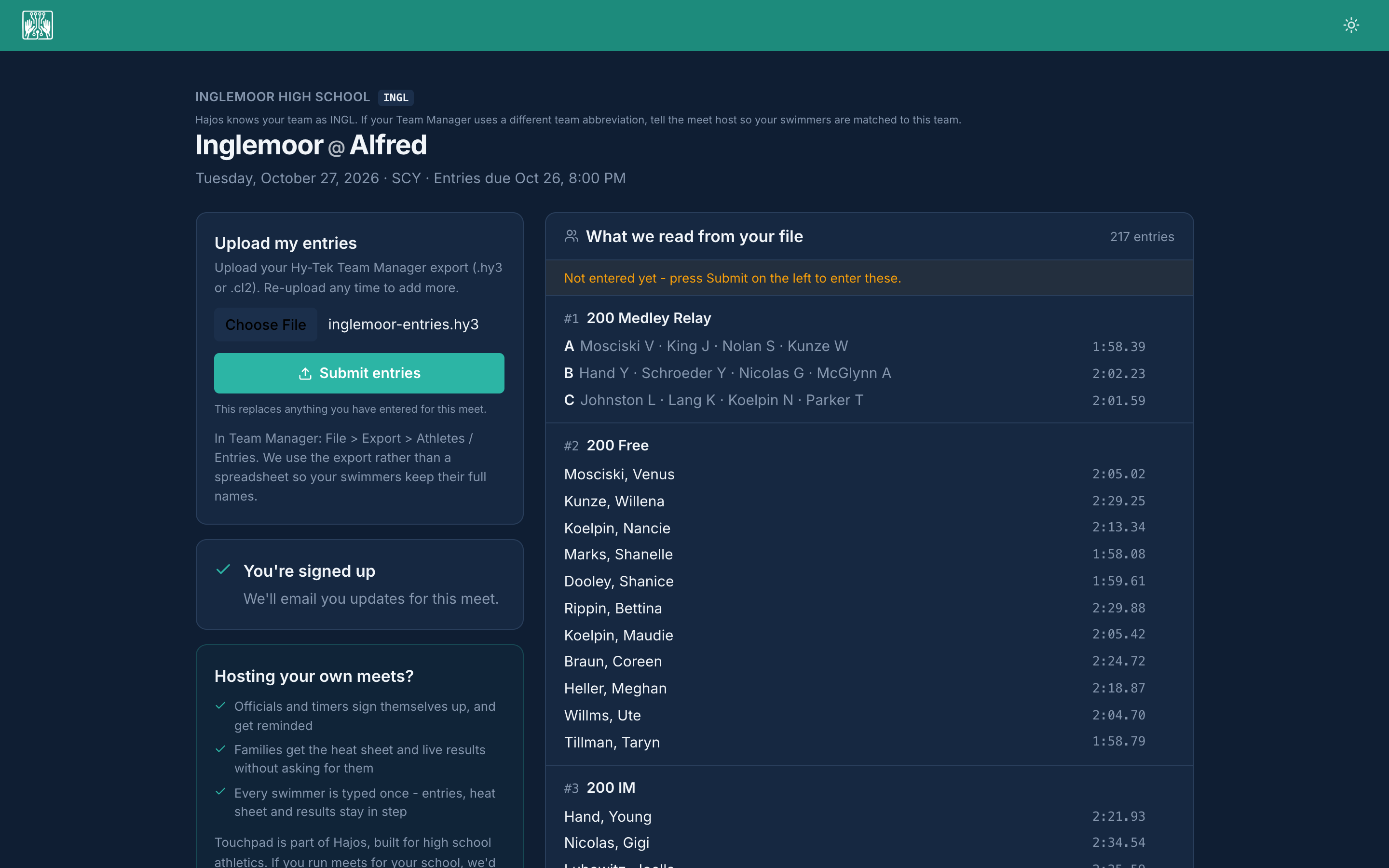
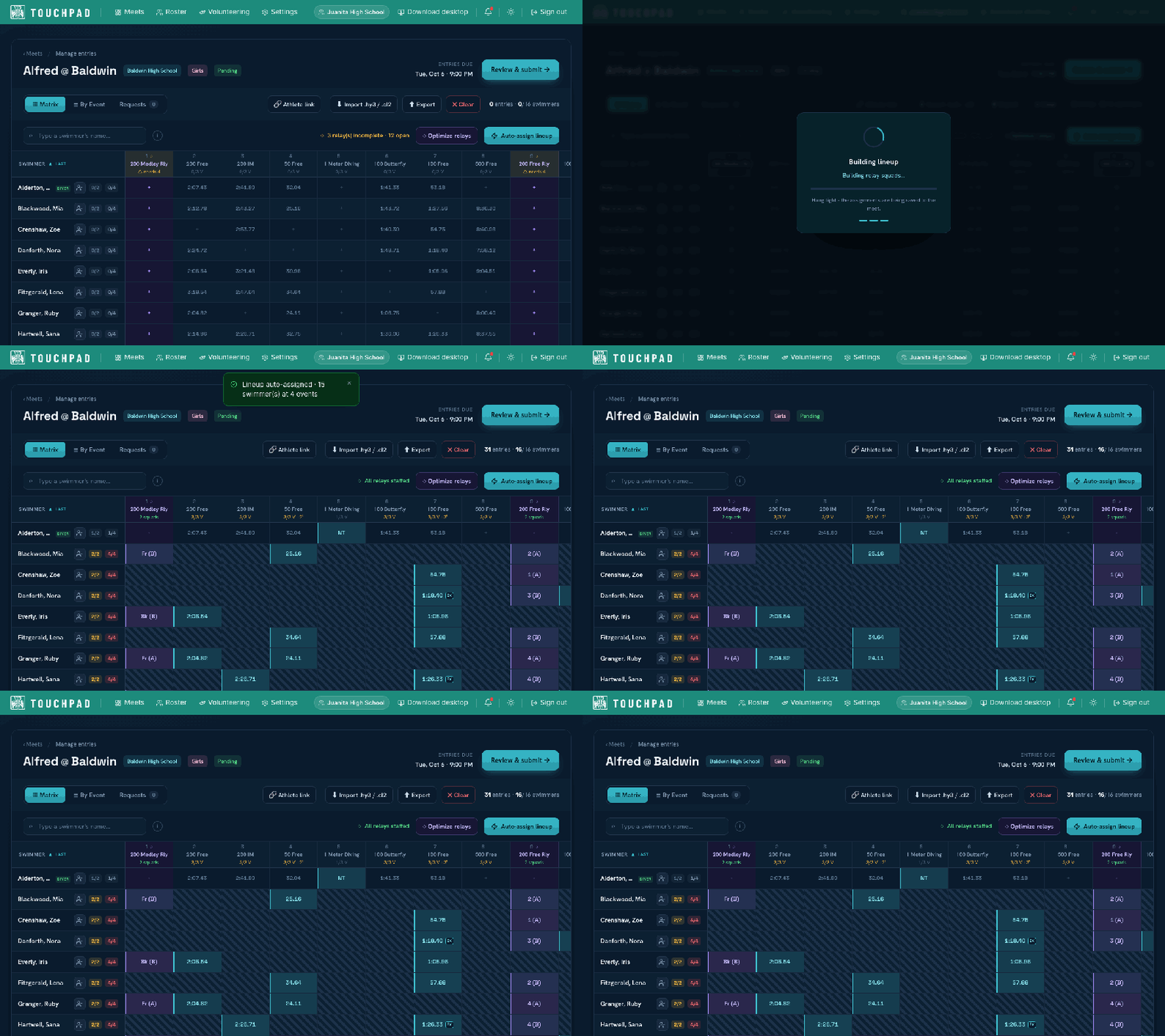
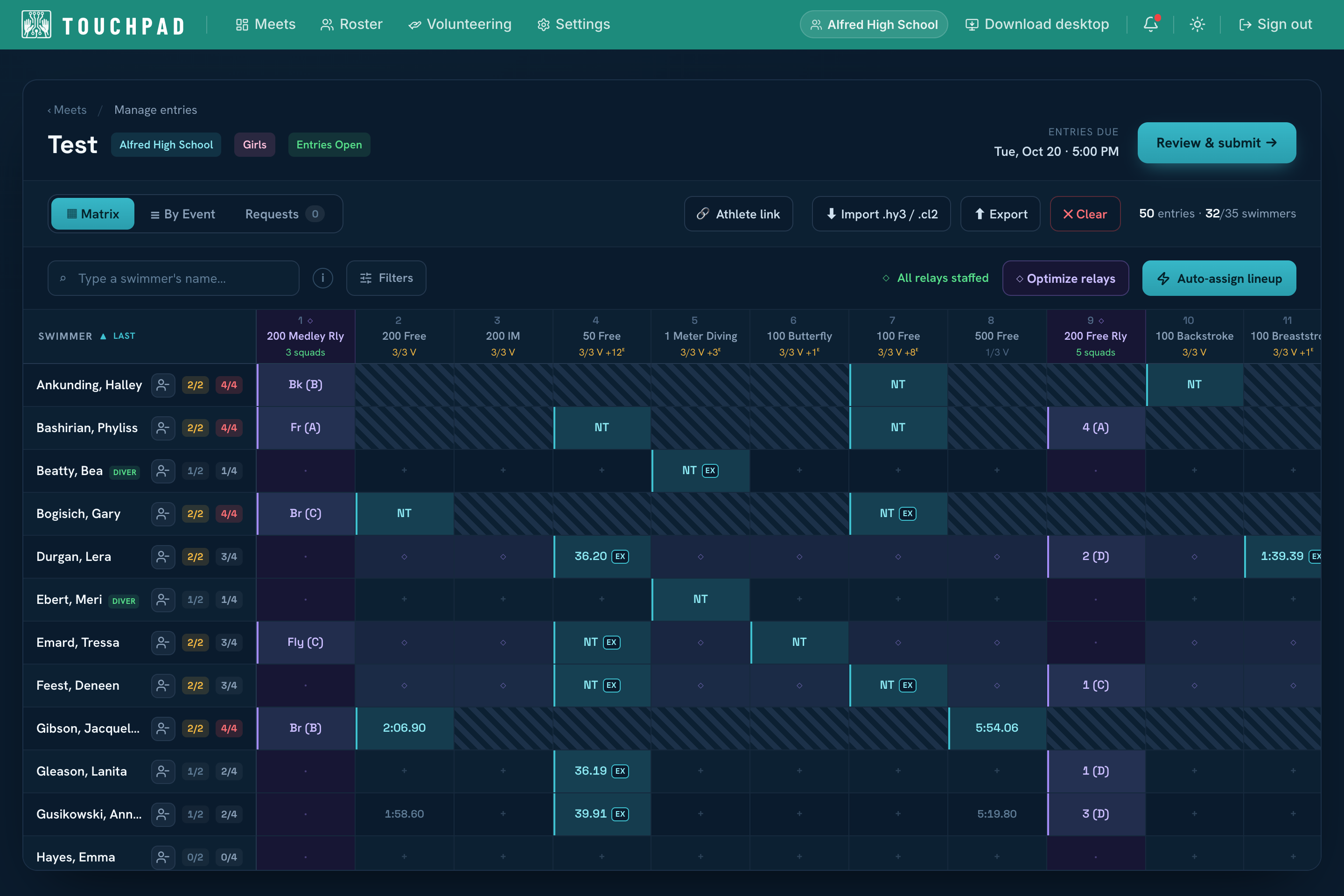
You’re on Touchpad. The schools you swim against don’t have to be. The host shares one link per visiting team, and the coach who opens it needs no account and no login. They upload the entries file straight out of Hy-Tek Team Manager, .hy3 or .cl2, and see every swim and every relay exactly as it will be entered, seed times included, before they press Submit. Wrong export? Pick another file; nothing reaches the meet until they submit. Their swimmers land in the host’s grid the moment they do. The host never chases a lineup again.
The other teams don’t need Touchpad
03
Auto-assign events
Touchpad builds your lineup for you. Auto-assign swimmers to their events in one pass instead of penciling in every name by hand, then tweak anything you want. A lineup that used to eat an evening takes seconds.
Auto-assign events
04
Seed in seconds
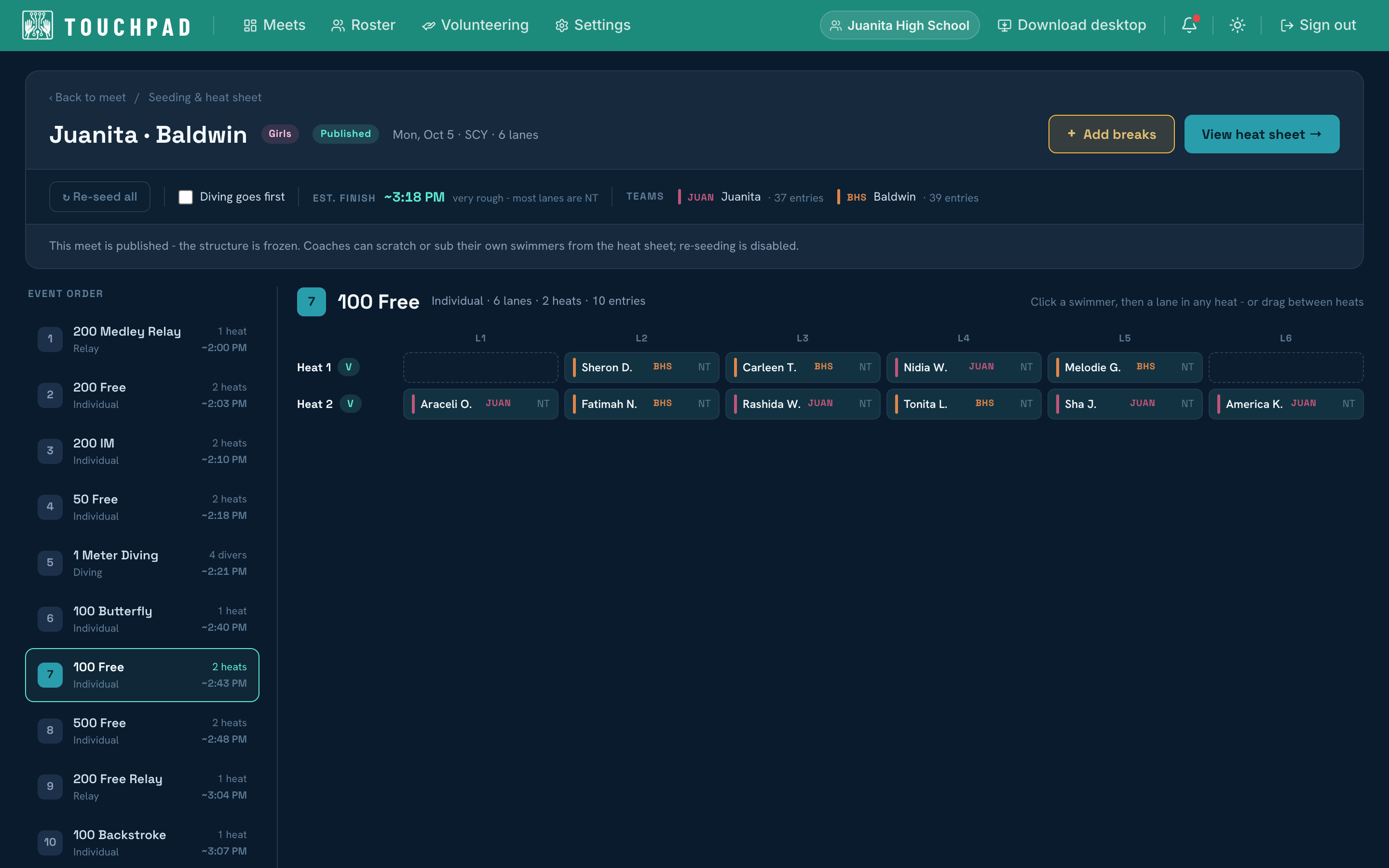
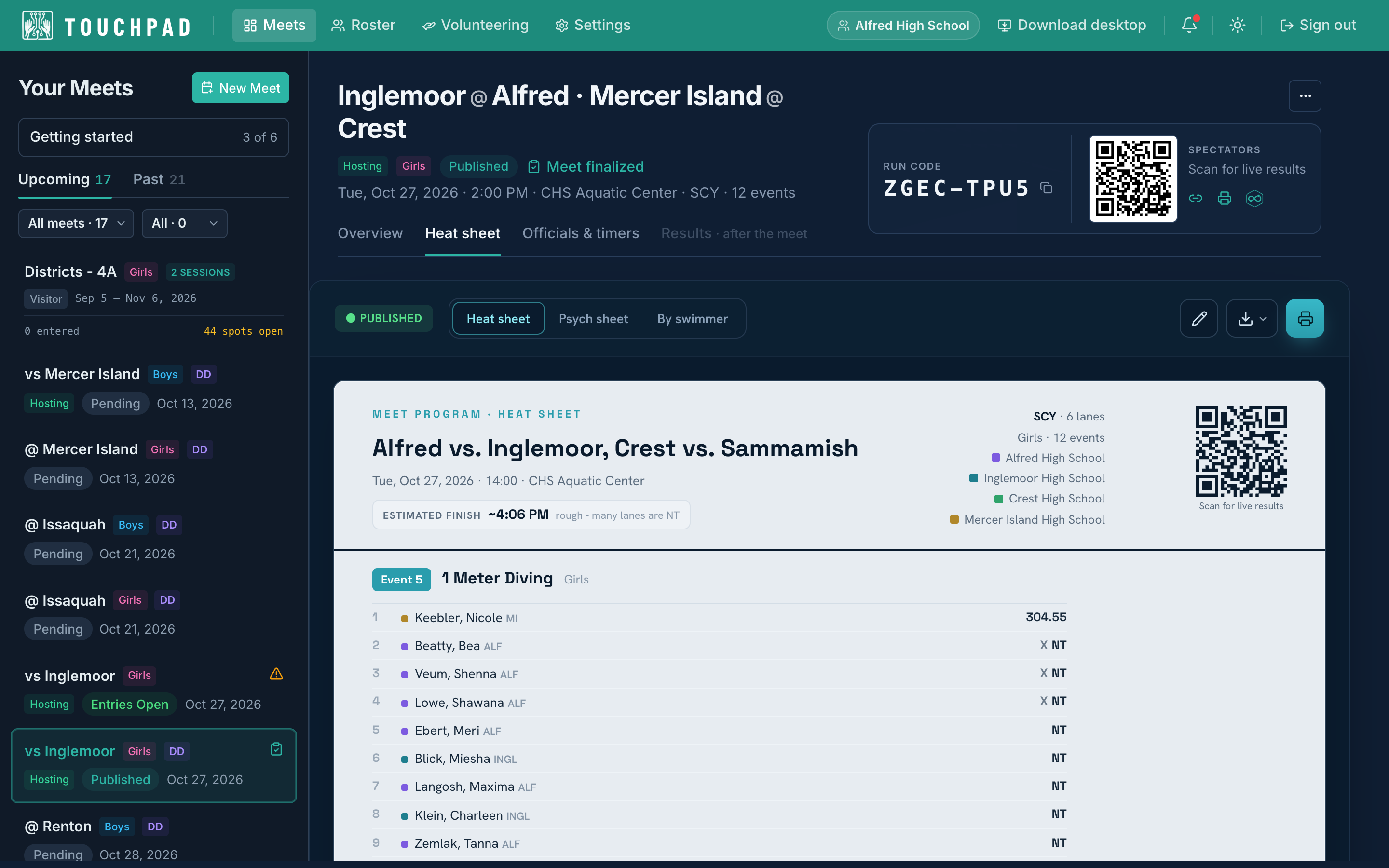
Automatic time-based seeding drops the fastest swimmers into the final heats, with manual lane control when you need it: click a swimmer and a lane, or drag between heats. The event order carries a running estimate of when each one goes off. Publish the heat sheet in a tap: every coach is notified, and it goes live on Streamline for swimmers and families.
Seed in seconds
05
Fix the lineup from your phone
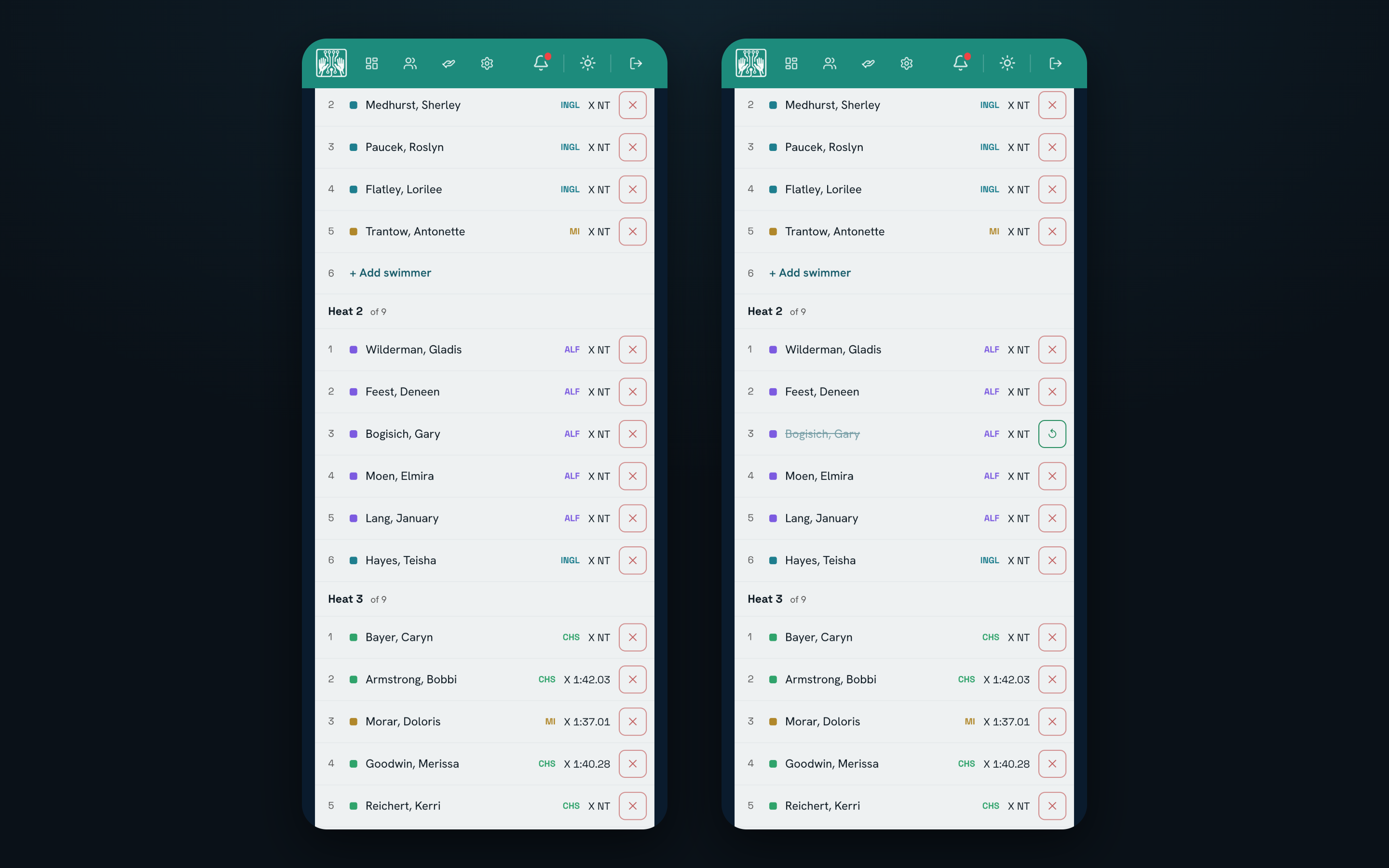
A swimmer goes home sick an hour before the meet. Open the published heat sheet on your phone, turn on Amend my team, and scratch the lane, put a swimmer into an open one, or swap a relay leg right there. The change is on the desktop console at the timing table, on the host’s sheet, and on Streamline’s live heat sheet for families the moment you make it. Nobody walks a slip of paper to the table, and nobody re-seeds.
Fix the lineup from your phone
06
Live timing on deck
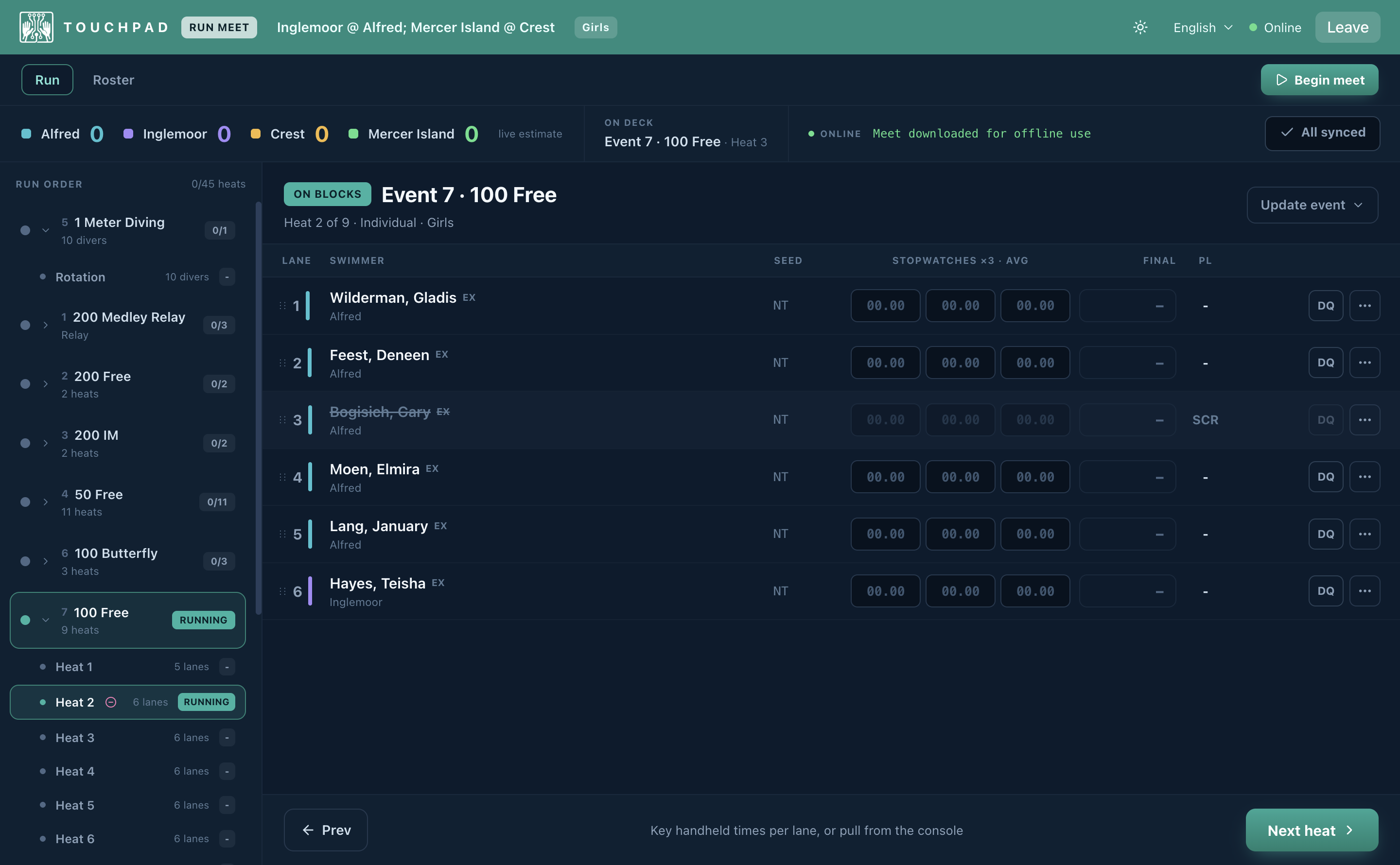
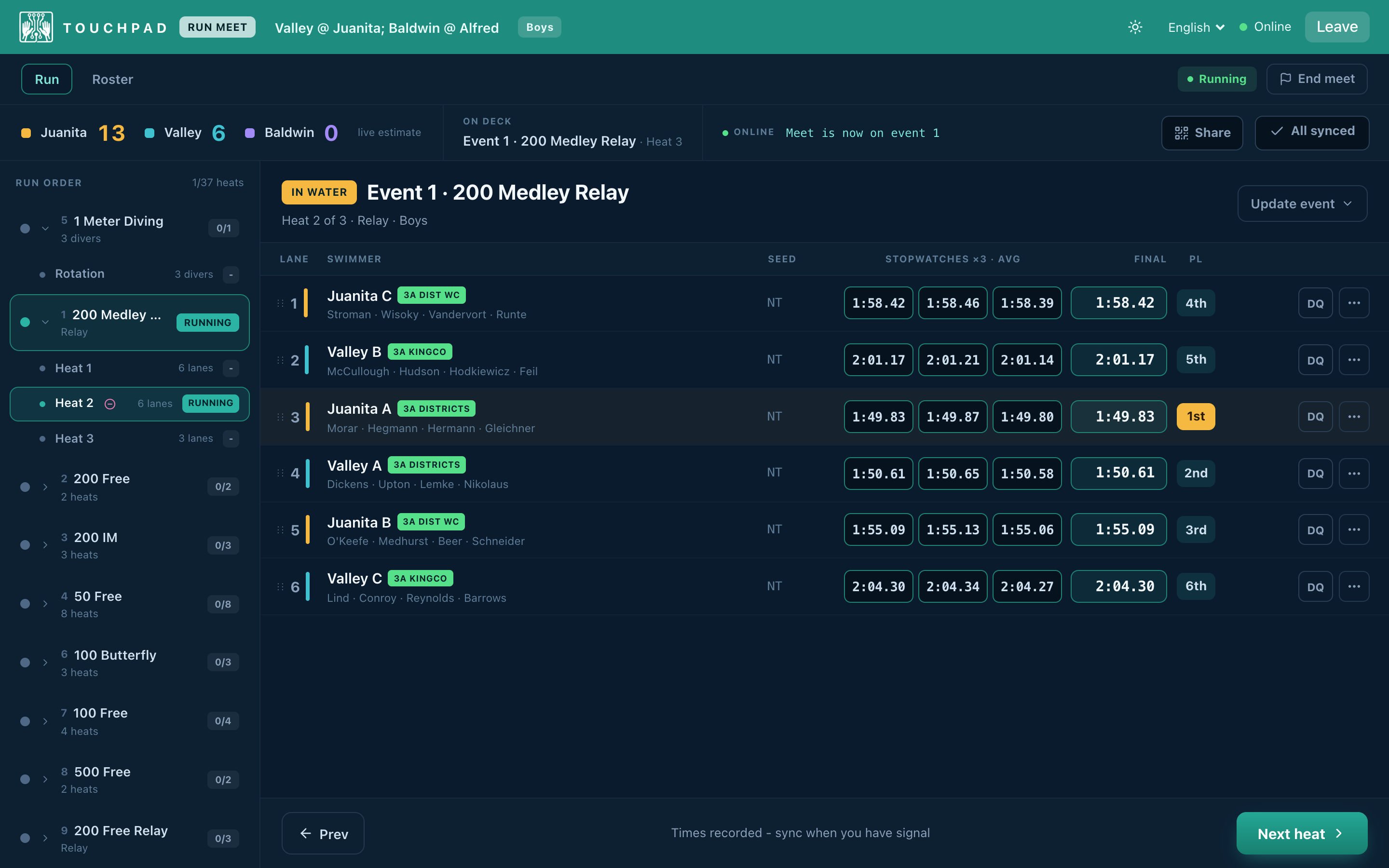
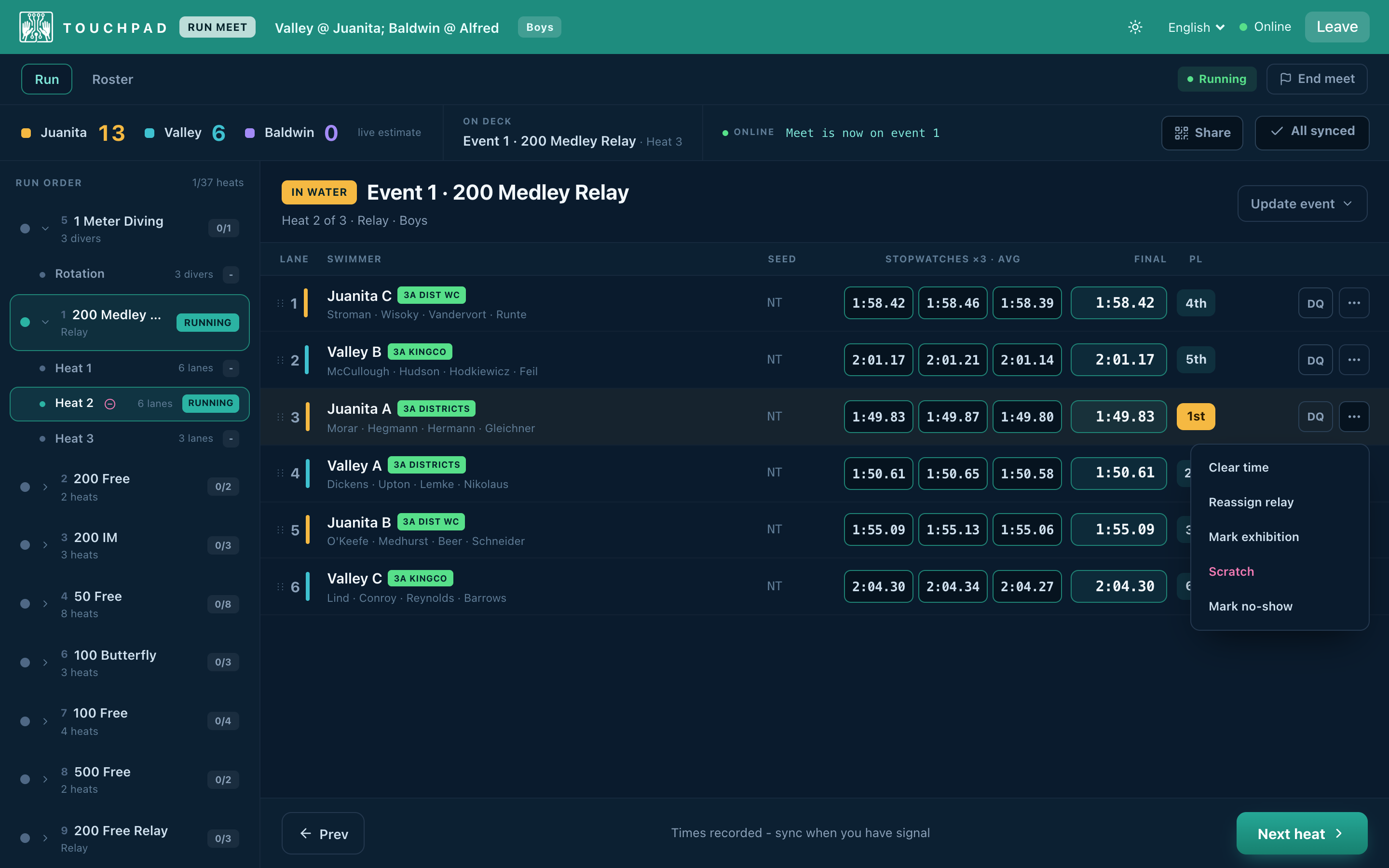
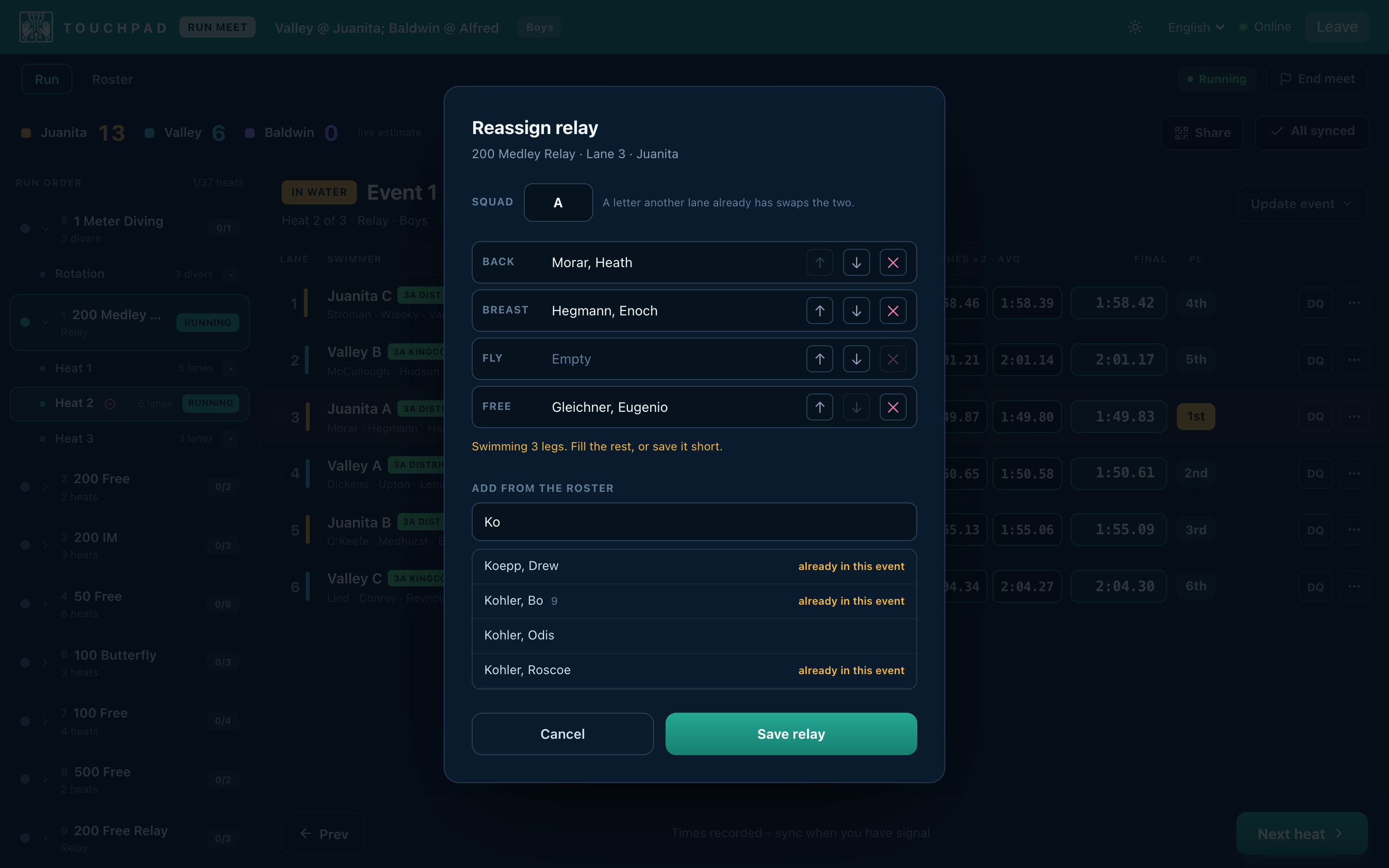
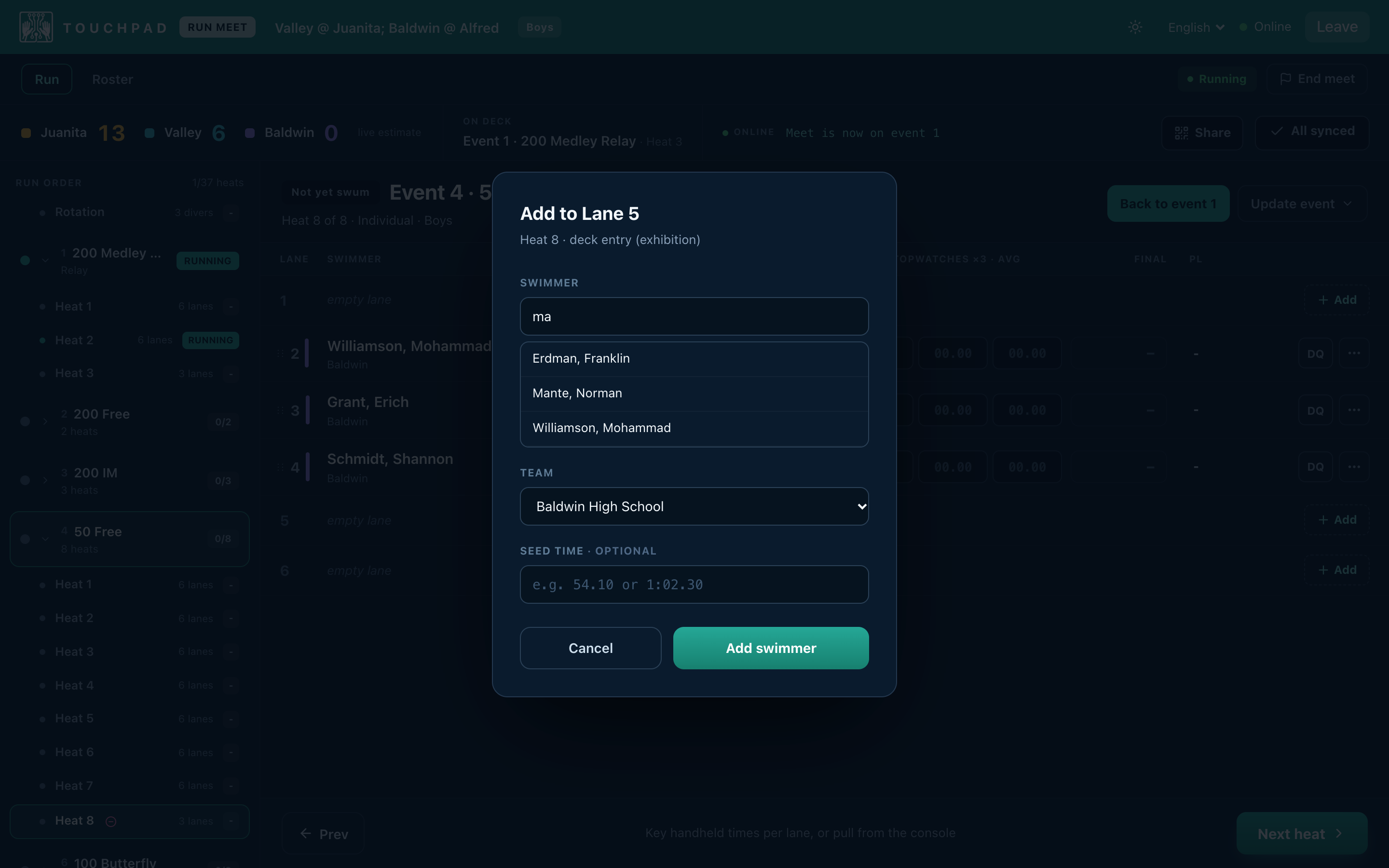
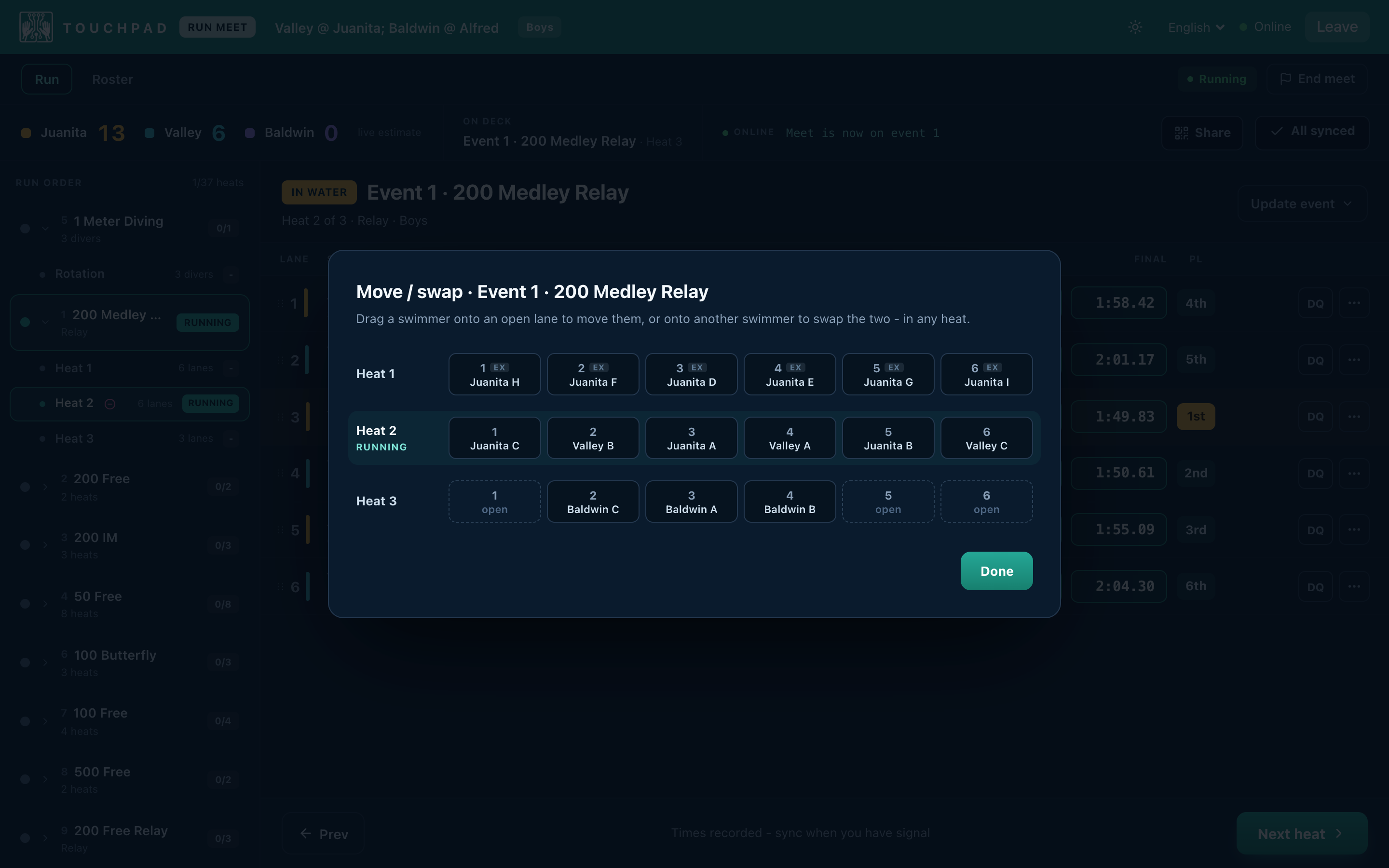
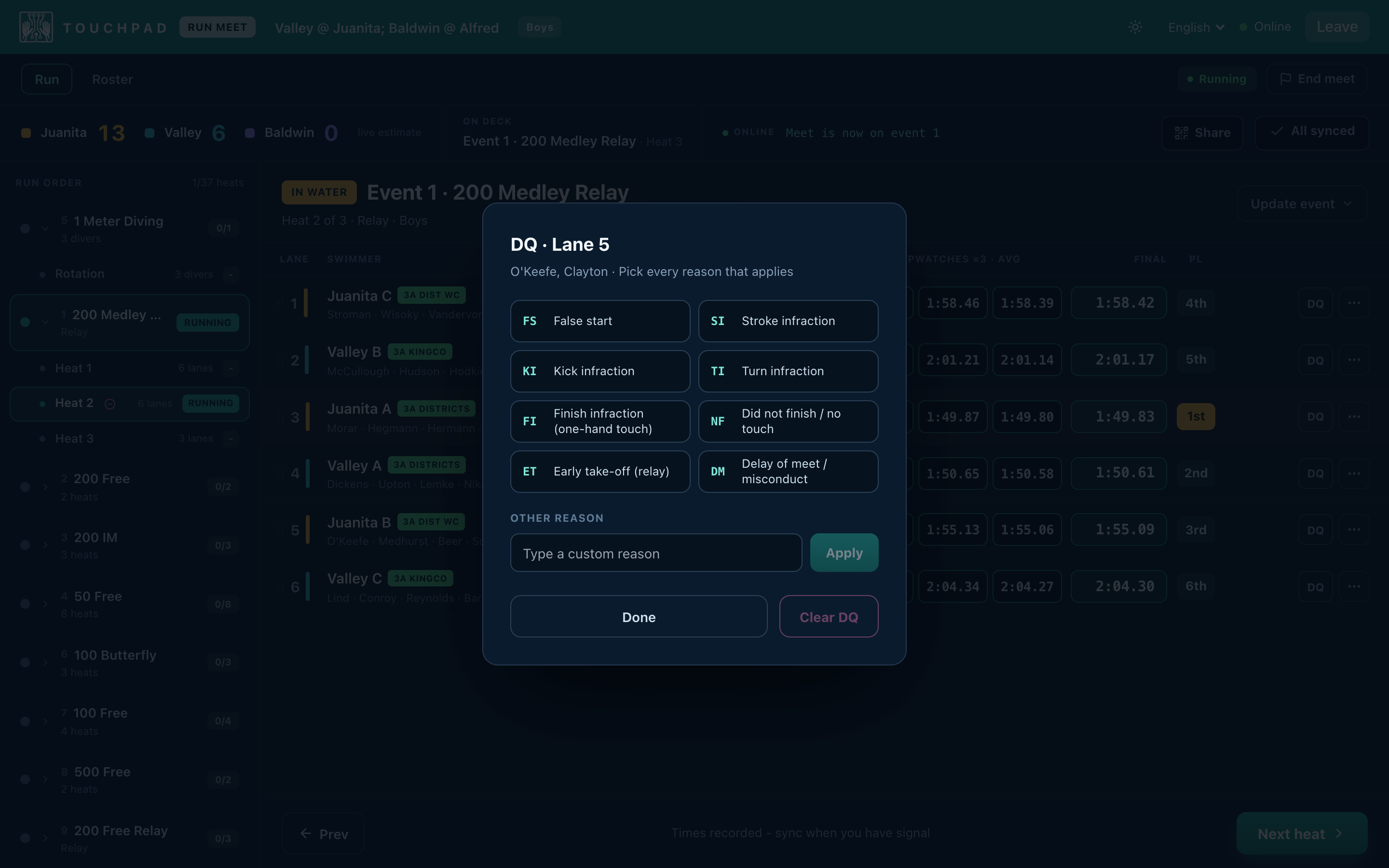
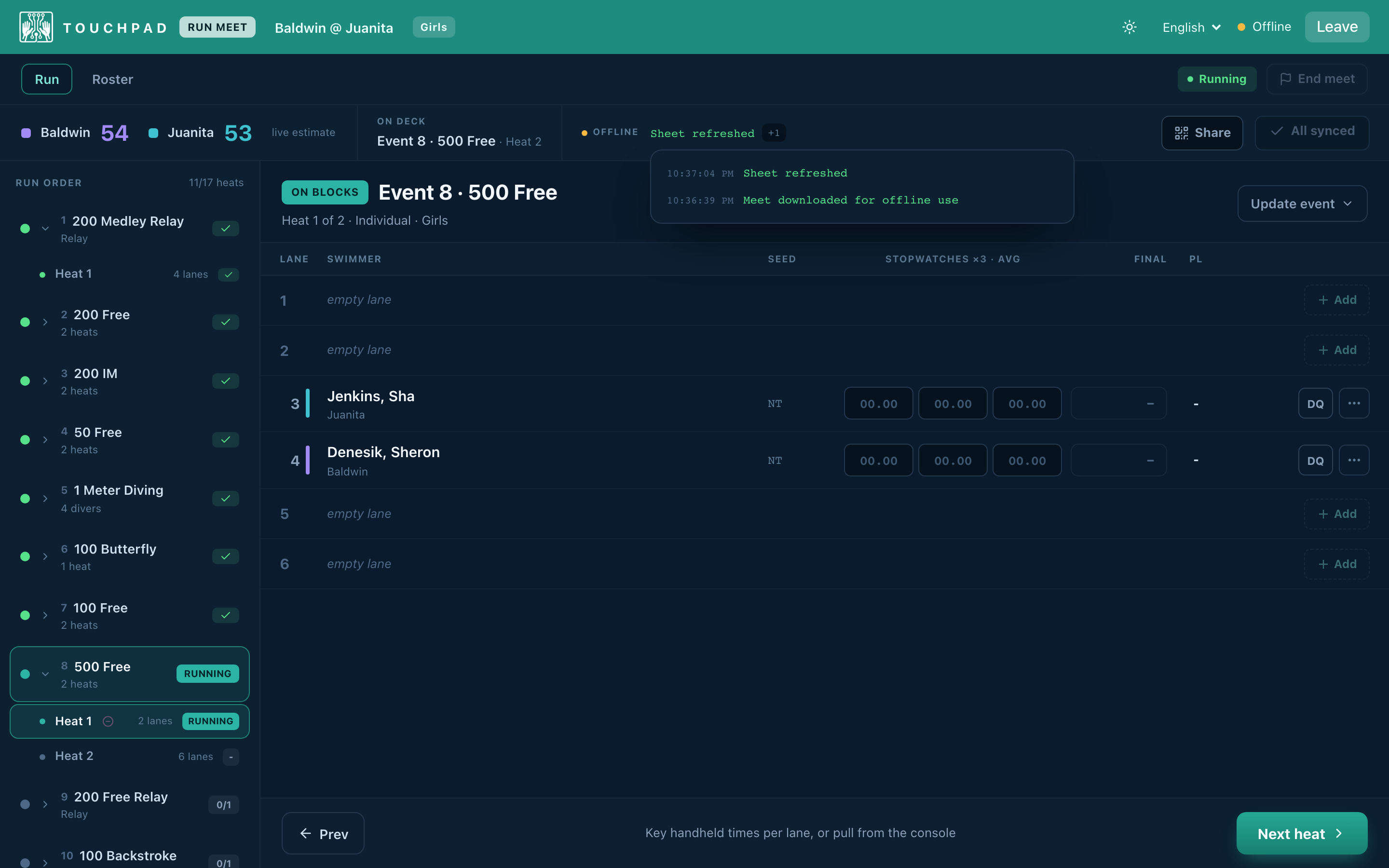
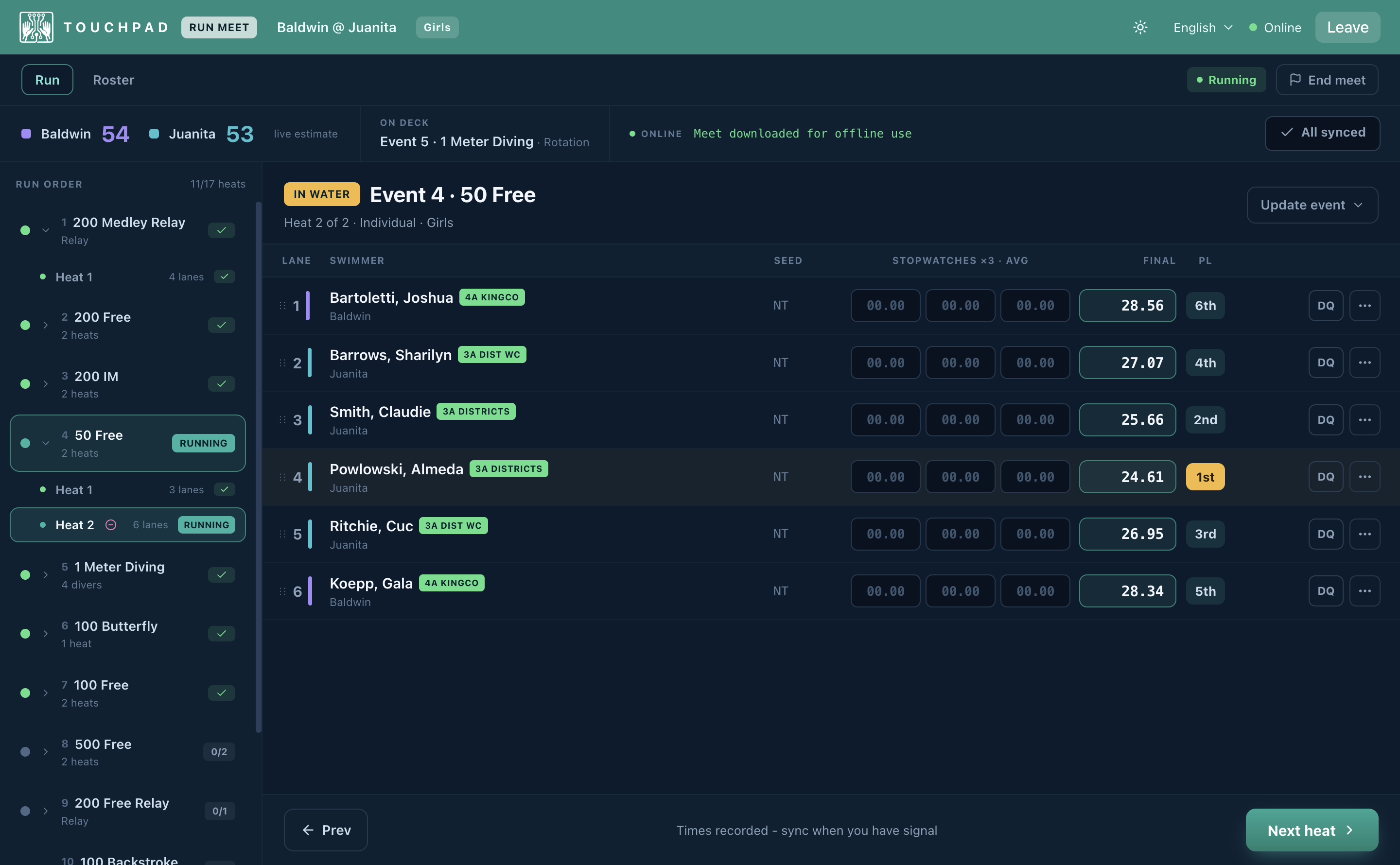
Display each heat, key three watches per lane, and Touchpad averages them into the final, places the heat, and keeps a running team score as you go. Every change the meet throws at you is one click from the lane it’s about, on the screen you’re timing on. Sub a relay leg from the team’s roster, which shows who is already in the event and who has hit their limit. Drop a swimmer into an empty lane as an exhibition deck entry. Drag a swimmer to an open lane, or onto another swimmer to swap the two, in any heat of the event. Scratch, mark a no-show, and DQ with every reason that applies. Where Meet Manager sends you off the run screen to change an entry, here you never leave the heat.
Live timing on deck
07
Splits from your phone
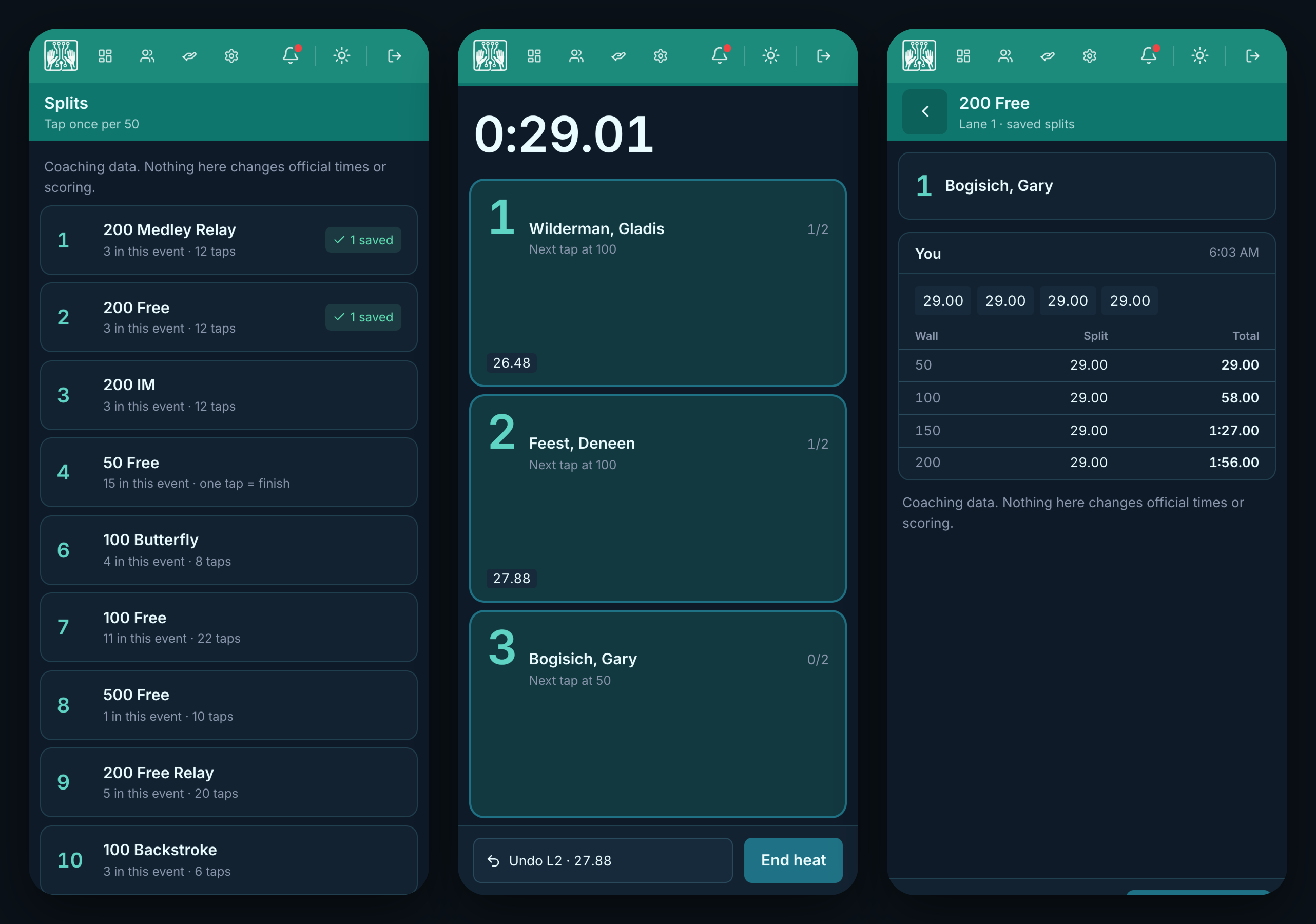
Open the meet on your phone, pick up to three of your lanes in a heat, and tap once per wall with your eyes on the water. Every split is recorded on that swimmer the moment you save the heat, read back wall by wall against the official time, and relay legs are chosen from them. Missed the horn? Type what the scoreboard reads and start from there. Coaching data, kept apart from official times and scoring.
Splits from your phone
08
Keeps running with no Wi-Fi
The desktop app is offline-first. Download the meet before you head to the pool, then record every time and DQ with zero Wi-Fi: the header flips to Offline and nothing else changes. A running log stamps every download, refresh and sync with the time it happened, so the table knows what made it up and what’s still waiting. It syncs the moment it reconnects, and keeps retrying until it does. The timing table never stalls because the internet did.
Keeps running with no Wi-Fi
09
Volunteers sign themselves up
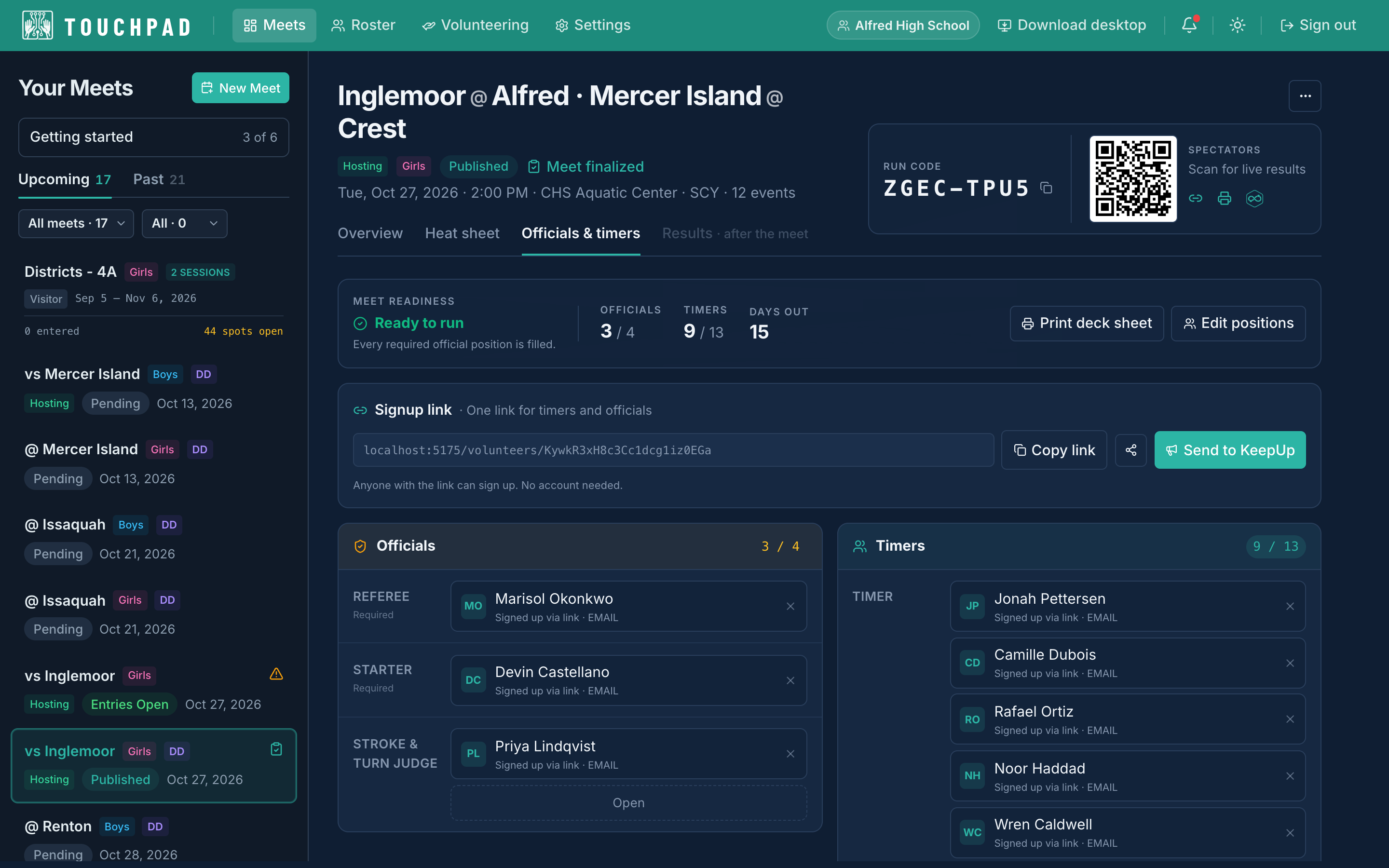
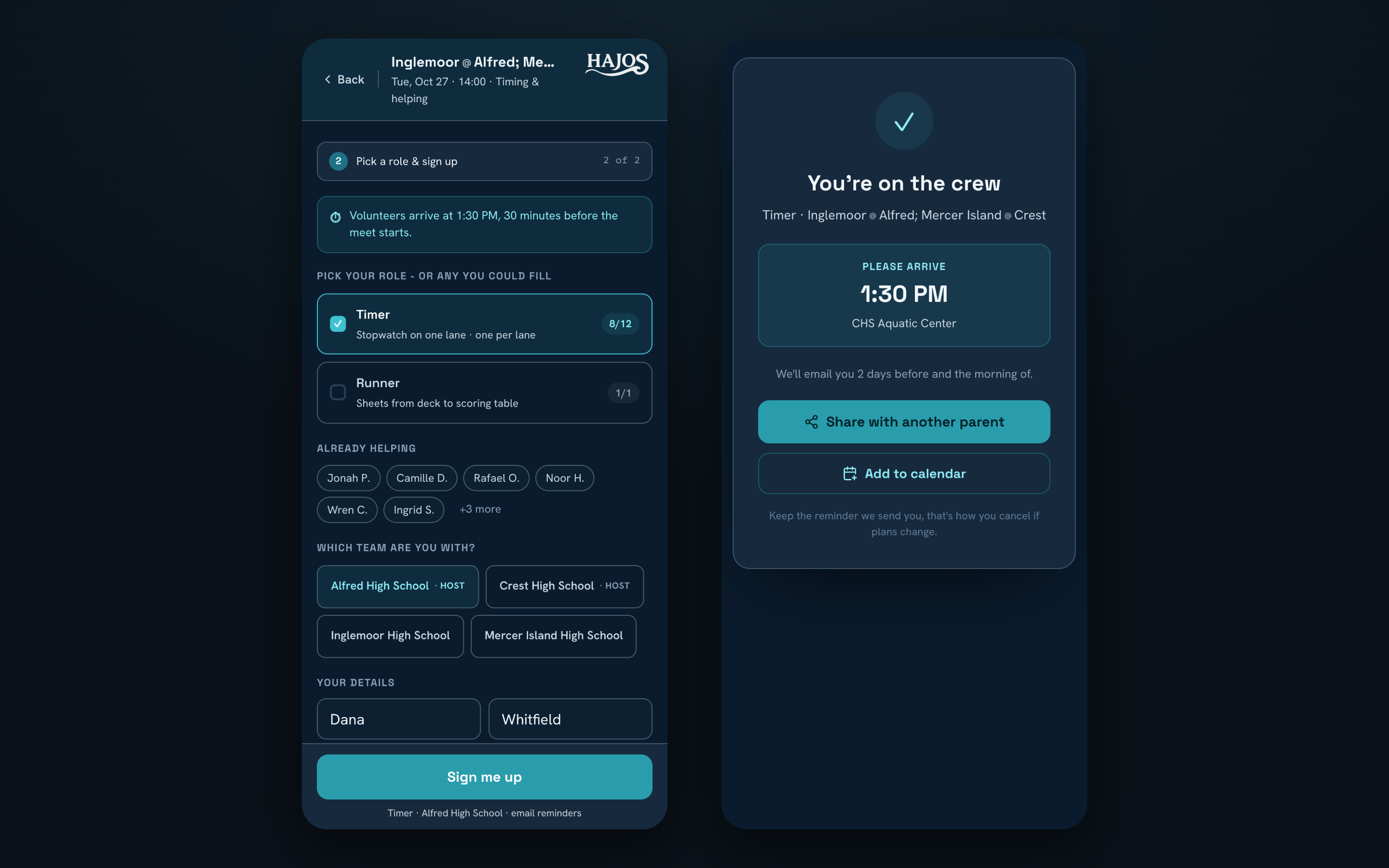
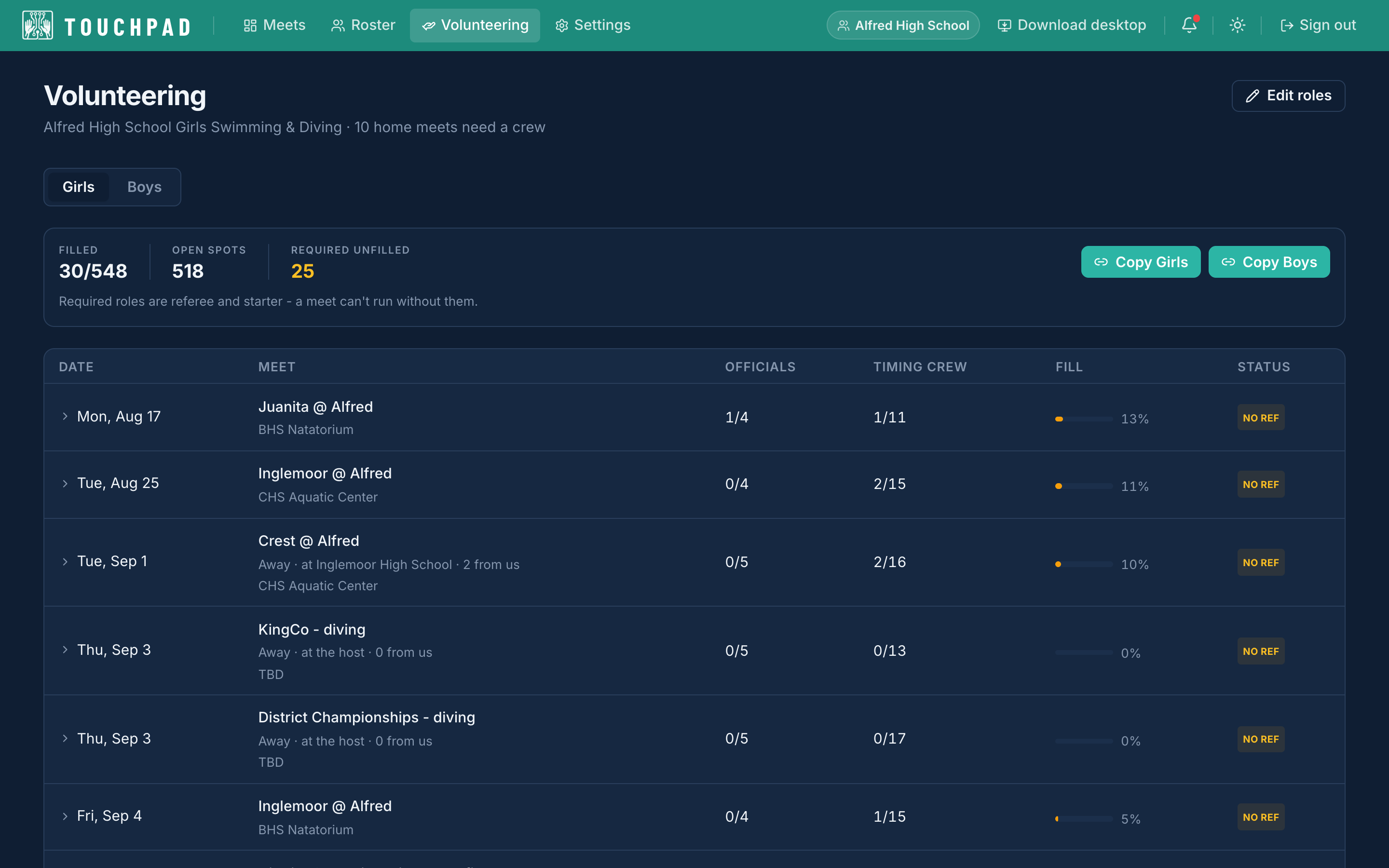
One link per meet covers timers and officials. Send it to the team and parents pick a lane to time, a snack table, or a certified officiating role from their phone, with no account, and get a reminder two days before and the morning of. The host’s sheet fills in as they do: who has the referee and starter, which required spot is still open, and whether the meet is ready to run. The Volunteering page lays out every home meet of the season the same way, so you see in October which November meet still has no referee. Print the deck sheet and the crew is on paper.
Volunteers sign themselves up
10
Legacy files just work
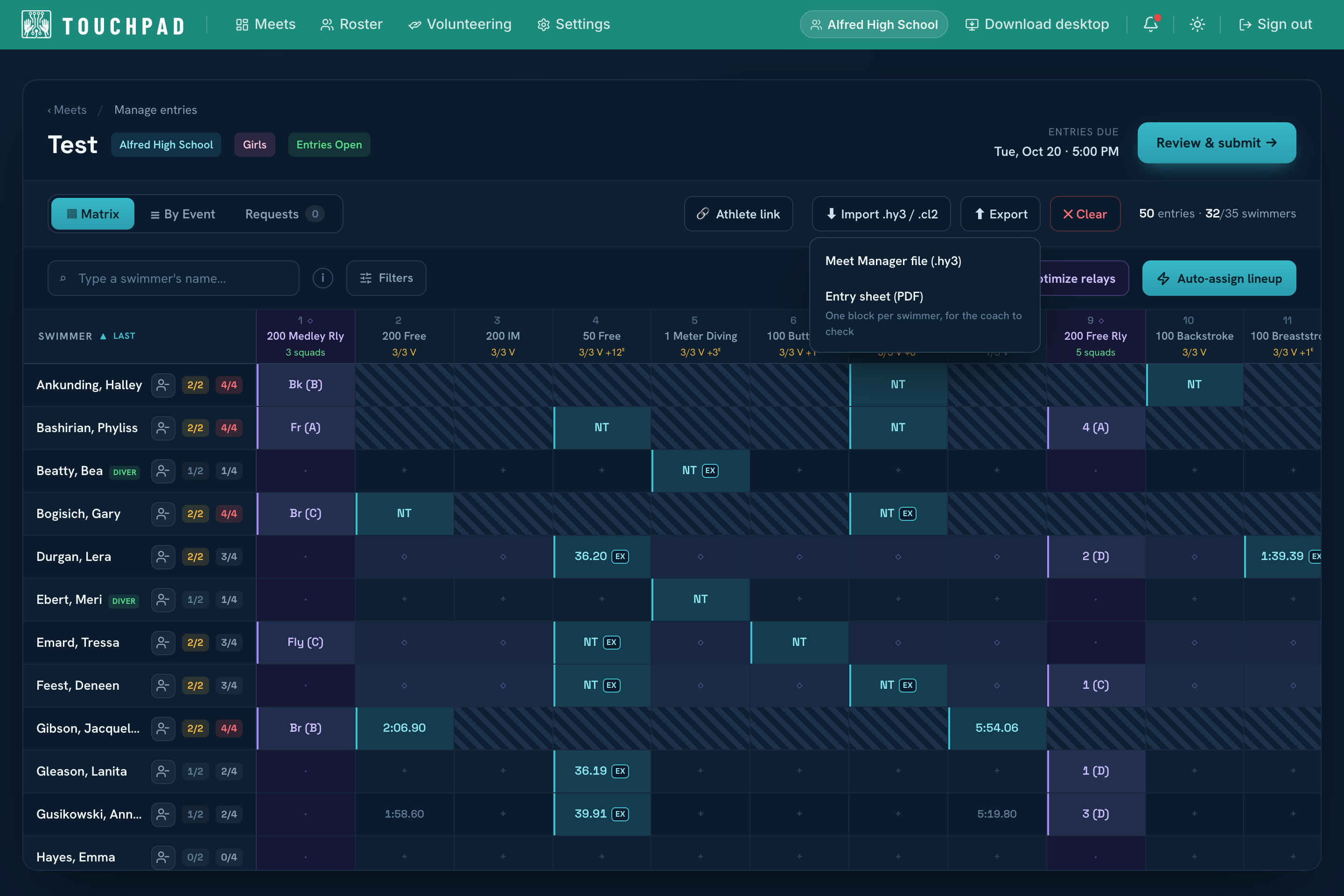
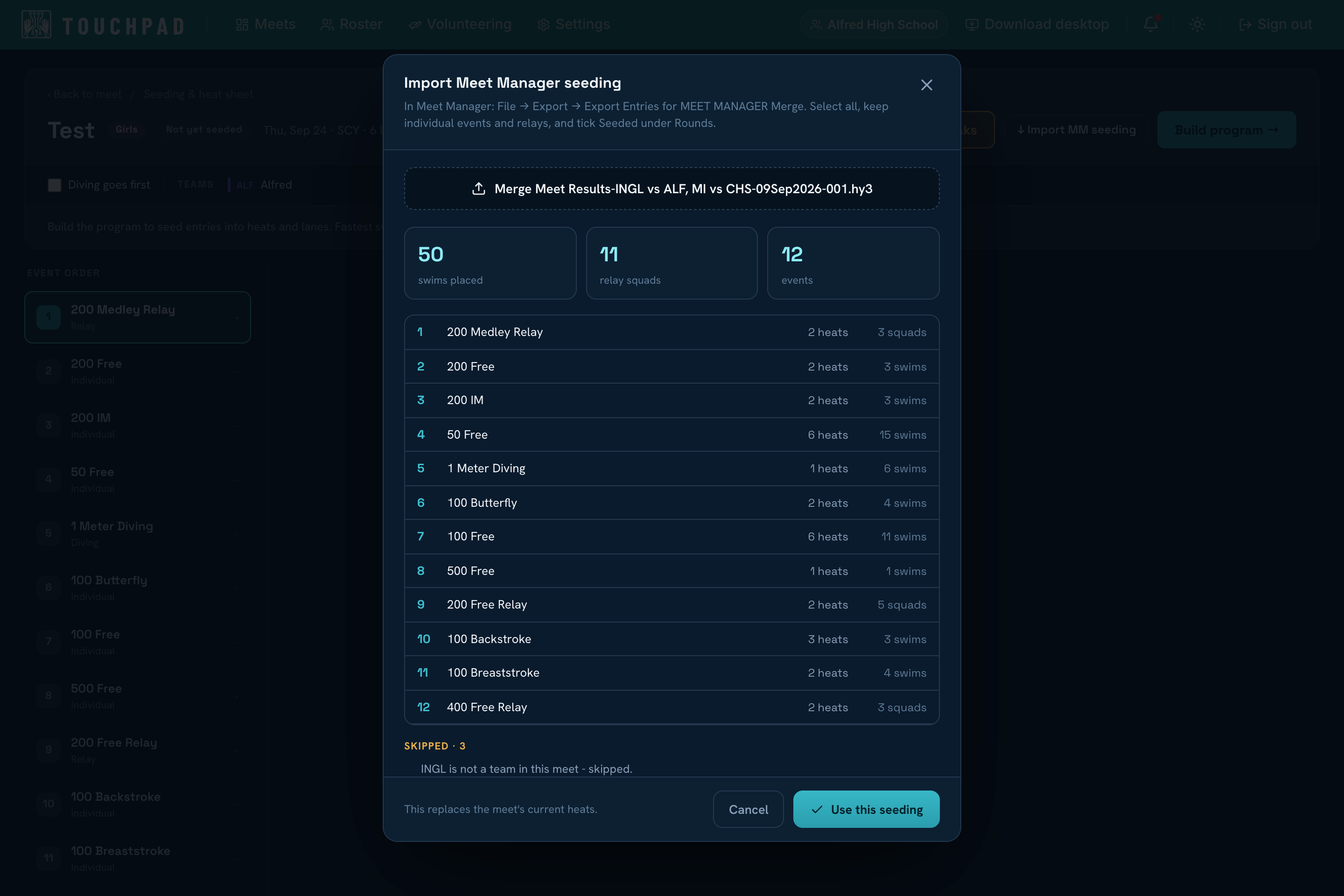
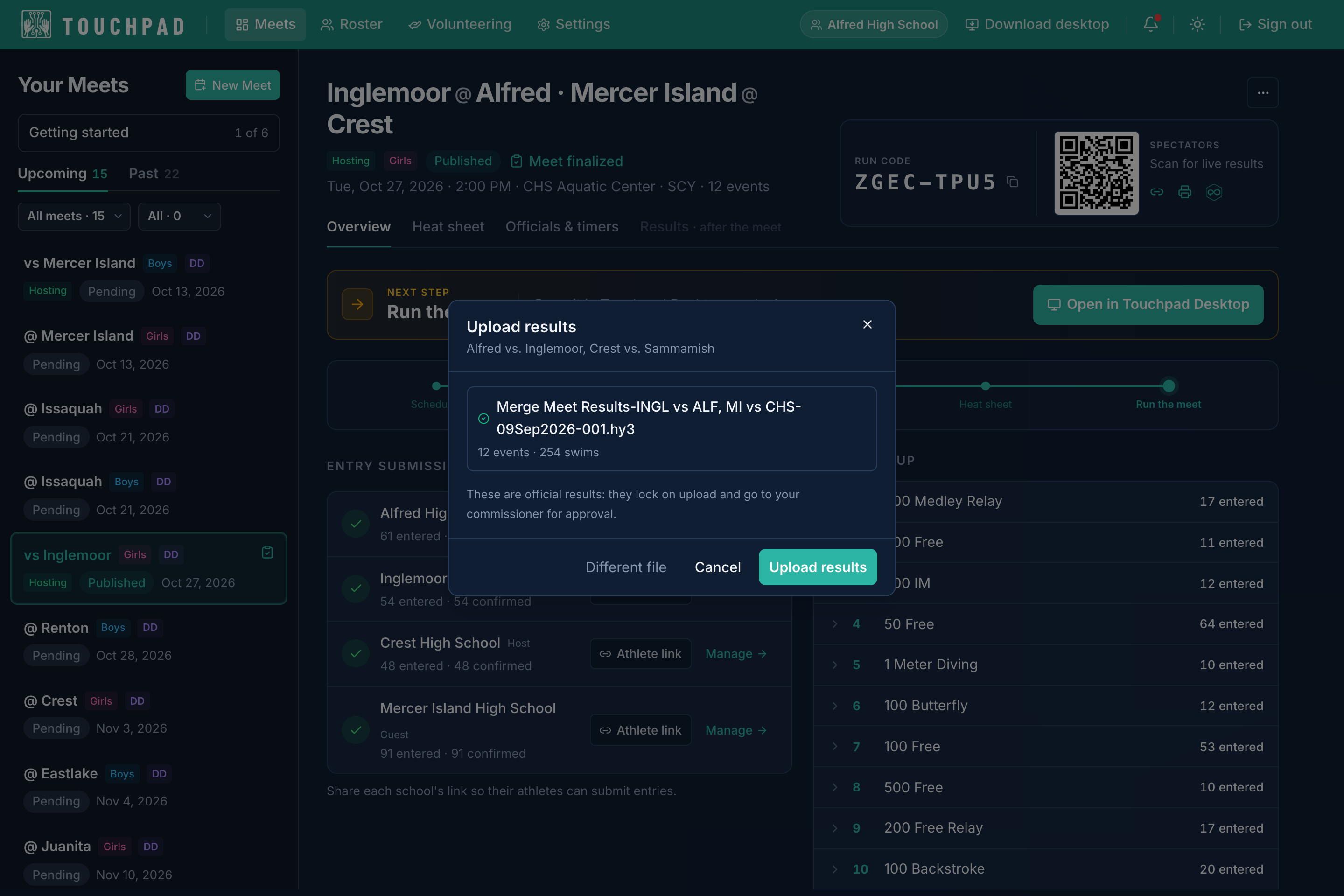
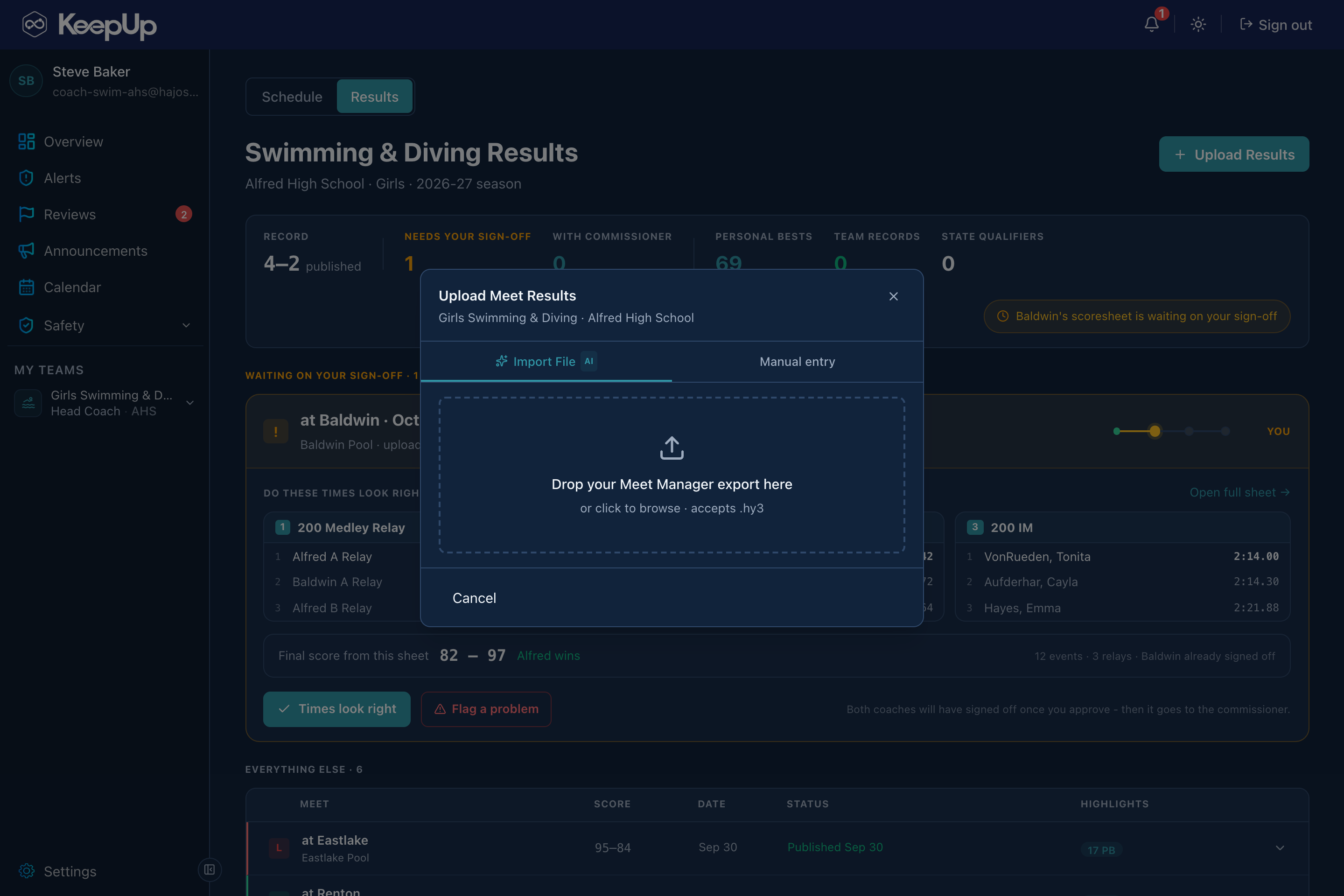
The whole suite speaks HY-TEK, in both directions. Bring your roster in from a Team Manager best-times export and every swimmer arrives with their times. Drop a Meet Manager entries file, .hy3 or .cl2, into the entry grid and the lineup fills itself. Seed here and hand Meet Manager a merge file with every heat, lane and seed time already in it, or seed in Meet Manager and bring that back. Run race day on whichever one your officials know, then upload the results export and the meet lands in Touchpad, KeepUp and Streamline without anyone retyping a swim. League, district and state cuts ride along, so you see who qualified as the results land.
Legacy files just work
Where it lives

A web app and a desktop app

Coaches set up the meet and publish results from the web. Operators run race day on deck in the desktop app, even with no pool Wi-Fi.
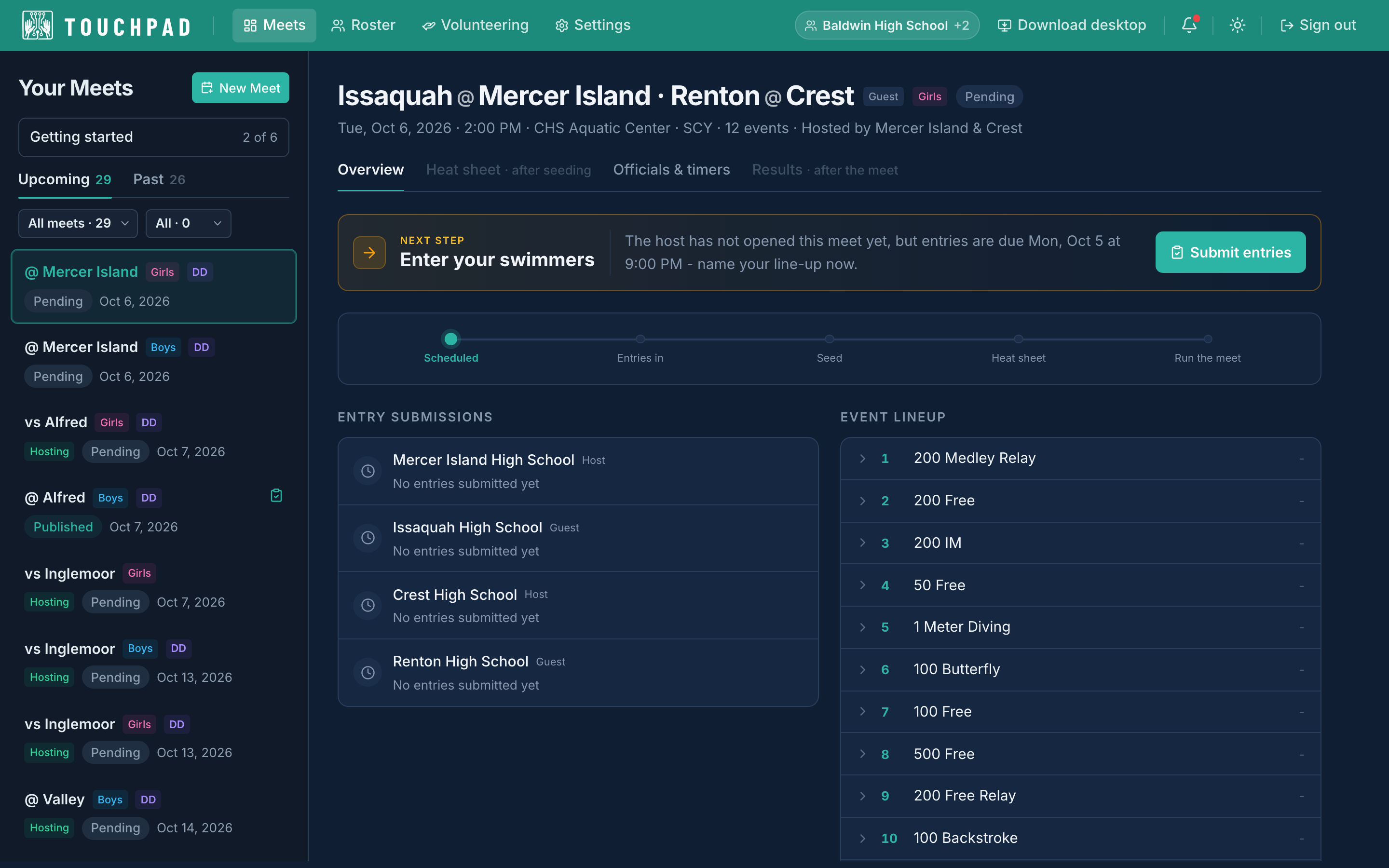
Touchpad Web
Web app · Host & guest coaches
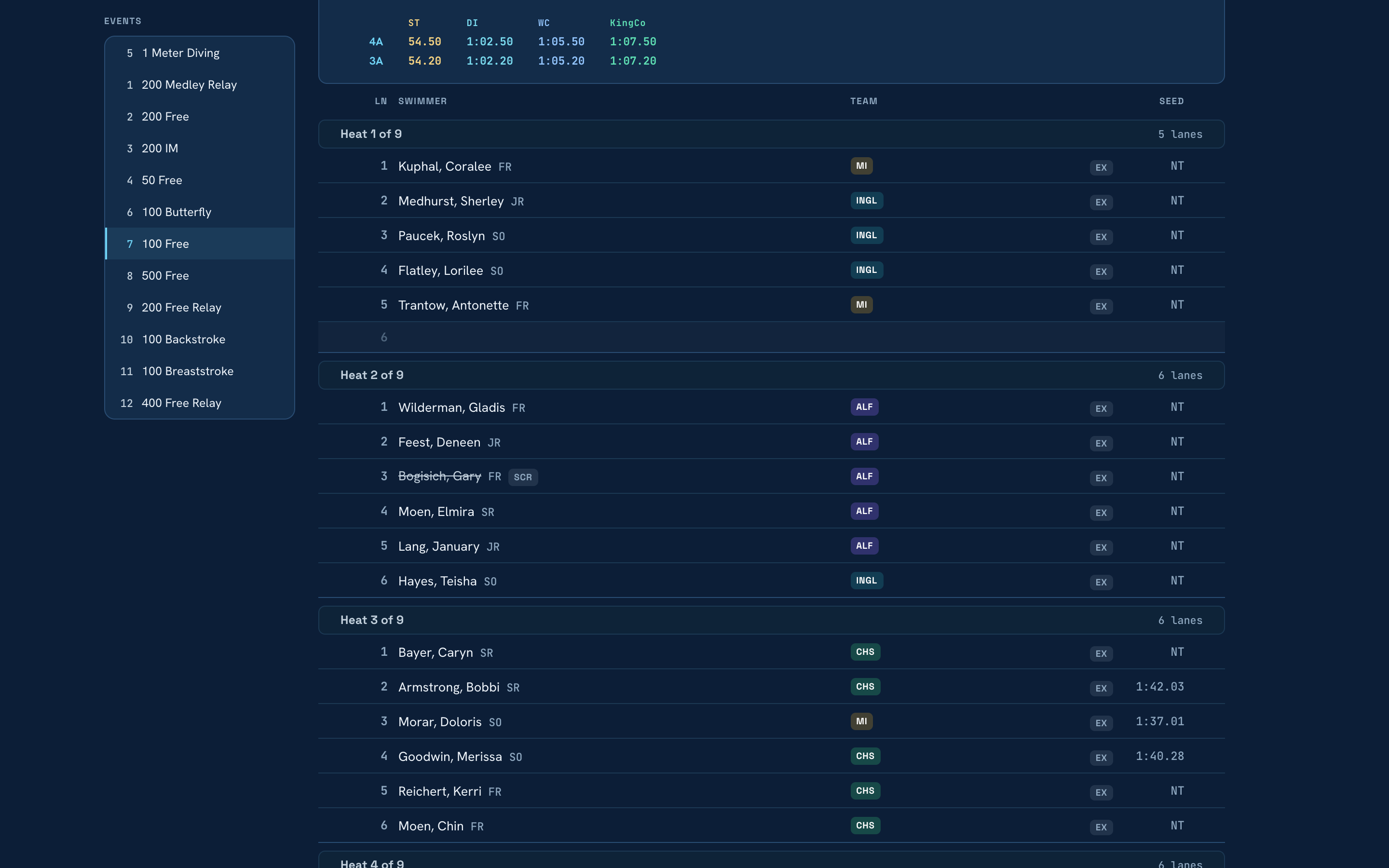
The meet page, heat sheet published
1 / 7

Everything before and after race day: configure the meet, collect entries, seed the heats, publish the heat sheet, amend your lanes from your phone, and finalize results.
  • One no-login link per visiting team: they upload their Team Manager entries file, review it, and submit
  • Automatic seeding with manual lane control, then a published heat sheet
  • Scratch, add or swap a swimmer from your phone; the console and Streamline update at once
  • HY-TEK files both ways: seed the whole meet here, then hand Meet Manager the lanes as they stand
  • Tracks league, district and state qualification as results land
Touchpad Web
Web app · Host & guest coaches
Touchpad Web: The meet page, heat sheet published
The meet page, heat sheet published
1 / 7

Everything before and after race day: configure the meet, collect entries, seed the heats, publish the heat sheet, amend your lanes from your phone, and finalize results.

One no-login link per visiting team: they upload their Team Manager entries file, review it, and submit
Automatic seeding with manual lane control, then a published heat sheet
Scratch, add or swap a swimmer from your phone; the console and Streamline update at once
HY-TEK files both ways: seed the whole meet here, then hand Meet Manager the lanes as they stand
Tracks league, district and state qualification as results land
Touchpad Desktop
Desktop app · On-deck operators
Touchpad Desktop: A heat, times going in
A heat, times going in
1 / 6

The race-day console. Display each heat and record times and DQs live, whether or not the pool has Wi-Fi, and make on-deck edits whenever you’re connected. A scratch or a sub a coach makes from their phone is on the console before the heat is called.

Offline-first: records every time and DQ with no Wi-Fi and syncs when it reconnects
Drop in with a run code, no account, scoped to that meet
Coaches’ scratches and subs arrive from their phones; nothing to key in at the table
Live edits on deck, then publish finalized results straight to Streamline

Questions about Touchpad?

Tell us what your program runs today and we’ll tell you straight whether Hajos fits. Demos, pricing, and getting a school or a whole district set up.

Email to learn more
The Hajos suite

One backbone.
Four products.

Results from Touchpad flow straight into Streamline for the public, and into KeepUp for your team.